Quick answer
Use the Ultra Bright LED Cube as a polarity-sensitive light source in your Circuit Cubes builds. By reversing wire connections or adding switches, you can create flashing signals, beacon effects, and searchlight patterns.
Why polarity matters for LED effects
The LED Cube is a polarity-sensitive device—current flows in only one direction. If the LED doesn't light up when you connect wires to the battery, simply reverse the wires to reverse the current flow. This behavior is not a defect; it's a feature you can use to create alternating patterns.
By wiring the LED Cube through a polarity-reversing switch or a manual toggle, you can make the light turn on and off in sequence. This is the foundation for building a flashing beacon or a rotating lighthouse lamp.
Combining multiple LED Cubes for patterns
For more complex effects, connect two or more LED Cubes in parallel to a single battery. Because each cube is polarity-sensitive, you can wire them in opposite orientations so that one lights up when the other is off. This creates a simple alternating flash without any extra components.
If you want synchronized patterns, use a single orientation and add a switch to break the circuit. Each switch press toggles all connected LED Cubes on or off together.
Step-by-step: Build LED patterns with the Ultra Bright LED Cube
- Connect the LED Cube to a battery: Attach the two wires from the LED Cube to the positive and negative terminals of a Circuit Cubes battery. If the LED does not light, swap the wire connections to reverse polarity. Common mistake: assuming the LED is broken if it doesn't light. Always try reversing wires first.
- Create a manual flash pattern: Insert a simple on/off switch between one wire and the battery terminal. Flick the switch to turn the LED on and off. This gives you a basic flashing beacon. Check that the switch is rated for the low voltage of Circuit Cubes batteries—any small SPST switch works.
- Build an alternating two-LED pattern: Connect two LED Cubes in parallel to the same battery, but reverse the wire connections on one cube. When power is applied, one LED lights and the other stays off. Swap the wires on the second cube to alternate which one is lit. If both LEDs light at the same time, you wired them in the same orientation—reverse one set of wires.
- Add a lighthouse beacon effect: Mount one LED Cube on a rotating platform or use a motorized Circuit Cubes gear to spin the cube. As it rotates, the fixed wiring will cause the LED to turn on and off if the wires twist or make intermittent contact. For a cleaner effect, use a polarity-reversing switch wired to a slow motor. Test the wiring before mounting—loose connections can cause flickering instead of a steady pattern.
Product facts
-
ULTRA BRIGHT LED Cube: The LED Cube is a really bright light, making a perfect searchlight for your vehicle or beacon on top of your lighthouse. Its brightness makes it ideal for visible signaling effects, not just ambient lighting.
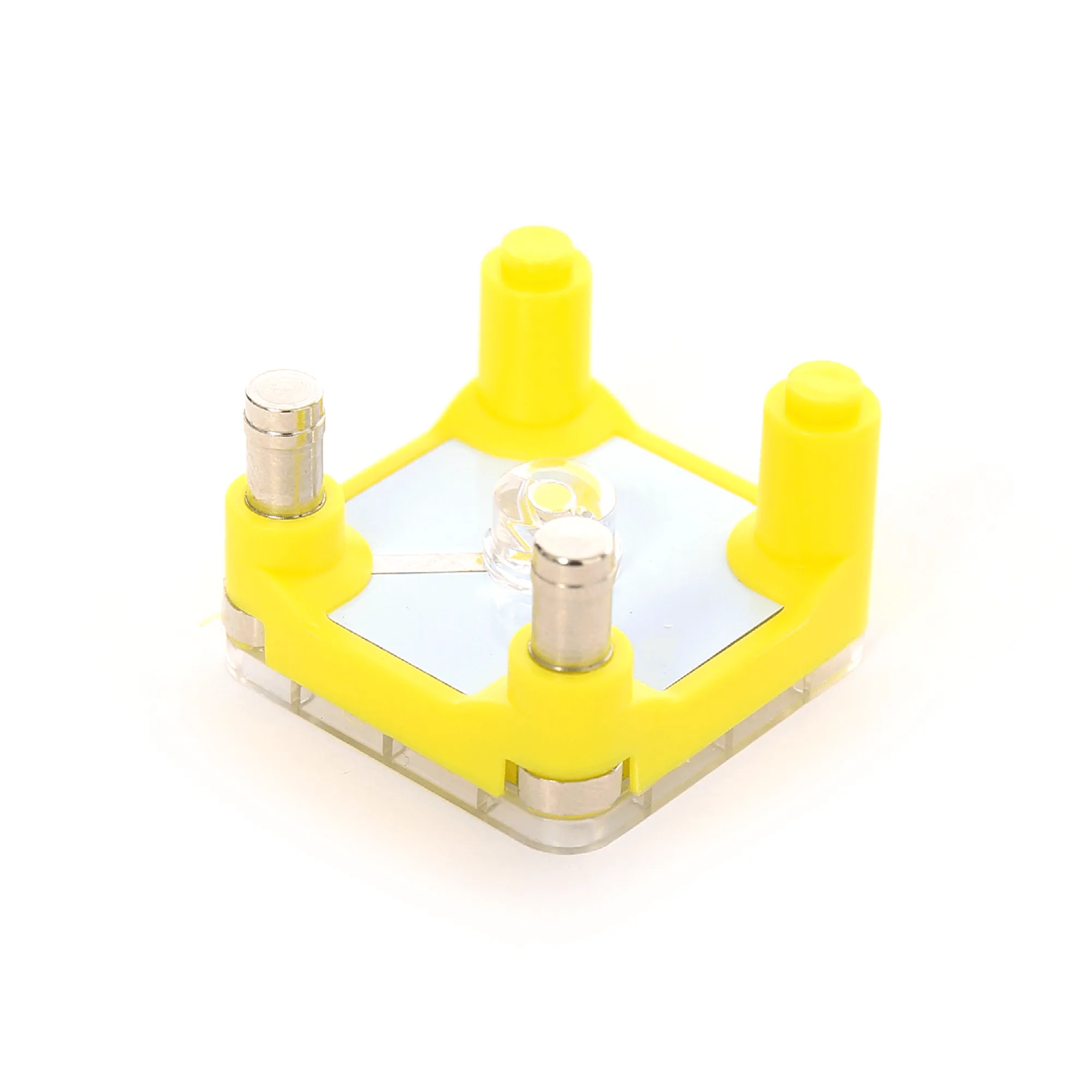
ULTRA BRIGHT LED Cube
-
ULTRA BRIGHT LED Cube: An LED is a polarity-sensitive device, which means current only flows in one direction. If the LED does not turn on when you connect the wires to the battery, try reversing the wires to reverse the current flow. You can intentionally reverse wires to create off-on patterns without needing additional electronic parts.