Two Locking Cables, One Key Difference: Connector Angle
If you need a secure USB-C to Micro USB 3.0 Type-B connection for an industrial camera or machine-vision system, the main choice comes down to whether the Micro USB end is straight or angled. Both cables use dual locking screws on the USB-C side and are designed to prevent accidental disconnection in vibration-prone environments. The difference is in how the Micro USB connector fits your equipment.
The straight version (product ID 2428264) has locking screws on both ends. The left-angle version (product ID 2428265) has a 90-degree left-angle Micro USB 3.0 Type-B connector without locking screws on that end, but with a screw-locking design. Understanding which connector geometry suits your port location and available space is the practical decision.
Straight vs Left-Angle Micro USB 3.0 Connector
Both cables share the same USB-C dual-screw locking connector and support USB 3.0 speeds up to 5Gbps. The Micro USB end is where they differ.
- Straight Micro USB 3.0 Type-B (Product ID 2428264): The straight connector includes two locking screws for a secure, threaded connection. It requires enough clearance for the plug to insert straight into the port. This is the better choice if your equipment has a standard, accessible Micro USB 3.0 Type-B port and you want locking at both ends.
- Left-Angle Micro USB 3.0 Type-B (Product ID 2428265): The 90-degree left-angle connector keeps the cable close to the equipment housing, reducing installation depth and relieving strain on the port. It does not have locking screws on the Micro USB end. This suits compact enclosures or tight spaces where a straight plug would extend too far.
Evidence from the Cables
-
USB-C Dual-Screw Locking Male to Micro USB 3.0 Type-B Male Industrial Camera Cable: Both connectors can be secured to compatible threaded ports, helping prevent accidental disconnection caused by vibration, equipment movement or continuous industrial operation. If your equipment has threaded mounting holes on both the USB-C and Micro USB ports, this cable provides a locked connection at both ends, maximizing security in high-vibration environments.
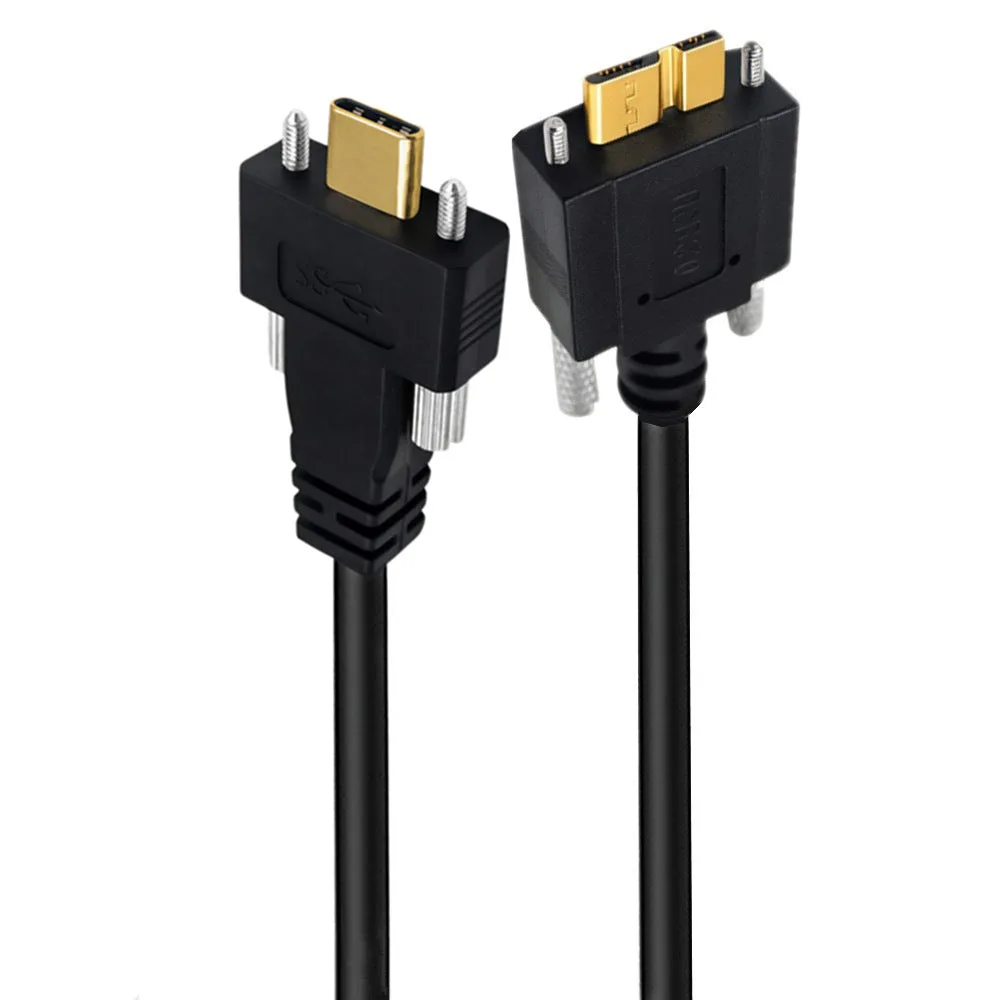
USB-C Dual-Screw Locking Male to Micro USB 3.0 Type-B Male Industrial Camera Cable
-
USB-C Dual-Screw Locking Male to Left-Angle Micro USB 3.0 Type-B Male Industrial Camera Cable: The angled Micro USB 3.0 connector keeps the cable close to the equipment housing, reduces installation depth and helps relieve strain on the connected port. For installations where space is limited or where a straight plug would protrude too far, the angled connector allows a lower-profile setup and reduces stress on the port.
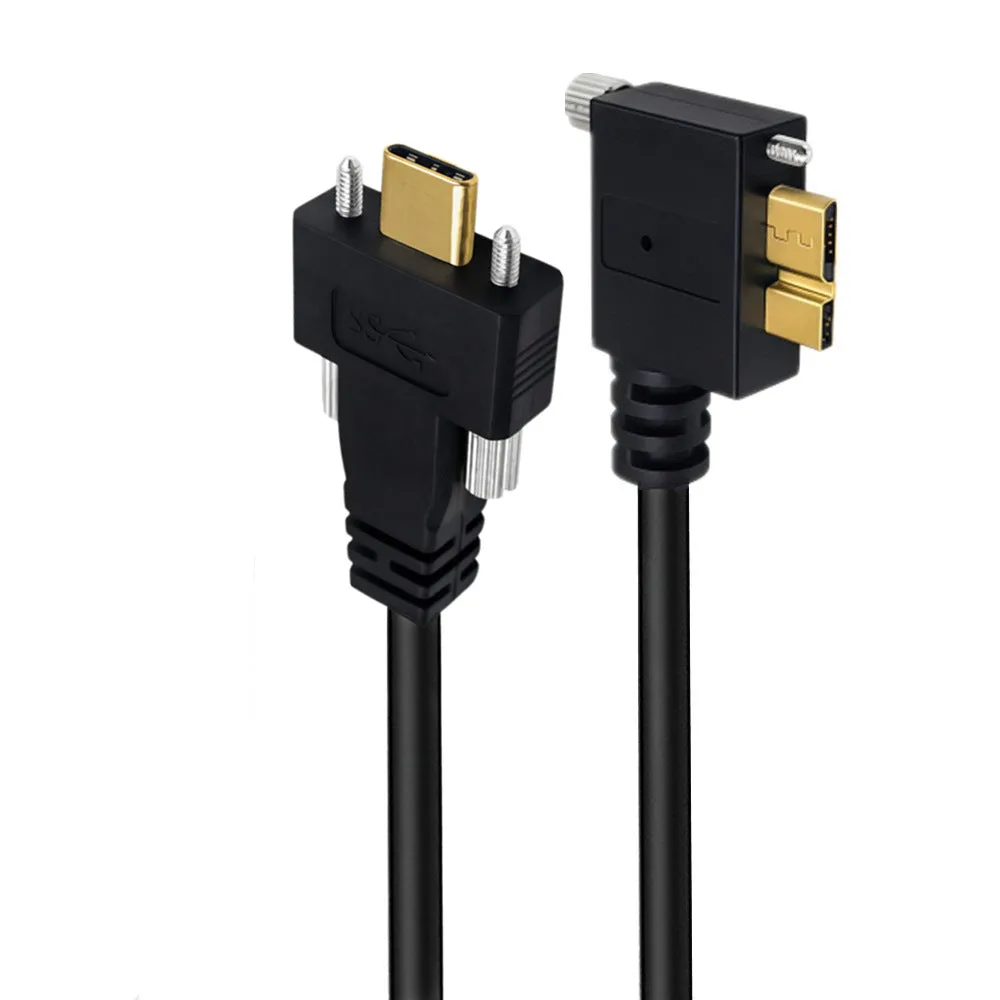
USB-C Dual-Screw Locking Male to Left-Angle Micro USB 3.0 Type-B Male Industrial Camera Cable
Compatibility: The Shared Requirement
Both cables require compatible threaded holes on the equipment for the locking function to work. The USB-C locking screws cannot be used with a standard USB-C socket without threaded holes. Similarly, the Micro USB 3.0 Type-B connector is wider than a standard Micro USB 2.0 plug, so check your device port carefully before ordering. Neither cable supports DisplayPort Alt Mode video output or USB Power Delivery fast charging.
Installation Tips for Both Cables
The installation steps are similar for both cables. Follow these general guidelines from the product information.
- 1. Power off equipment: Switch off or safely stop the connected equipment before installation.
- 2. Insert the USB-C connector: Insert the USB-C male connector into a compatible locking USB-C port. Align and tighten both locking screws evenly by hand. Do not overtighten.
- 3. Insert the Micro USB connector: For the straight cable, align and tighten both Micro USB locking screws evenly. For the left-angle cable, insert the angled connector and tighten its locking screws gently.
- 4. Verify the connection: Ensure both connectors are secure and the cable is routed without sharp bends. The cable is intended for USB data transfer and standard USB bus power.
Which Cable Should You Choose?
Choose the straight locking cable (product ID 2428264) when your equipment has threaded Micro USB 3.0 Type-B ports and you need the most secure connection possible at both ends. Choose the left-angle cable (product ID 2428265) when space is tight, or when you want a lower-profile installation that reduces strain on the Micro USB port. Both are available in 0.6m and 1m lengths, so you can also select the length that fits your setup.