Quick Answer
Pack the USB-C Snap Hub if you use a MacBook Neo, because it is built around that laptop's two non-identical USB-C ports and routes HDMI, data, card readers, and charging through the high-performance USB 3 port. Pack the Type-C Slim Multi-Port Adapter 4K if you want one compact adapter that adds 4K HDMI at up to 60Hz, pass-through charging, and two USB Type-A ports to almost any USB-C laptop. The Snap Hub is the more specialized tool; the Slim Multi-Port Adapter is the more universal one.
What Each Adapter Is Actually Built For
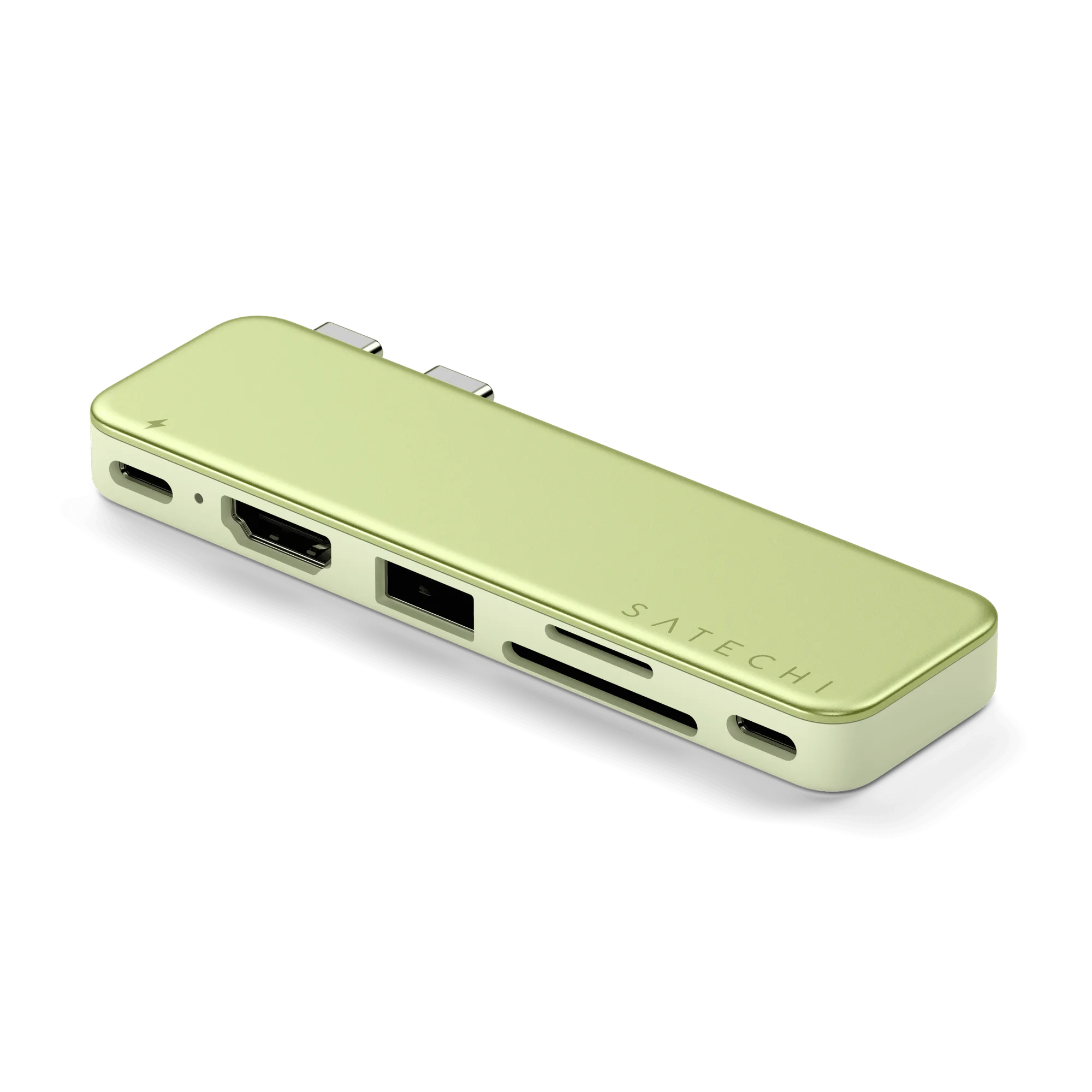
The USB-C Snap Hub is the first dual-connector hub built specifically for the MacBook Neo. The Neo's two USB-C ports are not identical, and most dual-pin hubs were designed as if they were, which is why reviewers tell Neo owners to avoid those. The Snap Hub is engineered around the Neo's architecture, so it uses the high-performance USB 3 port for HDMI, data, card readers, and charging while the second connector handles its own role.
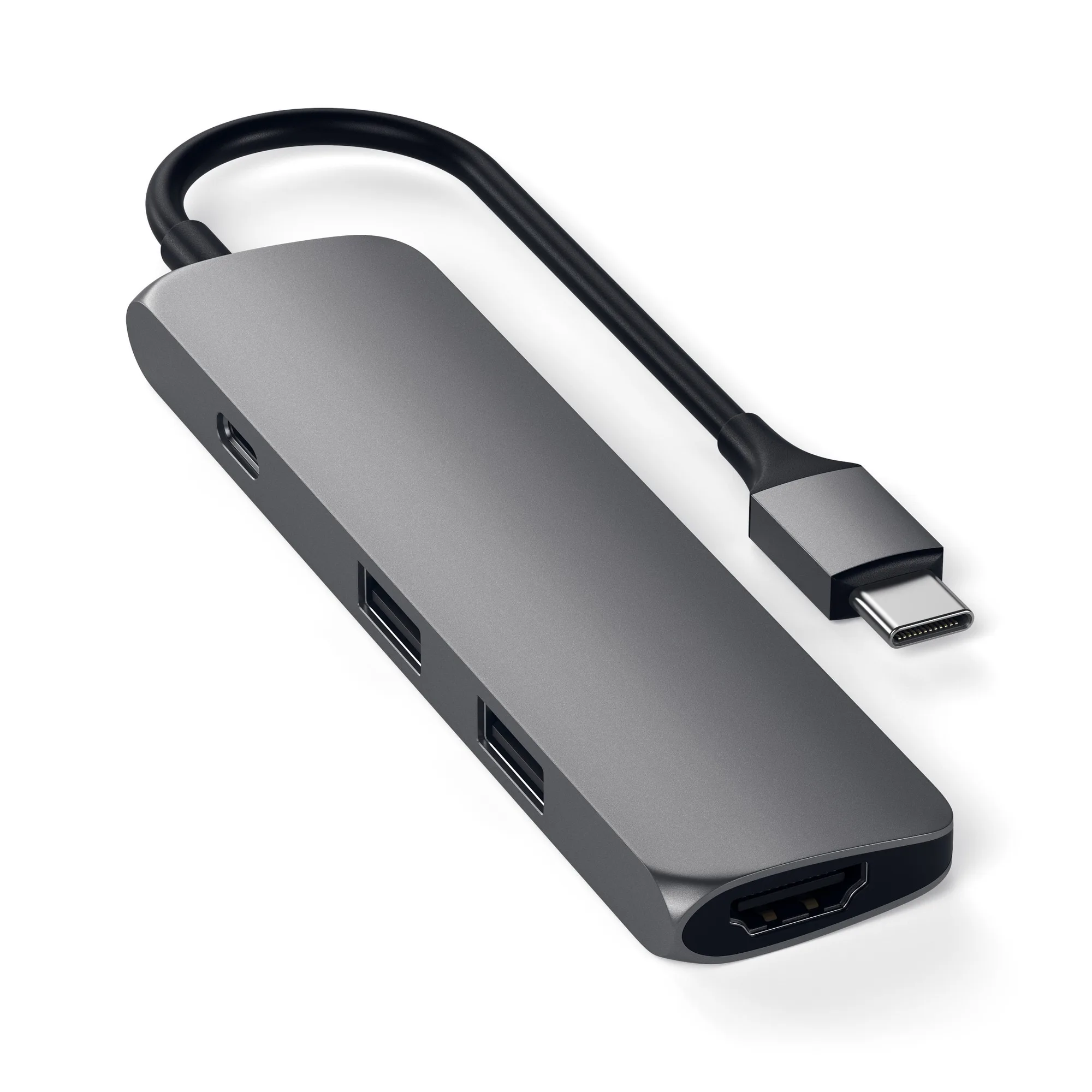
The Type-C Slim Multi-Port Adapter 4K takes the opposite approach. It adds connections to a laptop or desktop through a single Type-C port: 4K HDMI up to 60Hz, pass-through charging, and two USB Type-A ports. It does not care which USB-C port you use, which is exactly why it works across a wider range of machines.
Ports and Performance: Where the Difference Shows Up
The Slim Multi-Port Adapter's headline is 4K HDMI at up to 60Hz, plus two USB Type-A ports for older peripherals and pass-through charging so you can keep the laptop powered. That combination covers the most common travel and desk needs in one slim body.
The Snap Hub's headline is fit, not raw port count. It is designed to sit on the MacBook Neo and use both of that laptop's USB-C connectors correctly, splitting work between the high-performance USB 3 port and the second connector. If you do not own a Neo, that design advantage does not apply to you, and a hub built for identical ports is the simpler choice.
Size, Packing, and Everyday Carry
Both are portable, but they pack differently. A single-connector adapter like the Slim Multi-Port Adapter 4K lives in a bag pocket and works with whatever laptop you brought. A dual-connector hub like the Snap Hub is shaped to a specific machine, so it is best kept with that laptop rather than shared across a household of devices.
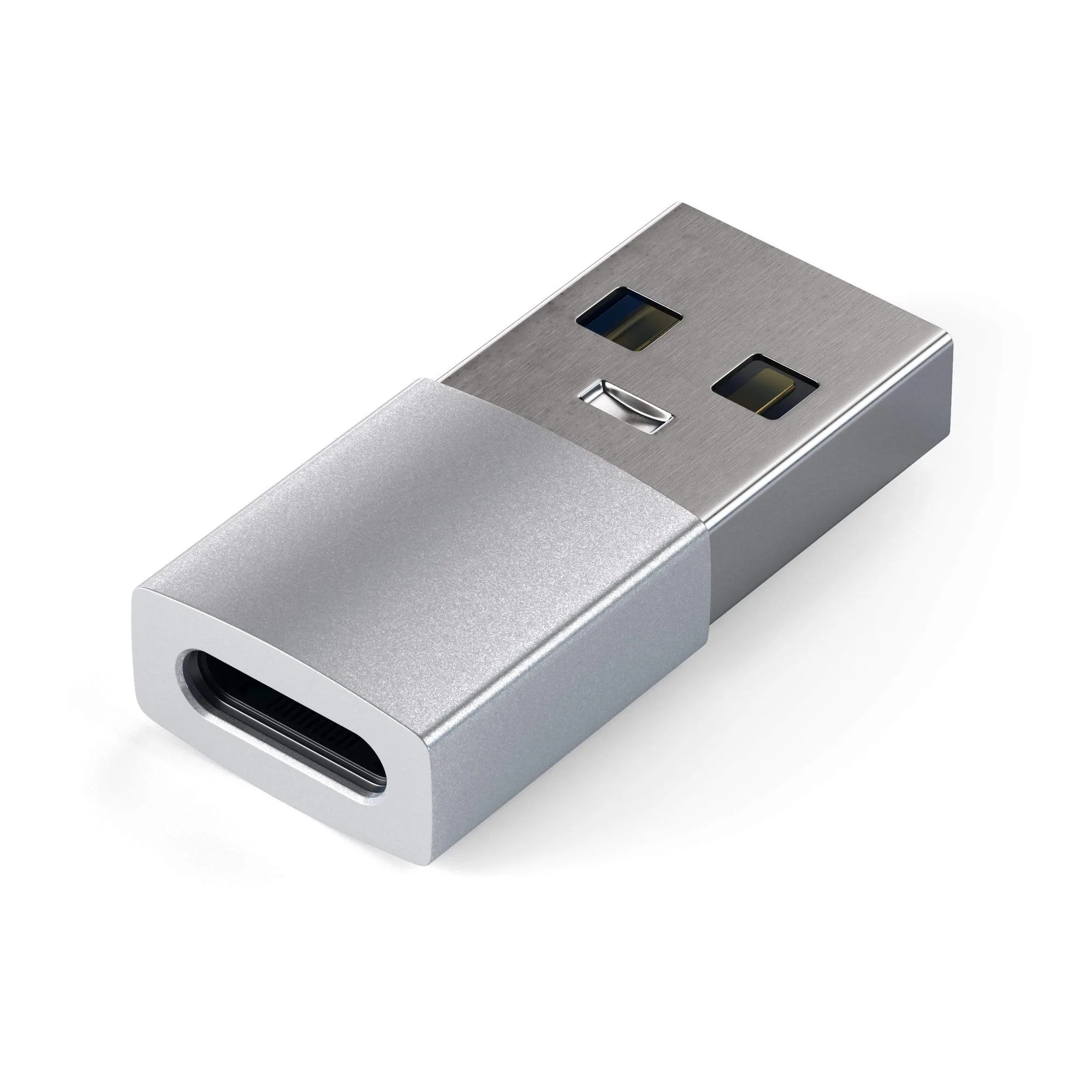
If you switch between a Mac and a PC, the Type-A to Type-C Adapter is a small, cheap companion to keep in the same pouch. It turns a standard USB port into USB-C so you can connect Type-C peripherals to a legacy USB device, which is handy when the laptop you are borrowing is older than your hub.
Trade-Offs at a Glance
- USB-C Snap Hub: Purpose-built for the MacBook Neo's two non-identical USB-C ports, with HDMI, data, card readers, and charging routed through the high-performance USB 3 port. Best if you own a Neo and want the hub that matches its architecture.
- Type-C Slim Multi-Port Adapter 4K: Single-connector design that adds 4K HDMI up to 60Hz, pass-through charging, and two USB Type-A ports to a laptop or desktop. Best if you want one adapter that works across different USB-C machines.
- The trade-off: The Snap Hub wins on fit for one specific laptop; the Slim Multi-Port Adapter wins on flexibility across many. You cannot get both from one device. Choose fit if you are a Neo owner; choose flexibility if you share or switch laptops.
Product Facts
- USB-C Snap Hub: The USB-C Snap Hub is the first dual-connector hub built specifically for the MacBook Neo, routing HDMI, data, card readers, and charging through the high-performance USB 3 port while the second connector handles its own role. If you own a MacBook Neo, this is the hub designed around its two non-identical USB-C ports, so you avoid the compatibility problems reviewers warn about with generic dual-pin hubs.
- Type-C Slim Multi-Port Adapter 4K: The Type-C Slim Multi-Port Adapter 4K adds 4K HDMI up to 60Hz, pass-through charging, and two USB Type-A ports through a single Type-C port. One slim adapter covers display, charging, and legacy USB-A accessories on almost any USB-C laptop, which makes it the safer pick for travel and mixed-device desks.
- Type-A to Type-C Adapter: The Type-A to Type-C Adapter turns a standard USB port into USB-C so you can connect Type-C peripherals to a legacy USB device. A low-cost add-on for the bag when the machine you are using still has USB-A ports and you need to attach a Type-C accessory.
Which Should You Pack?
Best for
- MacBook Neo owners who want a hub engineered around that laptop's two USB-C ports
- Travelers who need HDMI, card readers, data, and charging from one attached hub
- People who keep a dedicated hub with one specific laptop
Not for
- Owners of laptops other than the MacBook Neo, who should choose a single-connector adapter like the Type-C Slim Multi-Port Adapter 4K
- Anyone who needs one hub to share across several different USB-C machines
- Buyers who mainly need extra USB-A ports and 4K HDMI rather than a Neo-specific fit