Quick answer
To use a 4x4 matrix keypad with Arduino, connect the I2C interface to the SDA and SCL pins, then read ASCII key values using the Wire library. The mLink 4x4 Matrix Keypad handles debouncing and scanning automatically, simplifying your code.
Why choose an I2C matrix keypad over a raw matrix
A raw 4x4 matrix keypad requires eight digital I/O pins and manual debouncing in code. The mLink 4x4 Matrix Keypad integrates a dedicated scanning module that communicates over I2C, using only two pins (SDA and SCL) and providing pre-debounced ASCII output. This reduces wiring complexity and frees up I/O for other sensors or displays.
The trade-off is cost: the mLink version is slightly more expensive than a bare keypad. However, for projects where reliability and simplicity matter, the extra expense saves debugging time.
Step-by-step wiring and code guide
- Wire the keypad to Arduino: Connect the mLink keypad's VCC to Arduino 5V, GND to GND, SDA to A4 (or SDA pin on Uno R3 or later), and SCL to A5 (or SCL pin). For other Arduino boards, check the I2C pinout. Common mistake: reversing SDA and SCL. If the keypad doesn't respond, swap the two data wires.
- Install the required library: Open the Arduino IDE, go to Sketch > Include Library > Manage Libraries, and install the 'mLink' library by the board vendor. This library provides functions to read the keypad over I2C. If the library is not found, download it from the product page and install manually via Sketch > Include Library > Add .ZIP Library.
- Write the scanning code: Include the mLink library in your sketch. In setup(), call mLink.begin(). In loop(), use mLink.getKey() to read the ASCII value of the last pressed key. If the value is not 0, print it to the Serial Monitor or use it in your project logic. Checkpoint: The keypad returns 0 when no key is pressed. Always test for a non-zero value before acting on a key press to avoid false triggers.
- Test and verify key mapping: Upload the sketch and open the Serial Monitor at 9600 baud. Press each key and confirm the correct ASCII character appears. The mLink keypad outputs uppercase letters and digits matching the printed keycaps. If a key returns a different character, check for loose wiring or a faulty keypad. No mapping table is needed because the module handles it.
- Integrate into your project: Replace the Serial.print() line with your own logic: for example, store the key in a string, compare it to a password, or use it to navigate a menu on an LCD display. Remember that the keypad is polled, not interrupt-driven. Your loop must call getKey() frequently enough to catch fast presses.
Product reference
-
mLink 4x4 Matrix Keypad: The mLink 4x4 matrix keypad is a panel mountable serial (I2C) 16 key tactile keypad with a module that continuously scans and debounces key presses, storing each key as an 8-bit ASCII value. You don't need to write debouncing or scanning routines in your Arduino sketch, which simplifies code and reduces false triggers.
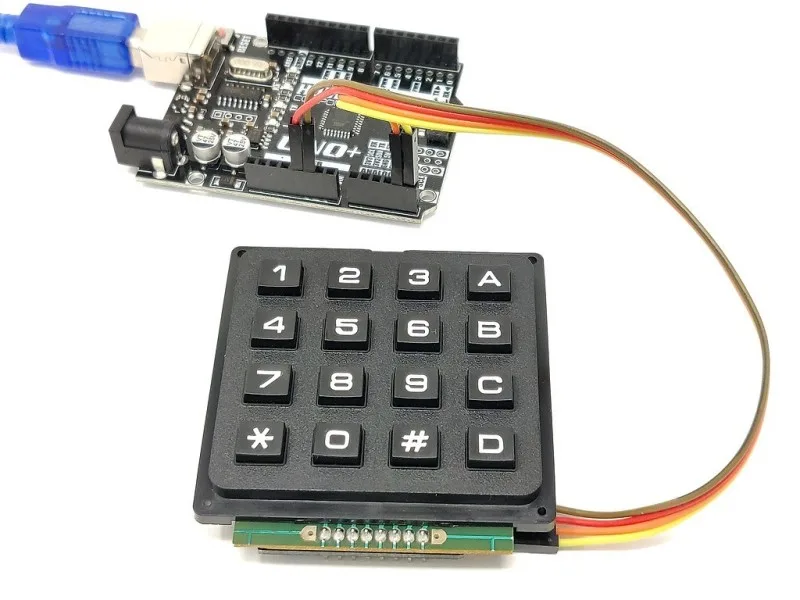
mLink 4x4 Matrix Keypad