Quick Answer
Use a flash meter to measure the light from your strobes and ambient light separately, then set your camera to match the meter's recommended aperture and shutter speed for consistent, correctly exposed studio shots.
Why Use a Flash Meter Instead of Guessing?
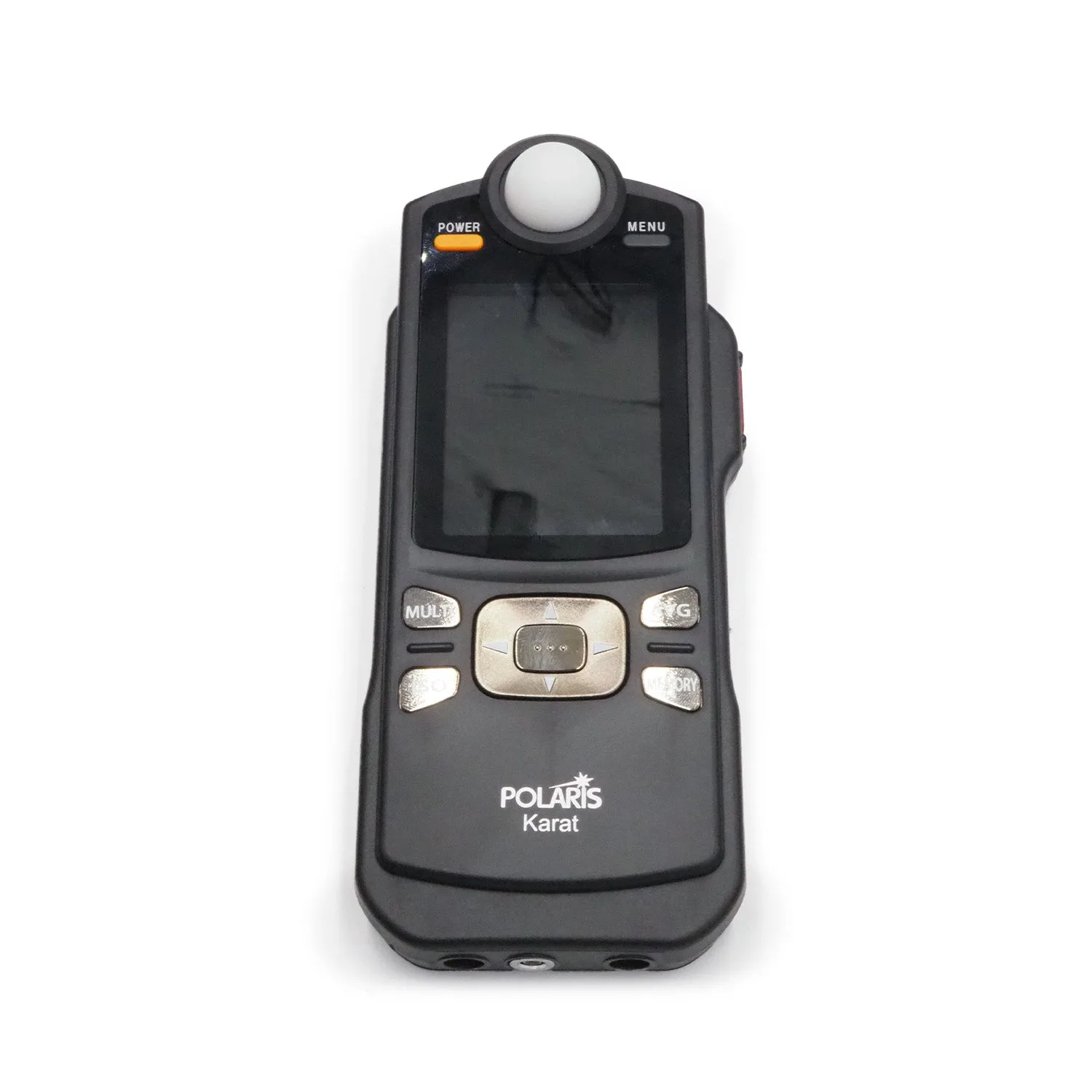
Camera meters are designed for continuous light and don't account for the brief burst of a flash. A flash meter, like the Polaris Karat, measures the actual light output when the flash fires, giving you a precise aperture and shutter speed to use.
This is especially important when mixing flash with ambient light or using multiple strobes. Without a meter, you'll waste time chimping and adjusting power settings, and you may still end up with inconsistent exposures across a series of shots.
Trade-Offs: Incident vs. Reflected Metering
Most flash meters measure incident light, meaning they read the light falling on the subject. This is ideal for studio work because it's not affected by the subject's color or reflectivity. However, if you're shooting reflective surfaces or want to meter a specific highlight, a reflected reading might be more useful. Some meters offer both modes, but the Polaris Karat is primarily an incident meter, which is standard for studio lighting.
Also, remember that a flash meter measures the flash output, not the ambient light. For mixed lighting, you'll need to take two readings: one with the flash and one without, and then balance them according to your creative intent.
Step-by-Step: Setting Up Your Studio Lighting with a Flash Meter
- Set Your Camera to Manual Mode: Switch your camera to manual mode and set the shutter speed to your camera's flash sync speed (usually 1/200s or 1/250s). Set the ISO to your desired value, typically 100 or 200 for studio work. If your shutter speed is too high, you'll see a dark band in your photos—this is a common mistake.
- Position Your Flash Meter: Place the flash meter at the subject's position, with the white dome pointing toward the camera. This measures the light falling on the subject, not the light reflected from it. Make sure the meter is not in your shadow or the shadow of any equipment, or you'll get an inaccurate reading.
- Fire the Flash and Read the Meter: Trigger your strobe (using a test button or a remote trigger) and read the aperture value displayed on the meter. This is the aperture you should set on your camera for a proper exposure. If the reading seems too bright or too dark, adjust your flash power and take another reading. Don't rely on the camera's histogram—trust the meter.
- Check for Ambient Light Interference: If you're mixing flash with ambient light, take a reading with the flash off to see the ambient contribution. Adjust your shutter speed or flash power to achieve the balance you want. If the ambient reading is too high, you may need to lower your shutter speed (but stay at sync speed) or reduce ambient light with modifiers or by closing curtains.
- Set Your Camera and Test: Set the aperture on your camera to the value from the meter, keep the shutter speed at sync speed, and take a test shot. Review the image to confirm the exposure looks correct. If the test shot is over or underexposed, re-meter and adjust flash power rather than changing the aperture, to maintain your desired depth of field.
Product Spotlight
-
Polaris Karat Flash Meter - USED: The Polaris Karat Flash Meter is a used unit that has been fully tested and works, comes with a 90-day warranty, and includes 2 AA batteries. It's a reliable, budget-friendly option for photographers who want to improve their studio lighting without investing in a brand-new meter.
Polaris Karat Flash Meter - USED


