Quick Answer
For smooth, consistent curves in your machine quilting, use the Sway ruler set—each ruler is designed for a specific circle size, so you can build a repertoire of curved designs with confidence.
Why the Sway Ruler Set Works for Curves
Curved quilting can feel intimidating because free-motion curves often wobble or distort. The Sway rulers solve this by giving you a physical guide to trace around, which keeps your stitches even and your curves precise.
Each Sway ruler is sized for a different circle—1", 3", and 6"—so you can match the ruler to the scale of your design. Smaller circles work well for dense motifs, while larger circles suit open, flowing patterns.
Because the rulers are designed by professional machine quilter Natalia Bonner, they're built with the needs of quilters in mind: clear markings, a comfortable grip, and a shape that makes it easy to move around your quilt.
Choosing the Right Sway Ruler Size
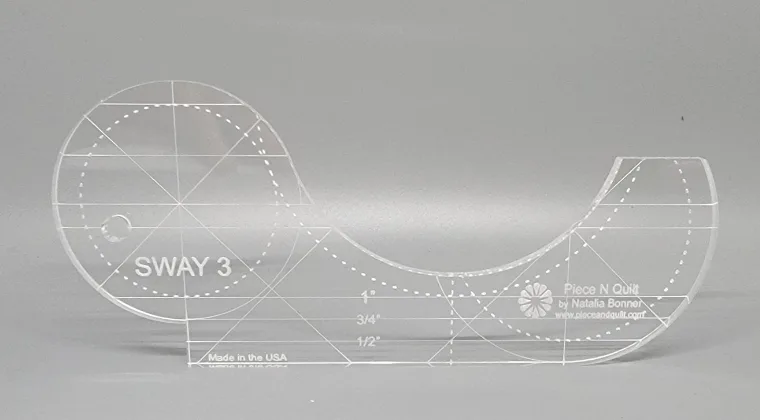
The Sway Baby (1" circles) is ideal for small, detailed areas like sashing or borders. The Sway 3 (3" circles) is a versatile middle ground for all-over motifs and sashing designs. The Sway 6 (6" circles) is perfect for larger open spaces where you want bold, sweeping curves.
If you're new to ruler work, starting with the Sway 3 is often easiest because the size is manageable and the curves are forgiving. As you gain confidence, you can mix sizes to create more complex designs.
How to Use the Sway Ruler Set: Step-by-Step
- Set Up Your Machine for Ruler Work: Attach a ruler foot to your machine and lower the feed dogs. Position your quilt so the area you want to quilt is flat and accessible. Practice on a scrap quilt sandwich first to check your stitch length and tension. Always test on scraps before starting on your actual quilt.
- Choose the Right Sway Ruler Size: Select the Sway ruler that matches the circle size you want to quilt. For example, use the Sway Baby for 1" circles, the Sway 3 for 3" circles, and the Sway 6 for 6" circles. This ensures your curves are consistent and proportionate. Using the correct size prevents awkward scaling and keeps your design balanced.
- Position the Ruler and Start Quilting: Place the ruler on the quilt, holding it firmly with your non-dominant hand. Lower the needle into the fabric at the starting point. Then, guide the ruler with your hand while the machine stitches along the edge. Move slowly and steadily to maintain control. Keep your hands steady and let the ruler do the guiding—don't force the fabric.
- Repeat to Build Your Design: Once you complete one circle, move the ruler to the next position, overlapping or spacing as desired. Use the markings on the ruler to help you align repeats. Continue until you've filled your quilting area with the curved design. Plan your spacing in advance to avoid running out of room or creating uneven gaps.
- Secure Threads and Finish: When you're done, clip your thread tails and bury them if needed. Press your quilt to set the stitches. Check for any skipped stitches or uneven areas and repair them before adding more quilting. A final inspection ensures your curves look smooth and professional.
Sway Rulers at a Glance
-
Sway 6 Machine Quilting Ruler: The Sway 6 is perfect for machine quilting and marking 6" circles and coordinating quilting designs. Use this ruler when you want large, open curves that add movement to big quilt areas.
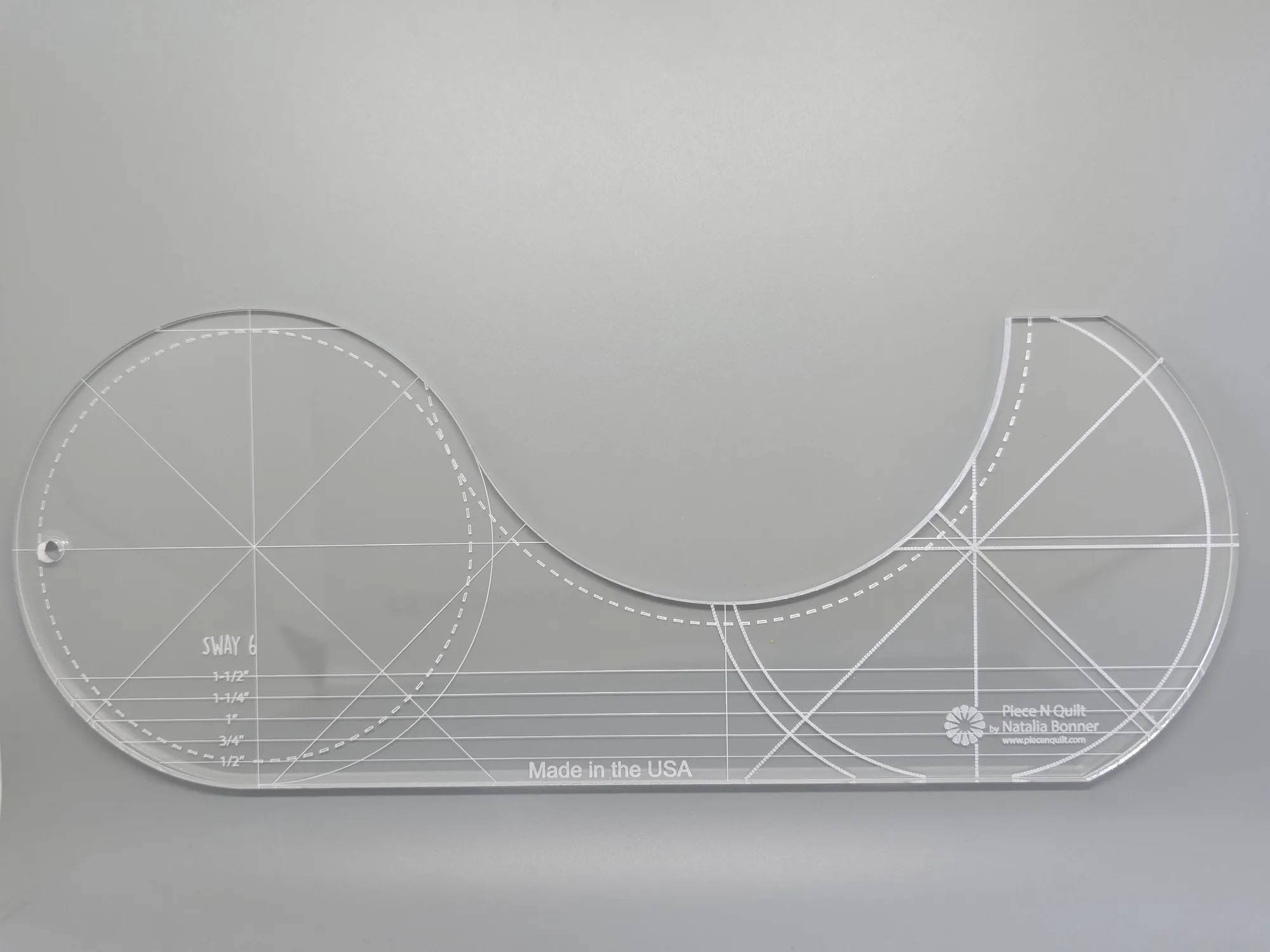
Sway 6 Machine Quilting Ruler
-
Sway Baby Machine Quilting Ruler: The Sway Baby is perfect for machine quilting and marking 1" circles and coordinating quilting designs. This ruler is your go-to for tiny, detailed curves in tight spaces like sashing or small blocks.
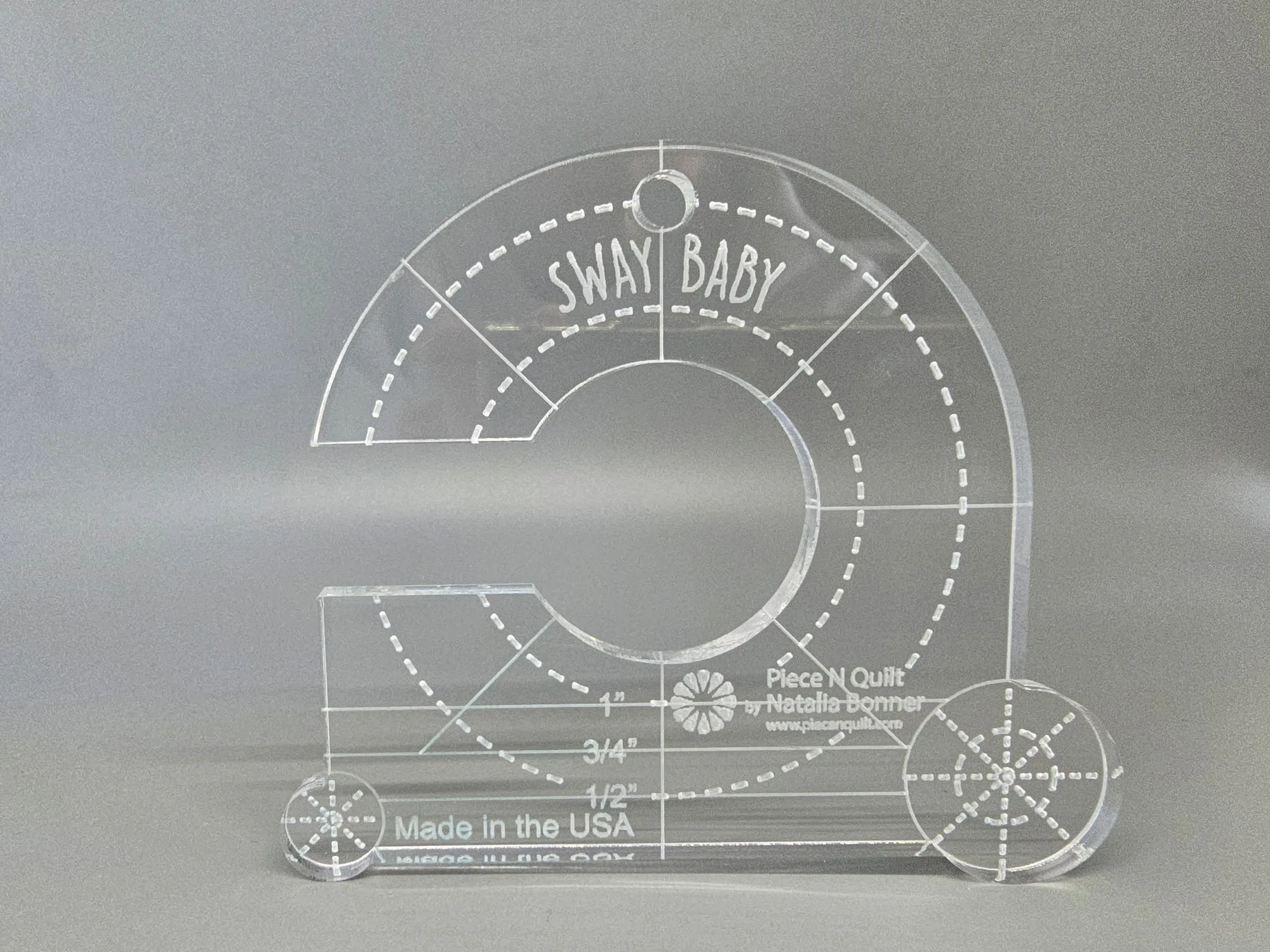
Sway Baby Machine Quilting Ruler
-
Sway 3 Machine Quilting Ruler: The Sway 3 is perfect for machine quilting and marking 3" circles, sashing designs, and coordinating quilting motifs. It's a versatile middle size that works well for both all-over quilting and border designs.