Quick answer
The Electronic Bay Switch Band lets you mount a switch on the outside of your avionics bay so you can arm or disarm your electronics without opening the bay. It replaces the need to drill into the airframe or access the bay through a hatch.
Why use a switch band instead of a hatch or drilling?
A hatch requires cutting a precise opening in the airframe and building a cover, which adds complexity and potential weak points. Drilling a hole for a switch weakens the airframe and makes it harder to seal. The switch band slides over the electronics bay coupler and holds the switch securely, letting you access it through a small hole in the airframe that aligns with the band's cutout.
Frequently asked questions about the Electronic Bay Switch Band
How do I choose the right size switch band?
Measure the outer diameter of your electronics bay coupler (the tube that slides into the airframe). The switch band should fit snugly over that coupler. For example, if your bay uses a 2.6" coupler, select the 2.6" switch band. Do not use the airframe inner diameter.
Where should I place the switch band on the bay?
Slide the band onto the coupler so the switch cutout faces outward and aligns with the hole you'll drill in the airframe. Position it near the forward end of the bay so the switch is easy to reach through the airframe hole. Mark the location before drilling. Tape the band in place temporarily before drilling to confirm alignment.
Do I need to glue the switch band in place?
Yes, once you confirm the position, apply a thin layer of epoxy or thick CA glue to the inside of the band and slide it into final position. Wipe off any excess glue before it cures. The band should be flush against the coupler with no gaps. Avoid getting glue into the switch cutout or onto the threads of the switch itself.
Can I use the switch band with any switch?
The band is designed for standard toggle or slide switches with a mounting diameter up to about 0.5". Verify your switch's bushing diameter fits the band's cutout before gluing. If your switch is larger, you may need to enlarge the cutout carefully with a file. Test-fit the switch in the band before gluing the band to the coupler.
How do I wire the switch to the electronics?
Solder two wires to the switch terminals: one from the battery positive lead and one to the electronics power input. Use heat shrink tubing over each terminal. Route the wires through the bay so they don't pinch when you slide the bay into the airframe. Secure the switch in the band with the included nut. Use a wire gauge that matches your battery leads (typically 18–22 AWG for altimeters).
Product facts
-
Electronic Bay Switch Band: Available sizes: 2.2", 2.6", 3.0", 3.9", 5.5", and 7.5" electronics bay diameters. You must match the switch band size to your electronics bay outer diameter, not your airframe tube diameter, for a proper fit.
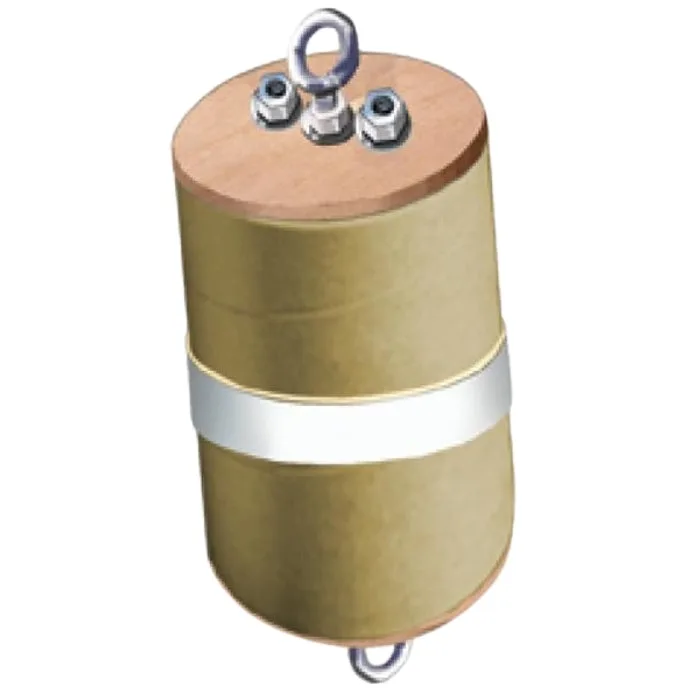
Electronic Bay Switch Band