A numpad you add, not one you give up space for
If you like a compact keyboard for typing and mouse work but still enter numbers all day, a separate numeric keypad is the practical middle path. The Vortex 10 is a wired keypad built around that idea: you keep your main board, then place a dedicated number block where your hand actually reaches for it.
This guide focuses on the constraints that decide whether that works for you: the Vortex 10 layout options, the switch choice, the wired USB Type-C connection, the desk footprint, and the operating systems Vortex lists.
What the Vortex 10 brings to a TKL or compact desk
The value of a separate keypad is mostly about placement and keeping your main keyboard small. These supplied features are the ones that matter for that decision.
- Hot-swap PCB: You can change switches without soldering, which matters if you want a different feel in the number row than on your main board.
- Cherry MX or Gateron G Pro switches: Vortex lists both switch families for this model, so the feel you choose is part of the buying decision rather than an afterthought.
- ANSI/ISO layout support: The keypad is listed with ANSI/ISO layout support, and a supplied variant is ISO-FL with Cherry MX RGB Red.
- Onboard macro and N-Key Rollover: Macros are stored on the keypad itself, and N-Key Rollover is listed for fast number entry.
- CNC machined uni-body with acrylic bottom: The case is a single machined piece with an acrylic base for RGB under-glow, so the keypad reads as a deliberate desk object rather than a plastic add-on.
Vortex 10 specifications that shape the decision
-
Vortex 10: Wired, with USB Type-C connectivity The Vortex 10 is not a wireless keypad in the supplied information, so plan a cable route to where the numpad will sit.
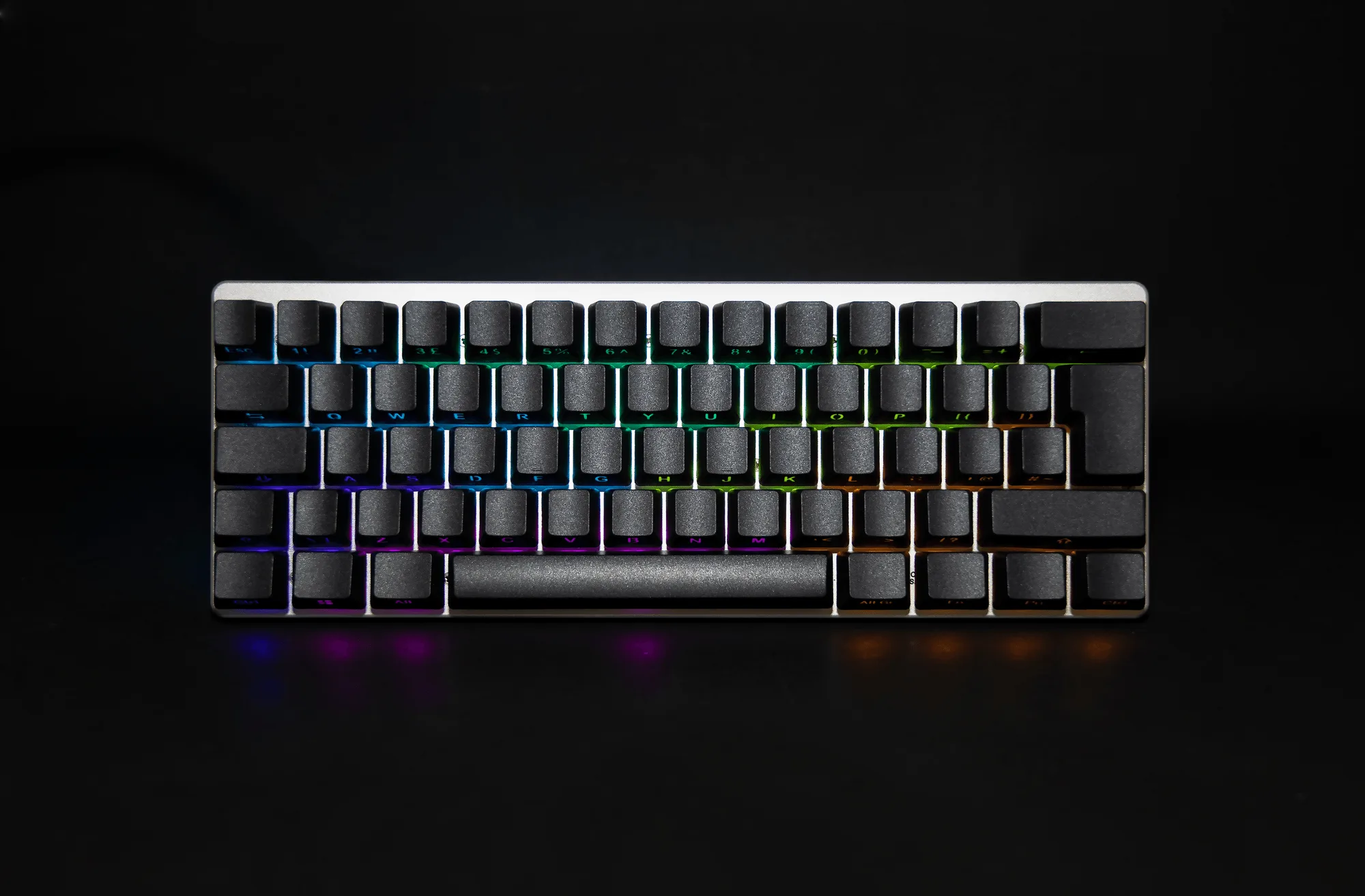
Vortex 10
-
Vortex 10: System requirement: Windows 7, Windows 8, Windows 10, Windows 11 and Mac O.S These are the operating systems Vortex lists; check your own machine against that list before buying.
-
Vortex 10: Product size: L*W*H 29 x 10.5 x 4.0 (keycap included) / 29 x 10.5 x 2.7 (keycap not included) Use these supplied measurements to check the footprint beside your main keyboard and mouse.
-
Vortex 10: Weight: 525(g) ± 10 A keypad around this weight is likely to stay put during number entry, though the supplied information does not confirm feet or grip details.
-
Vortex 10: Contents: keyboard, user manual, USB Type-C cable, switch puller The supplied cable and switch puller mean you can connect and start swapping switches without buying those two items separately.
Layout options: match the keypad to your main board
The Vortex 10 is listed with ANSI/ISO layout support, and the supplied variant evidence names ISO-FL with Cherry MX RGB Red. That matters if your main keyboard is ISO and you want the keypad to feel consistent rather than like a different keyboard family.
Check the layout and switch type together when you order. The available option types are layout and switch type, so the two choices are linked: the ISO-FL variant shown comes with Cherry MX RGB Red, and other switch or layout combinations are not confirmed by the supplied information.
Separate numpad vs full-size keyboard: the practical trade-off
- Keep a TKL and add the Vortex 10: You keep more room for mouse movement and can place the number block on either side. The cost is a second wired device and a cable to manage.
- Use a full-size keyboard instead: One cable and one device, but the number section is fixed to the right side whether you need it or not.
- Use the Vortex 10 as a standalone number pad: The Vortex 10 is a wired keypad with onboard macro and N-Key Rollover, so it can serve as a dedicated number and macro block even when your main keyboard is elsewhere on the desk.
How to plan the desk setup before you buy
A separate numeric keypad only helps if it lands where your hand expects it. Work through these checks in order.
- Measure the space beside your main keyboard: The Vortex 10 is listed at 29 x 10.5 x 4.0 with keycaps, so check that footprint against your desk before committing.
- Decide which side the numpad goes on: Right-handed number entry usually means the keypad sits to the right of the main board; left-handed entry may mean moving it and adjusting your mouse space.
- Plan the USB Type-C cable route: Because the Vortex 10 is wired, route the supplied USB Type-C cable to a free port and leave enough slack to reposition the keypad.
- Confirm your operating system: Vortex lists Windows 7, Windows 8, Windows 10, Windows 11 and Mac O.S as system requirements; check that your machine is on that list.
- Choose layout and switch together: Pick the layout that matches your main keyboard and the switch feel you want, keeping in mind that the supplied variant is ISO-FL with Cherry MX RGB Red.
Where the supplied information stops
The supplied record does not confirm wireless operation, battery life, or whether the Vortex 10 can be paired with a specific keyboard model. Treat it as a wired USB Type-C keypad and check any additional compatibility claims against the product page before you order.
The record also notes that actual products may vary due to product enhancement, and that pictures are for illustration. If a specific switch and layout combination is essential to you, confirm it at checkout rather than assuming every combination exists.