Quick Answer
A smart waffle maker uses built-in sensors to automatically adjust cooking time based on your chosen browning level and batter type, delivering consistent, even results without guesswork.
Why Even Browning Matters
Traditional waffle irons rely on a fixed timer or your own judgment, which often leads to uneven browning—light in some spots, burnt in others. A smart waffle maker solves this by monitoring the cooking process in real time, so every waffle comes out golden and crisp across the entire surface.
Trade-Offs to Consider
Smart waffle makers cost more than basic models because of the added electronics and sensors. They also require a brief learning curve to understand the settings and indicators. However, the convenience and consistency they offer can save time and reduce waste from failed batches.
Frequently Asked Questions
How does a smart waffle maker know when the waffle is done?
It uses a microchip and sensors that monitor the temperature and cooking progress. Based on the browning level you select, it calculates the exact cooking time and shuts off automatically when done.
Can I use any waffle batter in a smart waffle maker?
Yes, you can use any standard waffle batter. The smart settings adjust the cooking time to account for different batter thicknesses and ingredients, though very thick batters may need a slightly higher browning setting. Start with a medium browning setting and adjust based on your batter.
Do I need to preheat a smart waffle maker?
Yes, you still need to preheat until the indicator shows it's ready. The smart features only activate once the batter is poured and the lid is closed. Always wait for the preheat signal before adding batter.
How do I clean a smart waffle maker without damaging the sensors?
Unplug and let it cool completely. Wipe the plates with a damp cloth or soft brush. Never submerge the base or use abrasive cleaners, as moisture or scratches can affect the sensors. Use a non-abrasive brush or cloth to protect the non-stick coating and sensor area.
Product Facts
-
the Smart Waffle™ Pro 2 Slice: Automatically calculates the correct cooking time for whatever style of waffle & color you select. You don't need to watch the clock or flip the waffle manually—just set your preferred doneness and let the machine handle the timing.
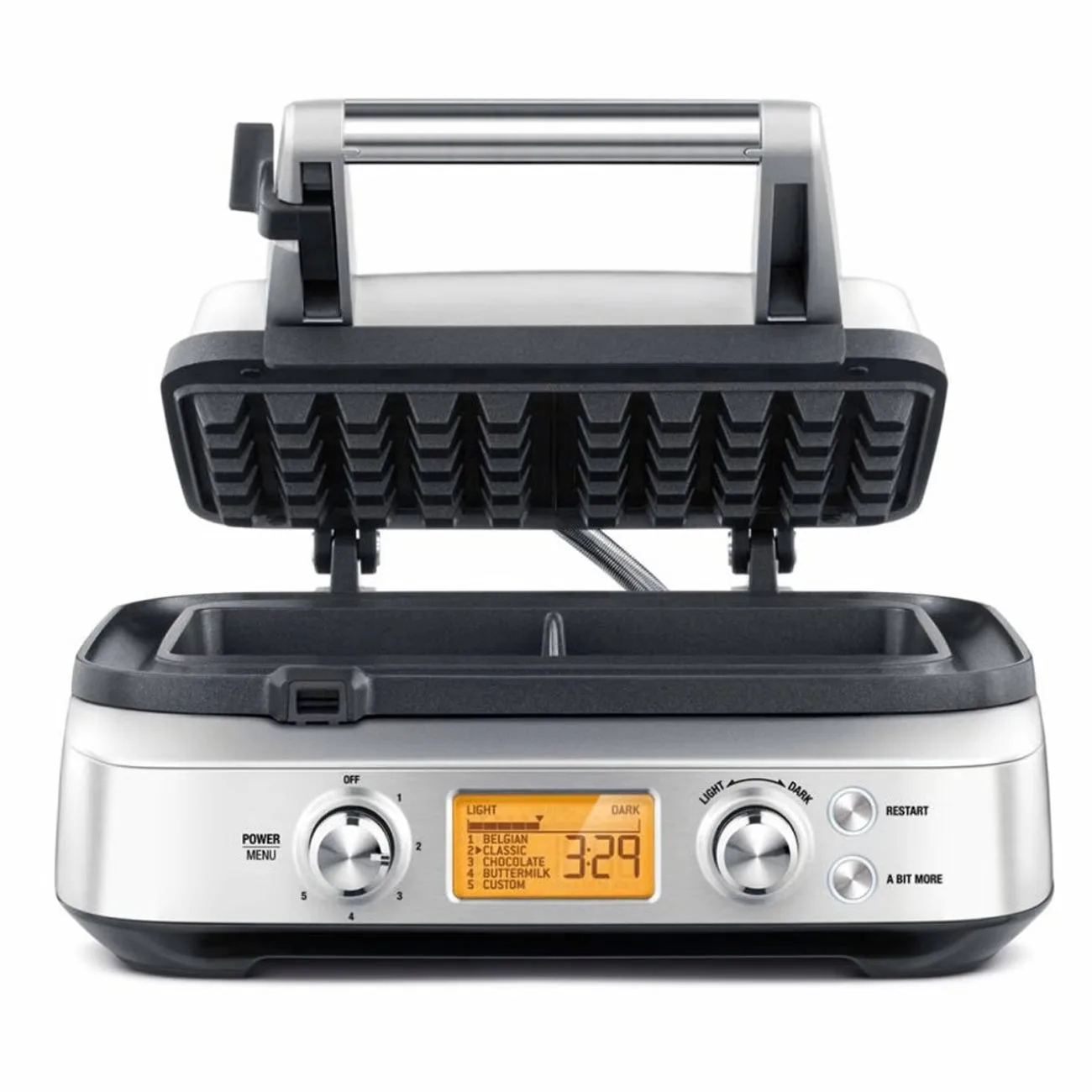
the Smart Waffle™ Pro 2 Slice
-
the Smart Waffle™ Pro 2 Slice: Once the lid is closed, the timer and progress indicator will automatically begin to count down. LCD changes to orange to indicate cooking cycle has commenced. The visual feedback lets you know the cycle has started and how much time remains, so you can multitask confidently.