Quick answer
A laptop cooling pad is helpful when you notice performance drops, fan noise, or uncomfortable heat during sustained use, but it won't fix hardware damage or poor ventilation.
When a cooling pad is not enough
If your laptop shuts down suddenly or shows hardware errors, the issue may be a failing fan, clogged vents, or thermal paste degradation. A cooling pad can't replace internal repairs.
For laptops with blocked bottom vents (e.g., on soft surfaces), a cooling pad helps by lifting the device and adding airflow, but cleaning the vents and using a hard flat surface should come first.
Diagnosing your laptop's overheating
- Symptom: Your laptop feels too hot to touch, fans run loudly, or the system slows down during normal use.
- Likely cause: Heat buildup from sustained load, poor airflow, or a warm environment. The internal cooling system may be working but unable to keep up.
- Corrective action: Place your laptop on a hard, flat surface. If the problem persists, use a cooling pad like the TECKNET Laptop Cooling Pad with Phone Stand to actively pull heat away and maintain stable performance. If the laptop still overheats after cleaning vents and using a pad, consider internal repairs or replacement.
- When to stop or choose another option: If the laptop has hardware damage (e.g., failing fan, swollen battery) or the vents are blocked by dust, fix those issues first. A cooling pad is a helpful addition, not a cure for broken components.
Product facts
-
TECKNET Laptop Cooling Pad with Phone Stand: 9 high-performance fans with stepless speed control up to 2600 RPM and 360° surround airflow. This provides strong, adjustable cooling that can prevent thermal throttling during demanding tasks like gaming or video editing.
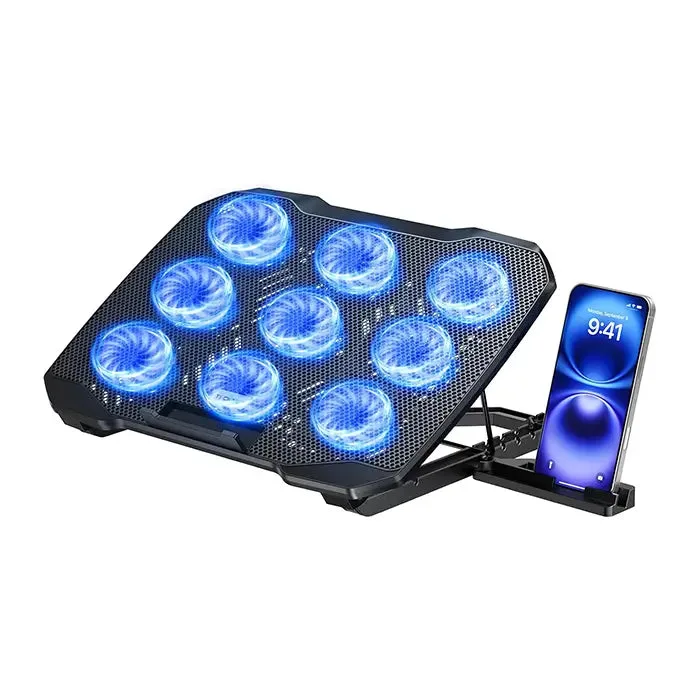
TECKNET Laptop Cooling Pad with Phone Stand