Quick answer
Put laptop stickers on a clean, flat lid area away from vents, hinges and the trackpad edge, and keep journal or planner stickers on the cover or on pages you will not rewrite. If a sticker is already lifting, curling or leaving tacky residue, stop adding more until you have cleaned and dried the surface, because stacking over a failing sticker usually makes the problem worse rather than hiding it.
Laptop sticker placement: where it works and where it backfires
The safest laptop sticker placement is on the outer lid, centered or offset toward a corner, on a smooth panel with no logo cutouts, seams or rubber feet. Heat is the main enemy: vents, hinge gaps and the area directly above the battery or processor get warm during use, and heat softens adhesive until the sticker slides or lifts at one edge. Keep at least a finger-width of clearance from any vent or hinge.
Avoid the palm rest and trackpad surround. Oils from your hands break down adhesive faster there than anywhere else on the machine, and a sticker that sits under your wrist will start to peel within weeks. If you use a hard shell or sleeve, check that the sticker does not catch on the case edge when you slide the laptop in, since friction at that contact point is a common cause of curled corners.
- Good spots: outer lid center, lid corner, flat back panel of a thick case.
- Risky spots: vents, hinges, palm rest, trackpad edge, curved or textured surfaces.
- Before applying: wipe with a lint-free cloth, let it dry fully, then press from the center outward.
Journal sticker placement: cover, endpaper or inside page
For journal sticker placement, decide first whether the sticker is decoration or a working label. Decorative stickers belong on the front cover, the spine edge or the inside endpaper, where they will not interfere with writing. Functional stickers, such as a name label or a date marker, work better on the inside front cover or the first page, because the cover takes the most handling and abrasion.
Paper type matters more than most people expect. Matte vinyl stickers sit smoothly on uncoated or lightly textured covers, while glossy covers and coated paper can reject adhesive over time, especially if the journal lives in a bag. If you are unsure, test one sticker in a low-visibility spot such as the inside back cover and check it after a week before committing to a full layout.
- Press firmly for several seconds; brief pressure beats a quick tap.
- Leave a small margin from the cover edge so the sticker does not catch on pockets.
- Do not place stickers over a spine crease if you want them to stay flat.
Planner sticker layout that survives daily use
A planner sticker layout should follow the way you actually turn pages. Put stickers on the outer margin or the top corner of a weekly spread, not across the center gutter, because the gutter flexes every time the planner opens and that movement is what makes stickers wrinkle or peel. If you use a discbound or ring-bound planner, keep stickers clear of the punch holes and rings.
For monthly or weekly planning, place reusable-feeling markers where your eye already goes: a small sticker at the start of a week, a color-coded dot near a deadline, or a label on a divider tab. This keeps the planner readable and reduces the temptation to cover text you will need later. If you plan to write over a sticker, choose a matte surface, since glossy vinyl can smudge pen ink.
- Work from the outside edge inward, not from the gutter outward.
- Group stickers by purpose rather than filling empty space.
- Leave the bottom corner of a page free if you use tabs or page flags.
When to stop and choose a different option
Stop adding stickers to a surface that is already failing. If a sticker has lifted twice in the same spot, the surface or the adhesive is the problem, and a third sticker will lift too. At that point, either move the decoration to a different area or accept that the surface is not a good host for vinyl. The same applies to very textured, oiled or silicone-coated surfaces, which do not give adhesive enough grip regardless of sticker quality.
Also stop if removal risks damage. On a laptop with a factory finish you care about, or on a vintage journal cover, test removal on a hidden sticker first. If the sticker tears into small pieces or leaves a sticky film, pause and clean rather than scraping, because scraping is what causes visible scratches.
Sticker problem diagnosis
- Symptom: corner lifting within days: Likely cause is surface contamination, oil from hands, or a curved or textured area that the adhesive cannot grip. Clean the surface with a lint-free cloth, let it dry completely, and reposition the sticker to a flatter, less-touched area. If it lifts again in the same spot, move the sticker rather than pressing harder.
- Symptom: sticker slides or wrinkles near a laptop hinge or vent: Heat softens adhesive, and hinge or vent areas warm up during normal use. Relocate the sticker to the outer lid or a cooler flat panel, and avoid stacking a second sticker over the softened one. Treat heat zones as off-limits, not as a challenge.
- Symptom: sticky residue left after removal: Residue usually means the adhesive broke down before the sticker was removed, often after heat exposure or a long dwell time. Work slowly from one corner, warm the sticker slightly only if the surface tolerates it, and clean the film with a method appropriate to that surface. If residue will not lift with gentle cleaning, stop and reassess before using anything abrasive.
- Symptom: sticker tears into fragments on a paper cover: Thin paper and aged adhesive are a poor combination. If a test sticker tears on a hidden area, do not attempt removal on a visible cover; leave it in place or cover it with a fresh sticker of the same size. Choose another surface for future stickers instead of fighting this one.
Products that suit these placements
- Journal Buddies Yellow Sticker: Compact matte vinyl label, approximately 2.5 x 2 inches, with a smooth non-gloss finish that resists smudging. The matte surface takes pen and marker without the smudge risk of glossy vinyl, which makes it a practical choice for a planner margin or a journal cover where you may write nearby.
- Journal Besties Sticker: Matte vinyl sticker measuring approximately 2 x 2.5 inches, with easy peel-and-stick application and a surface that resists tearing. The small footprint fits a laptop lid corner or a planner divider tab without covering text, and the tear resistance helps when a sticker catches on a bag edge.
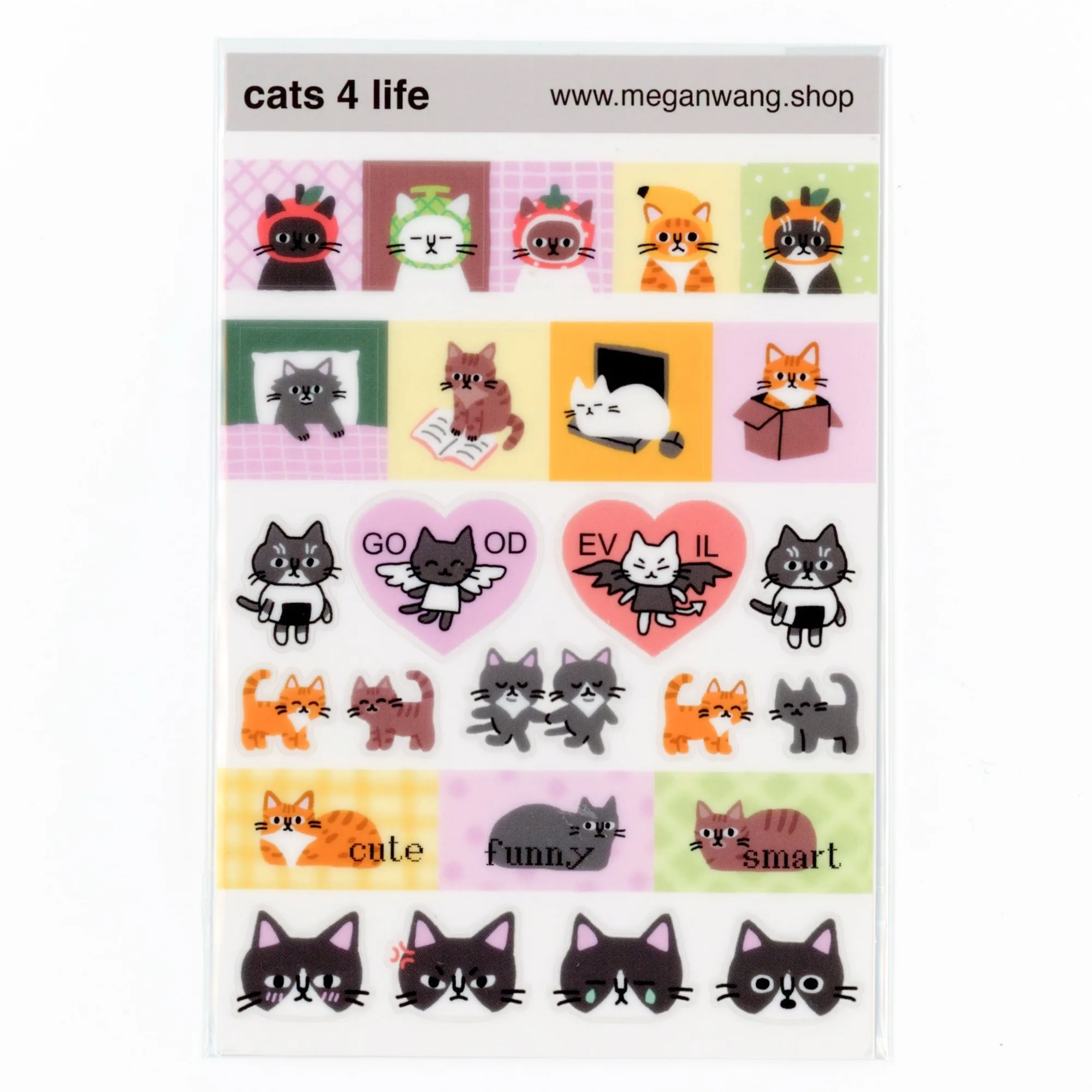
- Cats 4 Life Sticker Sheet: 4 x 6 inch clear sticker sheet printed on thinner clear vinyl, intended for planners, journals and other paper goods. The clear sheet lets the page or cover show through, so you can build a layered planner layout without hiding the printed grid underneath.