Quick answer
Your Dreamcast controller cable tangles because Sega's original clip design routes the cable backward under the controller. A simple clip from Retro Frog redirects the cable to the front, keeping it neat and tangle-free.
Why the stock clip makes things worse
The Dreamcast controller has a built-in clip on the bottom that guides the cable from the back port forward. This forces the cable to bend sharply and dangle loosely, which encourages knots and snags during gameplay or storage.
Many players don't realize the clip is the culprit—they assume the cable itself is faulty. But the real issue is the routing path.
Diagnosis and fix
- Symptom: Controller cable is constantly tangled, knotted, or snagged on furniture or other controllers.
- Likely cause: The stock clip on the bottom of the controller forces the cable to bend backward and dangle loosely, creating a tangle magnet. Inspect the stock clip: if the cable makes a U-turn under the controller, that's your problem.
- Corrective action: Remove the stock clip (press the tab) and attach a Retro Frog Dreamcast Controller Cable Clip to the front screw holes. Route the cable through the new clip—it now exits forward and stays flat. No tools required. The clip snaps on in seconds.
- When to stop or choose another option: If the cable itself is frayed or damaged, replace the cable first. The clip only fixes routing, not broken wires. For a damaged cable, see our guide on replacing a Dreamcast controller cable.
Product facts
-
Cable Clip for Sega Dreamcast Controller - Retro Frog: The Retro Frog Dreamcast Controller Cable Clip attaches to the screws on the front of the controller, replacing the awkward bottom clip. It reroutes the cable to exit naturally from the front, eliminating the sharp bend and keeping the cord organized during play and storage.
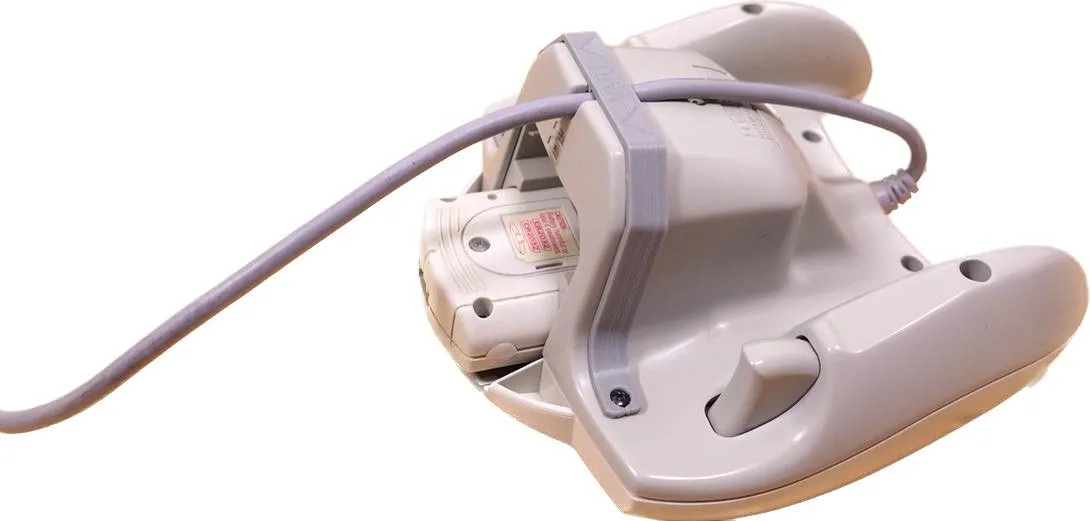
Cable Clip for Sega Dreamcast Controller - Retro Frog