Quick answer
A right-angle USB-C cable reduces port strain and keeps cables flat against your desk, making it ideal for tight spaces and clean setups.
When a straight cable causes trouble
A standard USB-C cable sticks straight out from the port. On a laptop, that creates a lever that can stress the port if the cable gets bumped. On a desk, the cable often arcs away from the surface, adding visual clutter and making it harder to route neatly.
The right-angle connector solves both problems. It directs the cable downward or sideways, so it lies flat against the device or desk. That reduces physical strain on the port and gives you more control over cable routing.
Trade-off: not every desk needs it
If your device sits in an open area with plenty of clearance behind the port, a straight cable is simpler and often cheaper. The right-angle shape can also block adjacent ports on tightly spaced hubs or laptops. Check that the connector's orientation clears neighboring cables before you commit.
Diagnosis: is a right-angle cable right for you?
- Symptom: Your USB-C cable sticks out from the port, gets in the way, or makes the port feel loose after bumps.
- Likely cause: A straight connector creates leverage and doesn't route cables flat against the desk or device.
- Corrective action: Switch to a right-angle USB-C cable. Route the cable along the desk surface or behind the device to reduce strain and visual clutter. If adjacent ports are blocked by the right-angle connector, return to a straight cable instead.
Product facts
-
Right-Angle USB-C to USB-C Data and Charge Cable (1m): The Right-Angle USB-C to USB-C Data and Charge Cable (1m) supports up to 240W power delivery, 20Gbps transfer speeds, and 4K/60Hz video output. One cable handles charging, data, and video, so you don't need separate cables for a monitor and a laptop charger.
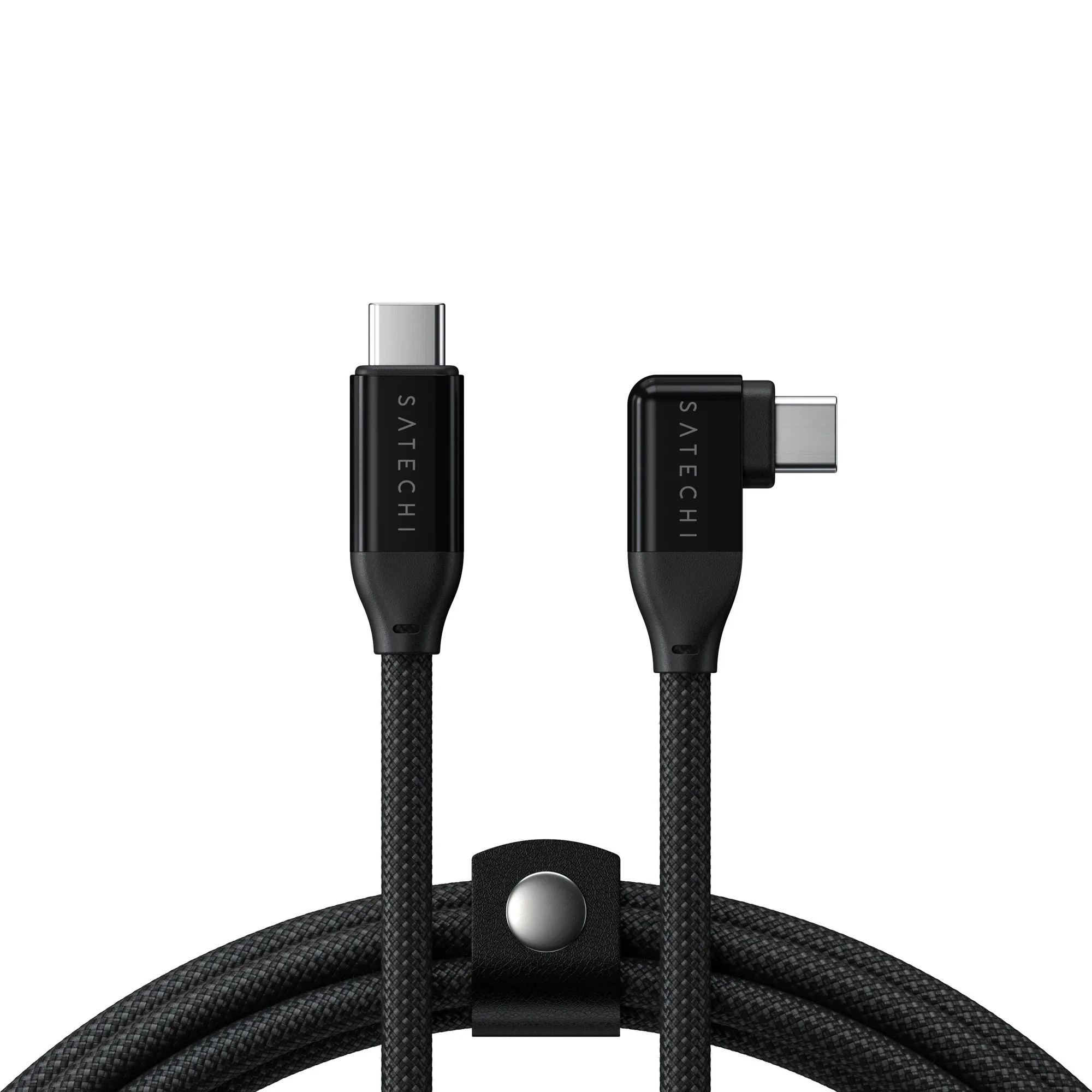
Right-Angle USB-C to USB-C Data and Charge Cable (1m)