Quick answer
Most soft iPhone photos come from a dirty or smudged lens, a slight focus miss, or a misaligned clip-on lens. Clean the lens, tap to focus, and check your clip mount before blaming the camera.
Why a clean lens matters more than you think
A fingerprint or dust speck on the main camera lens scatters light and drops contrast, making the whole frame look soft even when focus is perfect. The same applies to clip-on lenses: a smudge on the rear element of the clip lens sits directly in the optical path and shows up in every shot.
Cleaning is the cheapest sharpness upgrade you can make, and it is also the first step before you consider any hardware change.
Focus errors are easy to miss
iPhone autofocus is fast, but it can lock onto the wrong subject, especially with close-up or low-contrast scenes. A photo that looks slightly soft at full size is often just a focus miss, not a lens defect.
Tapping the screen to set focus manually is a habit that solves many soft-photo complaints without any gear change.
Clip-on lenses can introduce softness
When you attach a clip-on lens, alignment and cleanliness determine sharpness. A slightly tilted clip, a loose mount, or a smudged element can soften the entire frame. The clip must sit flush over the iPhone's built-in lens, and the clip lens must be centered.
If your photos are sharp without the clip lens but soft with it, the problem is the clip setup, not the iPhone camera.
Diagnose and fix soft photos
- Symptom: overall softness with no single sharp area: Clean the iPhone's main lens with a microfiber cloth. If you use a clip-on lens, remove it and clean both the iPhone lens and the clip lens elements. Re-shoot a test photo. If cleaning does not help, move to the next symptom.
- Symptom: sharp in one area but soft in another: Tap the screen on your intended subject to force focus. Hold the phone steady for a second after tapping. If the subject is very close, move back slightly—iPhone lenses have a minimum focus distance. If focus is correct but the image is still soft, check your clip-on lens alignment.
- Symptom: sharp without clip lens, soft with it: Remove the clip lens, reattach it so it sits flush and centered over the iPhone lens. Check that the clip is not tilted and that the lens element is clean. If softness persists, the clip lens may be damaged or misaligned—consider replacing it. If you still see softness after reattaching, the clip lens itself is the likely cause.
Lens kit worth knowing about
-
Pro Plus Edition - iPhone 11: The Pro Plus Edition for iPhone 11 includes Anamorphic, Telephoto, Macro, Wide, and Fisheye lenses with premium multi-coated optics, each with a dedicated case and clip mount. Multi-coated optics reduce flare and internal reflections, which helps preserve contrast and sharpness when you shoot with a clip-on lens.
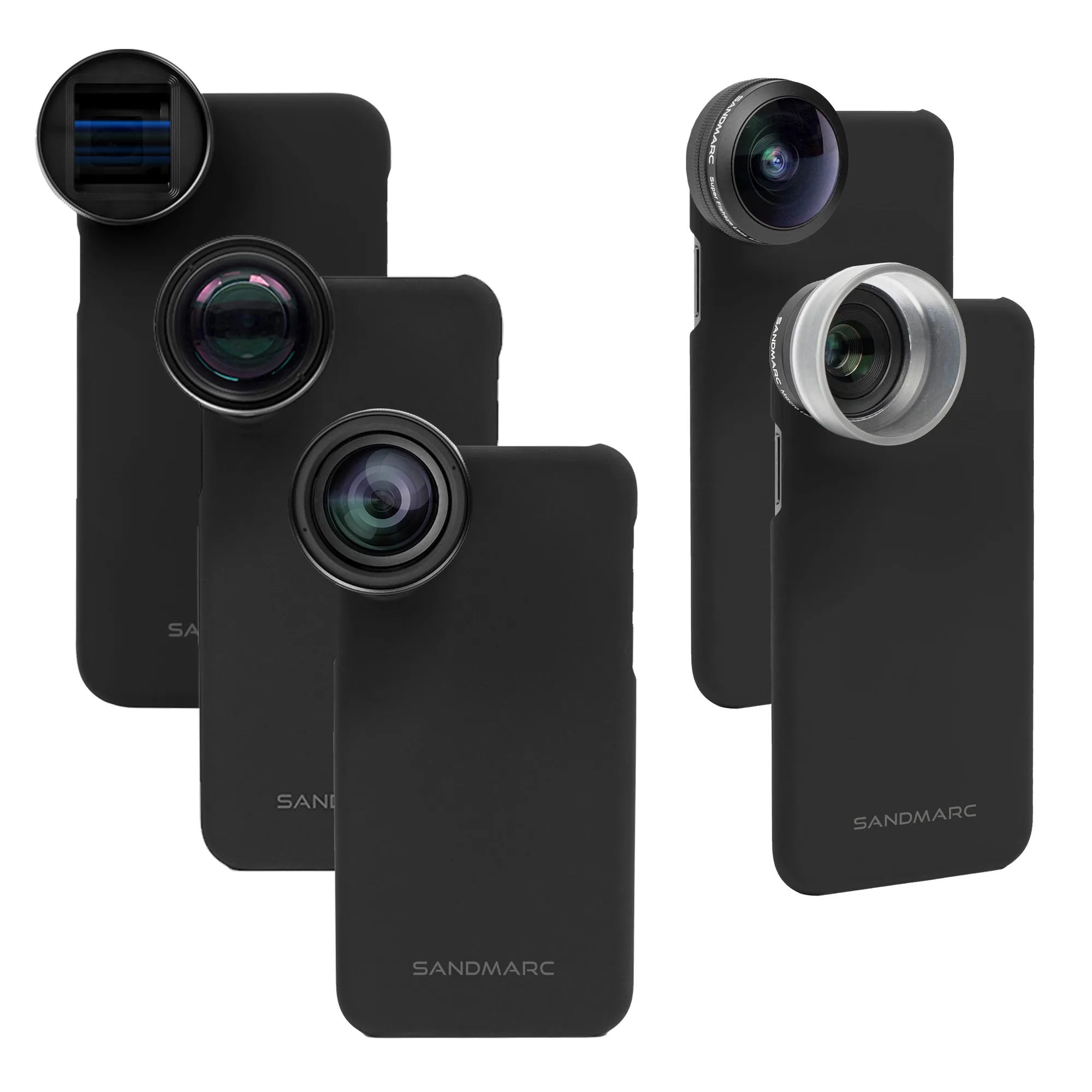
Pro Plus Edition - iPhone 11