Quick Answer
A remote control toy usually disconnects because of low battery, interference, or a lost pairing. Start by charging or replacing the remote's battery, then re-pair the toy with the remote. If the problem persists, check for signal blockers like walls or other electronics.
Common Causes of Disconnection
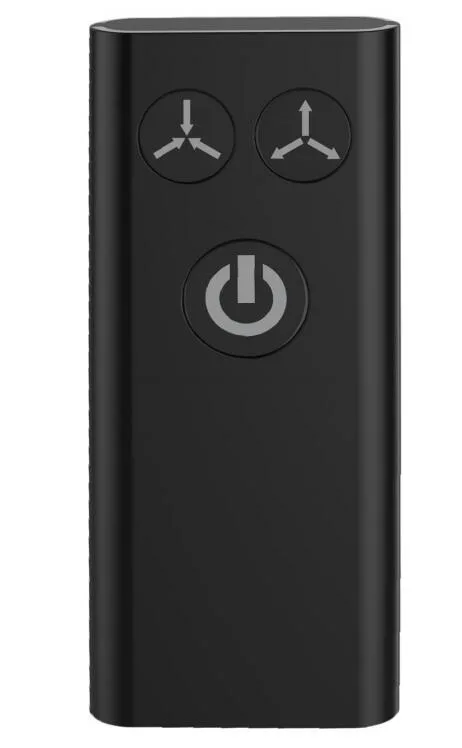
The most frequent reason a remote control toy disconnects is a weak or dying battery in the remote. Both the Nexus Boost Remote Control and Nexus Ride Remote Control are rechargeable, so a low charge can cause intermittent signals or a complete loss of connection. Another common cause is physical interference: thick walls, metal furniture, or other Bluetooth devices can block the signal between the remote and the toy. Finally, the toy and remote may simply have lost their pairing, especially if you have switched toys or remotes recently.
Step-by-Step Fixes
First, fully charge the remote. For the Nexus Boost Remote Control and Nexus Ride Remote Control, use the supplied charging cable and allow at least 2 hours for a full charge. A blinking or dim LED on the remote often indicates low battery. Next, move closer to the toy—within 3 feet—and remove any obstacles. If the connection is still lost, re-pair the remote: turn off both the toy and remote, then turn on the toy first and press the remote's pairing button (usually a small pinhole or a long press of the power button) until the LED flashes rapidly. The toy should vibrate or flash to confirm pairing.
When to Consider a Replacement Remote
If you have tried charging, re-pairing, and eliminating interference but the remote still disconnects, the remote itself may be faulty. The Nexus Boost Remote Control and Nexus Ride Remote Control are available as standalone replacements. They are waterproof and rechargeable, making them a reliable swap for a worn-out original. Before buying, double-check that the replacement is compatible with your specific toy model.
Diagnosis: Remote Control Toy Disconnecting
- Symptom: Toy stops responding to remote during use, or remote fails to connect at all. Note whether the remote's LED is on, off, or blinking.
- Likely Cause: Low battery in the remote is the most common cause. Interference from walls or other electronics is second. Lost pairing is third. Charge the remote fully before trying anything else.
- Corrective Action: Charge remote → move within 3 feet → re-pair by turning off both, then turning on toy first and pressing remote's pairing button. If connection restores, the issue is resolved. If not, proceed to the next step.
- When to Stop or Choose Another Option: If re-pairing fails after a full charge and you have tried different locations, the remote may be defective. Replace it with a compatible Nexus Boost Remote Control or Nexus Ride Remote Control. A replacement remote is a reliable fix when troubleshooting fails.
Replacement Remotes That Work
- Nexus Ride Remote Control - Rechargeable: If you need a replacement remote for your Nexus Ride, this rechargeable option is designed to keep you in control. It offers a convenient solution for when your original remote is lost or damaged. Compatible with Nexus Ride products. Rechargeable design for repeated use. Waterproof construction for added durability. A fresh remote eliminates battery wear and pairing drift, giving you a stable connection again.
- Nexus Boost Remote Control - Rechargeable: Keep your Nexus Boost experience seamless with this rechargeable remote control, designed to replace a misplaced or worn-out original. It offers a dependable, cord-free solution for everyday use. Rechargeable design helps reduce the need for frequent battery replacements. Waterproof construction adds resilience for worry-free handling. Compatible with Nexus Boost systems for straightforward setup and operation. If your original remote is unreliable, this replacement restores full control without guesswork.