Quick answer
Move the light farther from your face, dial brightness down, and add diffusion before you change anything else. Most harshness comes from the light being too close and too bright for the lens, not from a broken or cheap fixture. Work through distance, then power, then diffusion, and stop when skin highlights stop clipping.
Start with distance, not brightness
A ring light two feet from your face behaves like a small, intense source, which is why shadows get hard and skin looks shiny. Push it back to arm's length or more and the same fixture becomes a larger relative source, so falloff across the face softens. If you shoot vertical video, backing up also reduces the telltale ring catchlight that some creators dislike.
Distance changes framing, so pair the move with a slightly longer lens or a crop instead of zooming with your feet. If the room is small, angle the light slightly off-axis rather than straight on. That single change reduces the flat, blown-out center highlight that reads as harsh.
Match brightness to the room, not the dial
When a ring light is too bright, the problem is usually contrast, not total output. If your background is dark and your face is lit at full power, the camera exposes for the face and the surroundings crush to black, which makes the light feel harder than it is. Raise ambient room light or lower the ring light until the two are closer in level.
On battery-powered models, lower output also extends runtime, so dimming is not a compromise. Adjust in small steps and watch the highlights on the forehead and nose. When those areas stop clipping, you have found your usable ceiling for that setup.
Diffusion tricks that actually change the look
Diffusion works by making the emitting area larger and softer at the edges. A simple sheet of translucent material in front of the ring, or a diffuser panel positioned between you and the light, spreads the source and reduces specular hotspots. Keep the diffuser close to the light, not close to your face, or you simply create a new bright source.
Bouncing the ring light into a nearby white wall or ceiling is another option when you want a broad, wraparound feel. You lose some output, so plan to raise power or move the fixture closer to the bounce surface. Test with a short clip before committing to a full shoot.
Settings that keep skin looking natural
For portraits, start with the ring light slightly above eye level and angled down a few degrees. That gives a gentle shadow under the chin instead of the flat, shadowless look that can read as harsh in stills. Keep the camera between you and the light, or just off to one side, so the light does not rake across the face.
If your camera has exposure compensation, use it to pull the overall image down a third of a stop rather than dimming the light further. This preserves the softness you gained from distance and diffusion while protecting highlights. Lock white balance manually so color does not drift as you adjust power.
Diagnose your harsh ring light
- Symptom: hard shadow under the chin or nose: The light is too close or too small relative to your face. Move it back to arm's length or more and angle it slightly above eye level. If shadows persist after moving back, add diffusion before changing any other setting.
- Symptom: shiny forehead and blown highlights: Output is too high for the room or the camera exposure. Lower the ring light in small steps and raise ambient light so the background does not crush to black. Stop when forehead highlights retain texture instead of clipping to pure white.
- Symptom: flat, washed-out look with no dimension: The light is dead-on and shadowless. Shift it a few degrees off-axis or add a subtle side light so the face reads with shape. If the setup still looks flat after these moves, a different light form factor may fit your work better.
Product facts
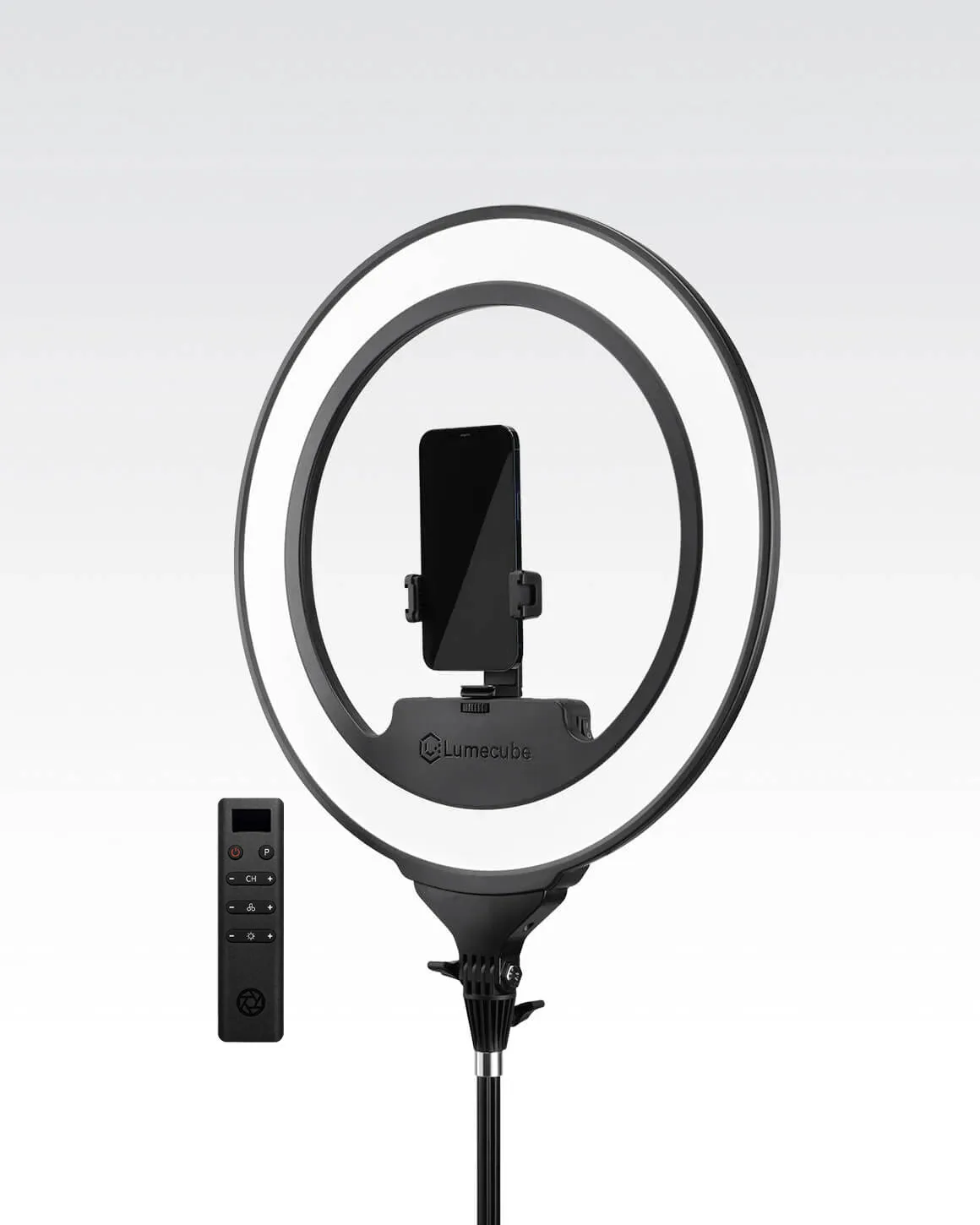
- Lume Cube Cordless Ring Light Pro Black 18-inch Edge-Lit LED Ring Light: Lume Cube Cordless Ring Light Pro Black 18-inch Edge-Lit LED Ring Light uses Edge-Lit LED technology for ultra-soft, even illumination and has an 18-inch diameter with a built-in rechargeable battery. A larger, edge-lit ring is inherently softer at a given distance, and the battery means you can reposition it farther back without hunting for an outlet.
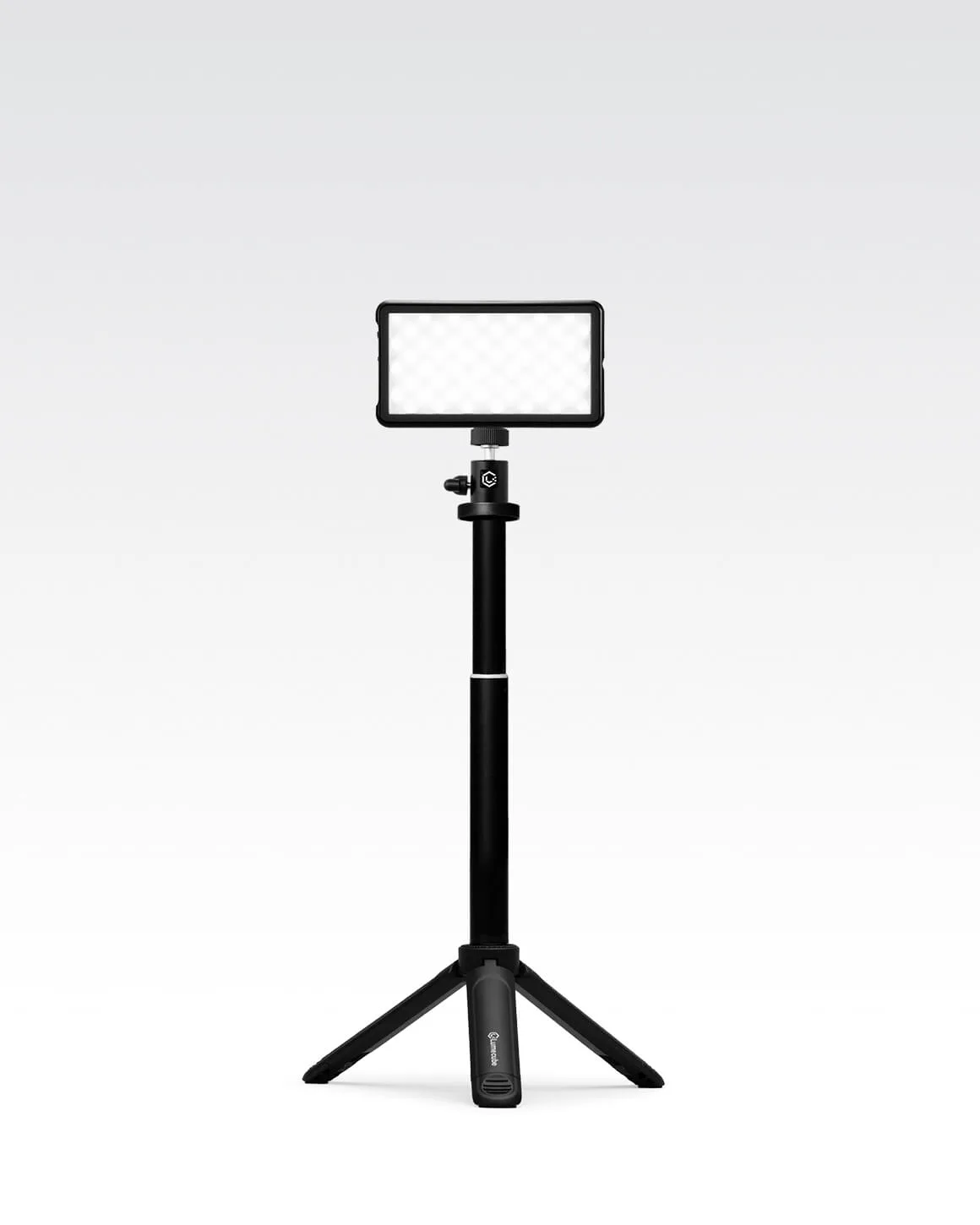
- Lume Cube Broadcast Lighting Kit Video Conference LED Light with Stand & Mount: Lume Cube Broadcast Lighting Kit Video Conference LED Light with Stand & Mount is designed to boost your appearance on video calls. If your ring light still looks harsh after distance and diffusion adjustments, a dedicated broadcast light with its own stand may suit your call setup better than fighting a ring light.