Quick Answer
Your Sonic beanie fades mainly due to harsh washing methods, direct sunlight, and friction. To prevent color loss, wash it inside-out in cold water on a gentle cycle, air dry away from sun, and avoid rubbing the printed design.
Why Does the Color Fade?
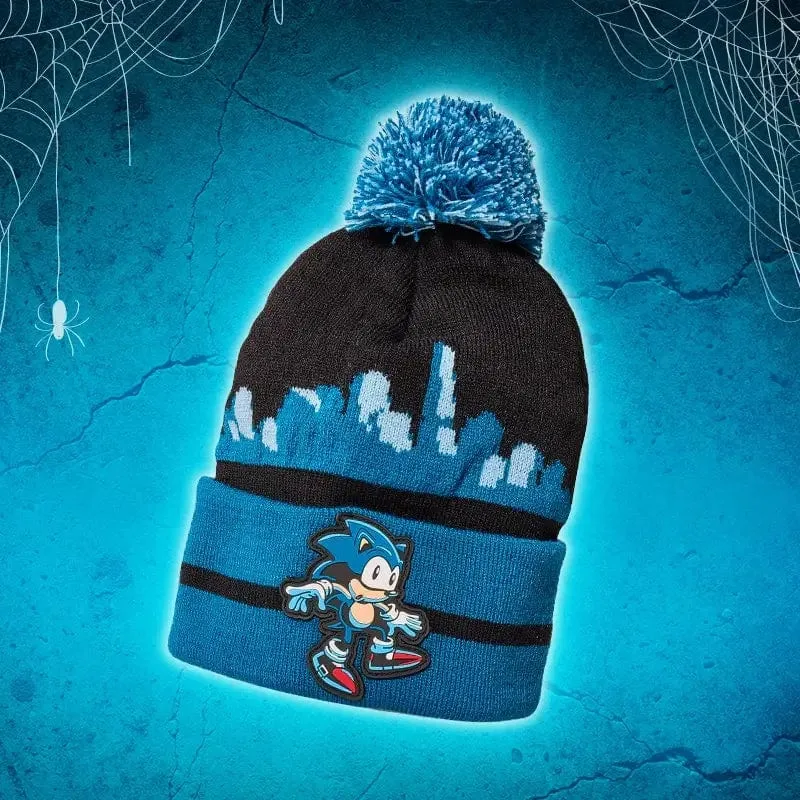
The printed design on officially licensed beanies, like the Sonic the Hedgehog 'Creepin' It Real' Beanie, is applied using heat transfer or screen printing. Over time, the ink can break down when exposed to hot water, strong detergents, or the heat of a dryer. Direct sunlight also accelerates fading because UV rays break down the dye molecules in both the fabric and the print.
Friction is another hidden culprit. Rubbing the beanie against rough surfaces—like a backpack strap or a car seat—can abrade the top layer of fibers, making the color look worn. Even the natural oils from your hair can contribute to a dull appearance if the beanie isn't cleaned periodically.
How to Prevent Color Loss
Turn your Sonic beanie inside-out before washing. This protects the printed design from direct contact with water and agitation. Use cold water and a mild detergent—never bleach or fabric softener, as these can strip color. Select the delicate or hand-wash cycle on your machine, or wash by hand in a sink with a small amount of detergent.
After washing, gently squeeze out excess water without wringing or twisting the fabric. Lay the beanie flat on a clean towel and roll it up to absorb moisture. Then, reshape it and let it air dry away from direct sunlight or heat sources. Never put it in the dryer, as high heat can cause the print to crack or peel.
Daily Care Tips to Extend Vibrancy
Store your Sonic beanie in a cool, dark place when you're not wearing it. Avoid hanging it in direct sunlight for long periods, like on a car dashboard or near a window. If the beanie gets sweaty or dusty, spot-clean it with a damp cloth rather than washing the whole thing each time.
Rotate your beanie with other hats to reduce wear from frequent use. This gives the fibers time to recover and minimizes friction in the same spots. For the 'Creepin' It Real' Beanie, which has a special Halloween design, keeping it away from rough surfaces will help the spooky details stay crisp longer.
Diagnosis & Action Plan
- Symptom: The printed design on your Sonic beanie looks lighter, patchy, or has white cracks, especially after washing. This is a sign of color loss, not a defect.
- Likely Cause: Hot water, harsh detergents, machine drying, or prolonged sun exposure have broken down the ink or dye. Heat and UV light are the main enemies.
- Corrective Action: Wash inside-out in cold water on gentle cycle with mild detergent. Air dry flat away from sun. Do not use bleach, fabric softener, or the dryer.
- When to Stop or Choose Another Option: If the print is already peeling or cracking significantly, washing may worsen it. At that point, consider displaying the beanie as a collectible instead of wearing it. Some wear is normal; severe damage may be irreversible.
Product Spotlight
- Official Sonic the Hedgehog 'Creepin' It Real' Beanie: Introducing the Official Sonic the Hedgehog 'Creepin' It Real' Beanie – the perfect blend of spooktacular style and iconic gaming nostalgia! Get ready to celebrate Halloween in true SEGA fashion with this limited-edition beanie featuring the beloved Sonic the Hedgehog. Exclusive Halloween Design: This special Halloween edition beanie features a unique design that combines Sonic's energetic persona with a spooky… Because this beanie has a limited-edition Halloween print, following the care steps above is especially important to keep the unique design looking vibrant for future Halloweens.