Quick answer
Choose a wired keyboard like the TECKNET Wired Keyboard for zero-lag reliability, silent typing, and spill resistance in a fixed desk setup. Pick a wireless keyboard when you need to move around or reduce cable clutter.
Why latency and reliability matter
Wired keyboards send keystrokes over a physical USB connection with virtually no delay. This makes them ideal for fast typists, data entry, and anyone who cannot tolerate a missed keystroke. Wireless keyboards, especially Bluetooth models, can introduce slight lag or dropouts in busy RF environments.
If your desk is stationary and you never need to type from across the room, a wired keyboard removes the worry of battery life and signal interference.
Desk clutter and flexibility
Wireless keyboards free your desk from cables, making it easier to reposition your keyboard or use it with multiple devices. This is a real advantage in shared workspaces or when you switch between a laptop and a desktop.
However, a wired keyboard like the TECKNET model never needs battery changes or charging. It is always ready to type, which matters for long work sessions or when you forget to charge a wireless device.
The TECKNET Wired Keyboard advantage
The TECKNET Wired Keyboard combines the reliability of a USB connection with features often found in premium office keyboards: low-profile membrane keys for quiet typing, a full 104-key layout with a 3-zone design, and a spill-resistant frame. The 7-color RGB backlighting is a bonus for low-light work.
At $25.19 (down from $35.99), it offers strong value for a dedicated office keyboard that will not need batteries or pairing.
Wired vs Wireless: Key trade-offs
- Reliability: Wired: zero latency, no interference, always connected. Wireless: convenient but can drop signal or introduce lag in crowded RF environments.
- Maintenance: Wired: plug and play, no batteries. Wireless: requires charging or replacing batteries; you may be caught without power.
- Desk flexibility: Wired: cable ties you to the desk, less portable. Wireless: move freely, switch between devices, reduce clutter.
- Features per dollar: Wired keyboards often include extras like backlighting, spill resistance, and ergonomic designs at a lower price than comparable wireless models.
Product facts
-
TECKNET Wired Keyboard,Silent USB Keyboard for Office,Spill-Resistant,Slim Full-Size Membrane Layout,Plug and Play for PC/Laptop/Mac-RGB Backlit: Low-profile membrane keys – soft keystrokes, significantly reduces typing noise. You can type quietly in an open office or late at night without disturbing coworkers or family.
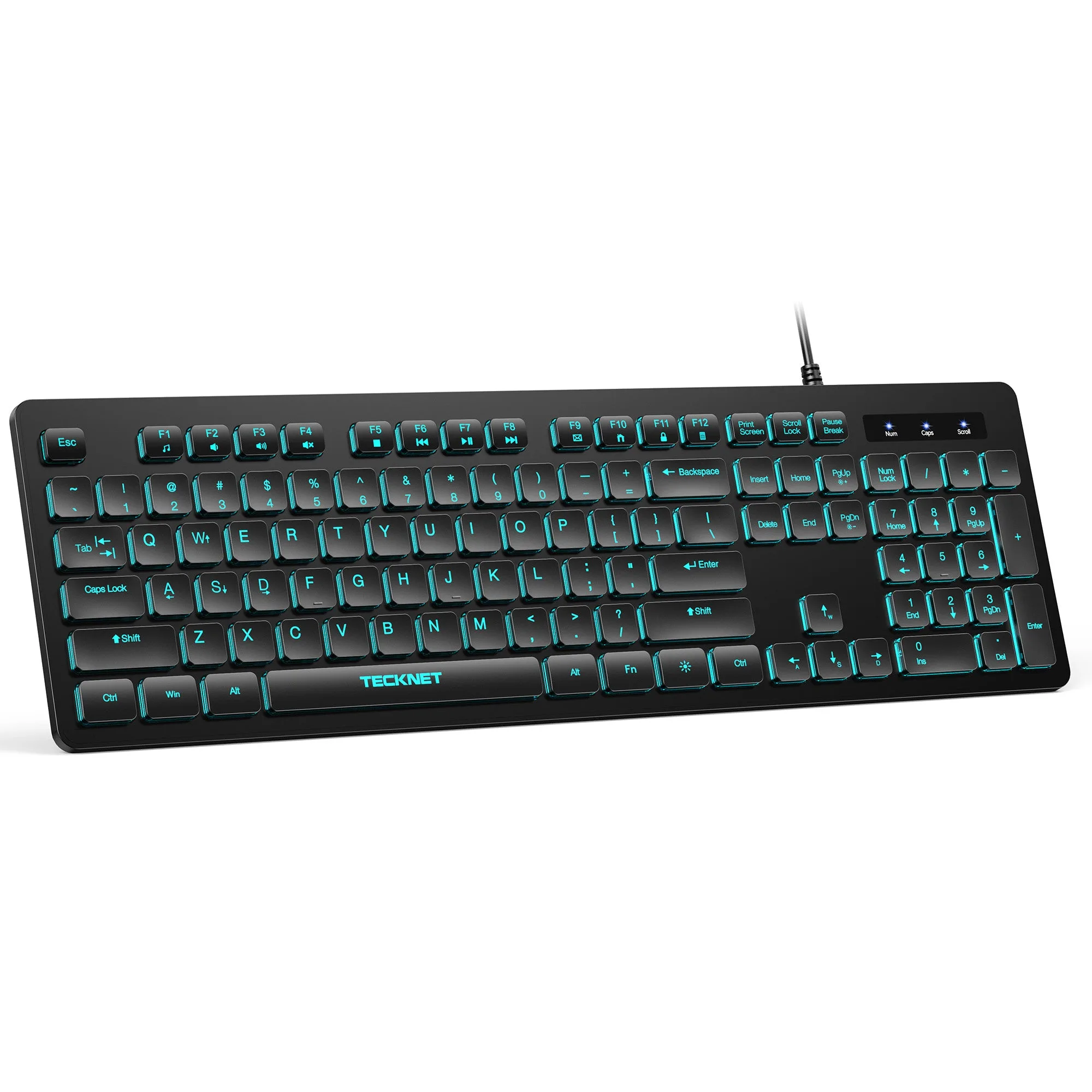
TECKNET Wired Keyboard,Silent USB Keyboard for Office,Spill-Resistant,Slim Full-Size Membrane Layout,Plug and Play for PC/Laptop/Mac-RGB Backlit
-
TECKNET Wired Keyboard,Silent USB Keyboard for Office,Spill-Resistant,Slim Full-Size Membrane Layout,Plug and Play for PC/Laptop/Mac-RGB Backlit: Standard 104-key layout with 3-zone design – efficient data entry & multitasking. Adjustable tilt feet + anti-slip pads. The full layout and ergonomic adjustments help you work comfortably for hours without wrist strain.
-
TECKNET Wired Keyboard,Silent USB Keyboard for Office,Spill-Resistant,Slim Full-Size Membrane Layout,Plug and Play for PC/Laptop/Mac-RGB Backlit: 7 vibrant colors + 2 lighting modes for RGB backlight. Backlighting helps you see keys in dim environments, and the color options let you personalize your desk.
Which keyboard fits your setup?
Best for wired
- Fixed desk workers who need zero-lag typing and never move their keyboard
- Users who want a quiet, spill-resistant keyboard with backlighting at a budget-friendly price
Better with wireless
- People who frequently switch between multiple devices (laptop, tablet, desktop)
- Users who need to type from a distance or keep a completely cable-free desk