Quick answer
Choose a flat pad if you want to drop your phone down and keep your sightline clear; a pad also suits AirPods cases and any phone you pick up constantly. Choose an upright stand if you use StandBy or check notifications at a glance, since the screen stays visible at an angle. If your desk also needs to charge a laptop, neither wireless form factor is the right tool — a compact GaN wall charger handles that job.
How a flat pad and an upright stand actually differ
The two shapes solve different problems. A pad lays the charging coil flat, so you place the phone face-up or face-down and it charges without any alignment ritual beyond centering it. A stand holds the phone upright, which usually means the coil sits behind the back of the phone and the screen faces you. That single physical difference drives almost every other trade-off: how you interact with the phone while it charges, how much desk footprint the accessory takes, and whether the phone can be used as a clock or notification display.
Neither shape is inherently faster. Charging speed on a wireless charger depends on the power standard and coil alignment, not on whether the phone lies flat or stands up. What the shape changes is how reliably the phone stays aligned and how often you actually use the charger instead of reaching for a cable.
Desk footprint and cable management
A flat pad spreads out horizontally and tends to collect clutter on top of it — keys, a wallet, a notebook. That is a real advantage if you want one landing zone for pocket items, and a real disadvantage if you like an empty desk. An upright stand uses vertical space instead, so it frees up the horizontal area directly around your keyboard and mouse, which is usually the most contested real estate on a desk.
Both forms need one cable running to a power source, so cable management is a wash. The bigger question is whether you want that cable visible. A pad sits low and hides its cable behind whatever is nearby; a stand raises the cable to desk height, where it is more noticeable unless you route it along a monitor arm or behind a riser.
Using the phone while it charges
This is where the stand usually wins. An upright phone stays readable for incoming messages, timers, and StandBy-style clock faces, and Face ID works at a natural angle without you picking the phone up. A pad forces you to lift the phone to read anything, which breaks the charging contact each time you do it.
The pad wins in the opposite scenario: if you take calls on speaker, scroll while charging, or hand the phone to someone across the desk, flat is more natural. A phone lying flat is also less likely to be knocked off a stand by a passing sleeve or a cat.
Charging a phone and earbuds together
If your nightly routine is phone plus AirPods, check how the charger handles a second device before you buy. A single-coil pad or stand charges one device at a time; a flat pad with a dedicated earbuds spot, or a stand with a small shelf, lets you top up both overnight. A wireless charger for iPhone and AirPods only works as a two-device solution if the product actually has two charging zones — the shape alone does not tell you that.
For travel, a flat pad packs flatter and is less likely to snap at the hinge or arm. Stands with a rigid upright section take more bag space and need a little more care in a carry-on.
When neither wireless option is enough
Wireless charging is a convenience layer for phones, earbuds, and some watches. It is not how you charge a laptop. If your desk setup includes a MacBook or a Windows ultrabook, you still need a wired charger, and the practical choice is a multi-port GaN wall charger that can power the laptop and top up a phone from the same brick. That keeps one outlet free and removes the need for a second power adapter under the desk.
The same logic applies in a car: a wireless pad is fine for a phone, but a USB-C PD car charger is what actually fast-charges a laptop or tablet on the road. Treat wireless and wired as complementary, not competing.
Pad vs stand: trade-offs at a glance
- Flat pad: Low profile, easy to drop a phone onto, and doubles as a catch-all spot for keys or earbuds. The screen stays face-up or face-down, so you cannot read notifications without lifting the phone. Best when you want a landing zone and do not need to see the screen.
- Upright stand: Keeps the screen visible at an angle for StandBy, timers, and Face ID, and frees horizontal desk space. It uses vertical space and can be knocked over more easily than a pad. Best when the phone doubles as a desk display.
- Wired GaN charger: A multi-port wall charger is the only one of the three that can fast-charge a laptop. It costs you a cable across the desk and gives up the drop-and-go convenience of wireless. Add one alongside your wireless charger, not instead of it.
Desk charging options worth comparing
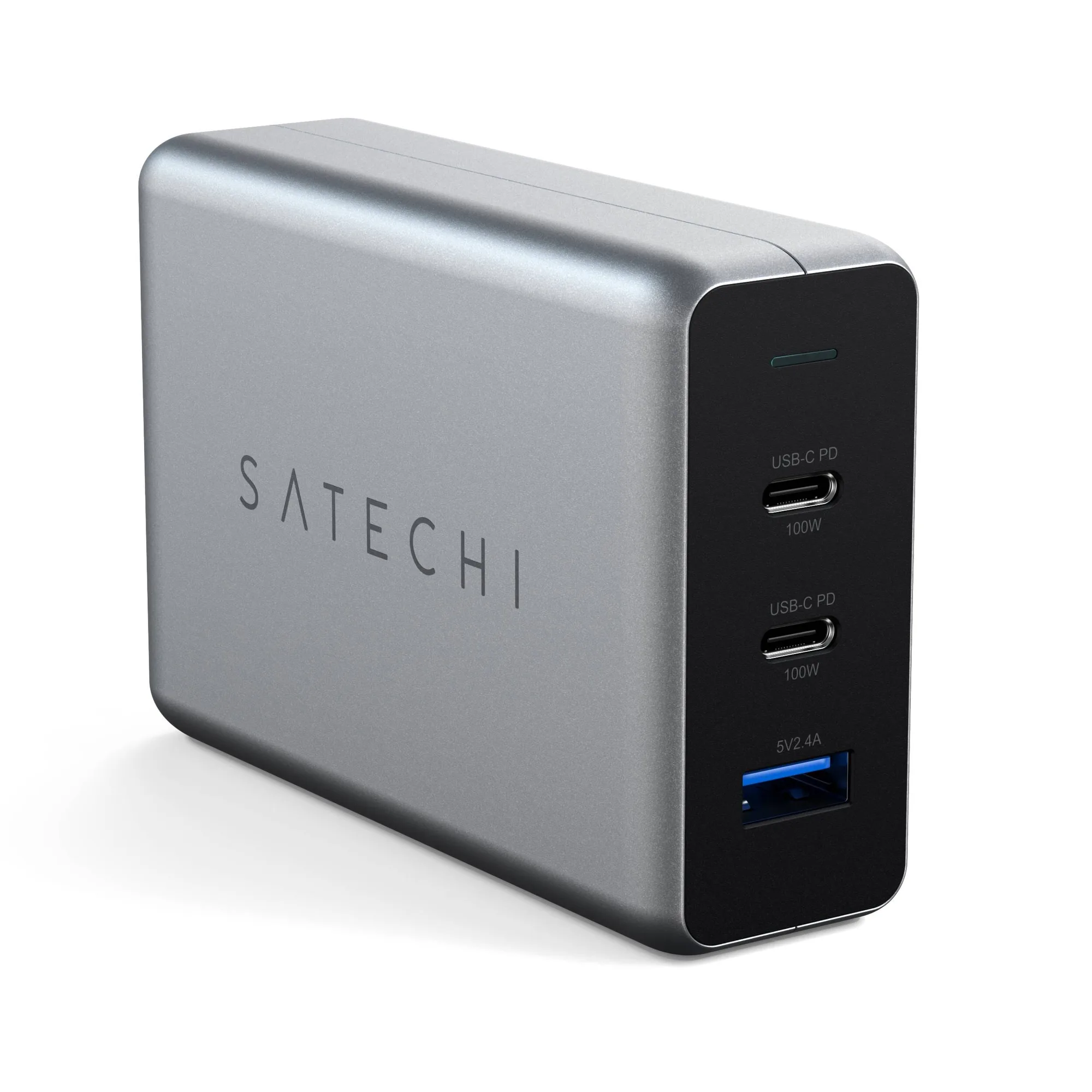
- 100W USB-C PD Compact GaN Charger: 100W USB-C PD Compact GaN Charger with dual USB-C PD ports and a USB-A port, intelligently adjusting output up to 100W. This is the wired anchor for a desk that also runs a laptop. Three ports mean the laptop, phone, and a small accessory can share one wall outlet instead of three.
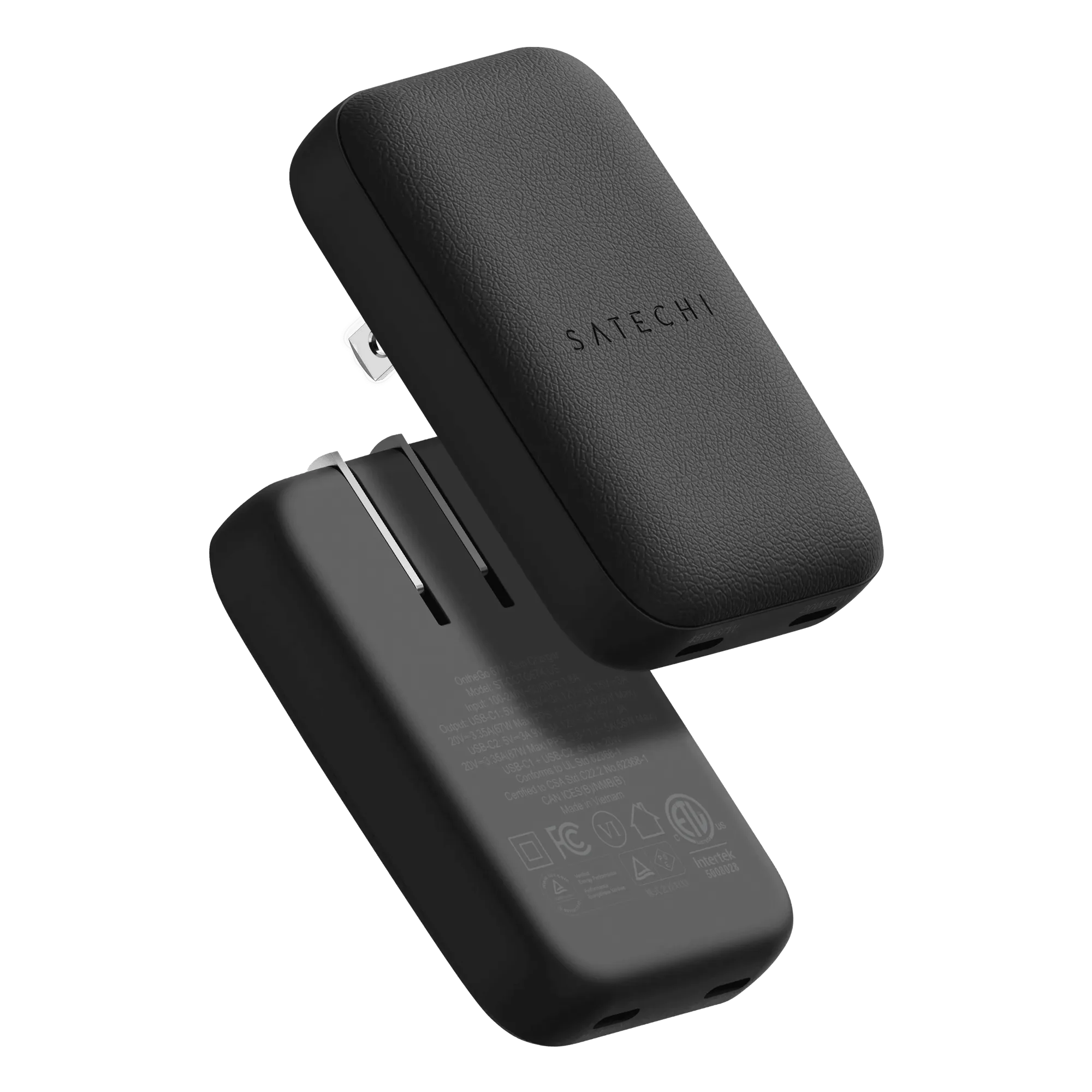
- OntheGo™ 67W Slim Wall Charger: OntheGo 67W Slim Wall Charger with dual USB-C ports and GaN technology in an ultra-slim, travel-ready design. A slimmer, lighter wired option for a secondary desk, a bag, or a nightstand where you want fast charging without a bulky brick.
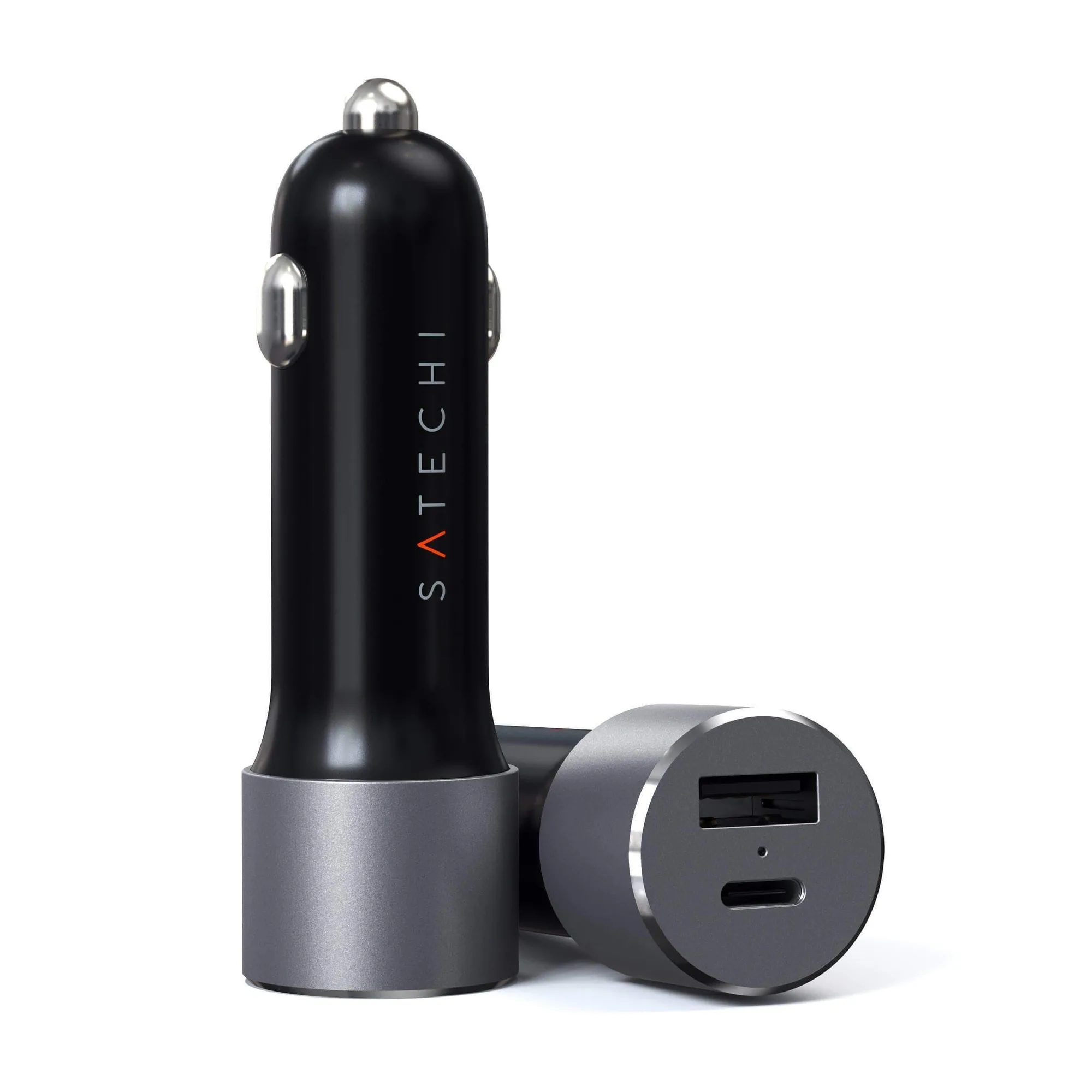
- 72W Type-C PD Car Charger Adapter: 72W Type-C PD Car Charger delivering up to 60W from its USB-C port, plus a USB-A port up to 12W. Useful if your desk is really a vehicle cab or you want the same charging logic on the road. It covers laptops and tablets that a wireless pad cannot.
Which should you put on your desk?
Choose this if
- You keep your phone face-down or in a pocket and only need overnight top-ups
- You want one flat spot for a phone and an earbuds case with no screen-watching
- You travel often and need a charger that packs flat
Skip this if
- You rely on StandBy, alarms, or glanceable notifications while working
- Your desk also needs to charge a laptop, which requires a wired GaN charger
- You want a single accessory to charge a phone, watch, and earbuds at once without checking the zone count