Quick answer
The Wyze Palm Lock offers modern biometric security and convenience, but a traditional deadbolt provides simpler, battery-free reliability. Your choice depends on whether you prioritize keyless access or mechanical durability.
Why biometric security changes the lock equation
The Wyze Palm Lock uses palm vein recognition, a biometric method that scans the unique vein pattern in your palm. Unlike keys or codes, this can't be easily copied or guessed. For households that want to eliminate physical keys and shared codes, this adds a layer of security that a traditional deadbolt simply cannot match.
However, biometric locks rely on electronics and batteries. The Wyze Palm Lock has a battery life of up to 6 months, and it includes a manual key override as a backup. If you forget to change the battery or the electronics fail, the manual key still works. A traditional deadbolt has no such dependency—it works every time as long as the key turns.
Convenience features that affect daily security
The Wyze Palm Lock includes a numbered keypad for access codes and Wi-Fi connectivity for remote control. You can lock or unlock from anywhere, check the lock status, and set auto-lock for peace of mind. This means you never have to worry about leaving the door unlocked—a common security gap with traditional deadbolts.
On the other hand, a traditional deadbolt is simpler and less prone to software glitches or connectivity issues. If your Wi-Fi goes down, the Wyze Palm Lock still works via the keypad or key, but remote features are unavailable. For users who prefer a low-tech, always-functional solution, a traditional deadbolt remains a solid choice.
Installation and compatibility trade-offs
The Wyze Palm Lock is designed to fit standard door preparations, but it requires a compatible smart lock setup and a stable Wi-Fi connection. Installation is straightforward for most DIYers, but you may need to adjust your door if it has an unusual bore or thickness.
A traditional deadbolt is universally compatible with standard doors and can be installed in minutes with basic tools. There are no batteries to replace, no apps to configure, and no connectivity to troubleshoot. For renters or those who want a truly simple lock, the deadbolt is the more straightforward option.
Trade-offs at a glance
- Security approach: Wyze Palm Lock uses palm vein biometrics and access codes; traditional deadbolt uses a physical key.
- Reliability: Traditional deadbolt works without power; Wyze Palm Lock requires batteries and Wi-Fi for full features. If you want a lock that never fails due to dead batteries, choose the deadbolt.
- Convenience: Wyze Palm Lock offers remote control, auto-lock, and contactless entry; deadbolt requires manual key operation.
- Installation: Both fit standard doors, but the Wyze Palm Lock needs Wi-Fi setup and occasional battery changes.
Product facts
-
Wyze Palm Lock: Contactless entry with palm vein recognition. You never need to touch a keypad or carry a key, reducing the risk of code theft or lost keys.
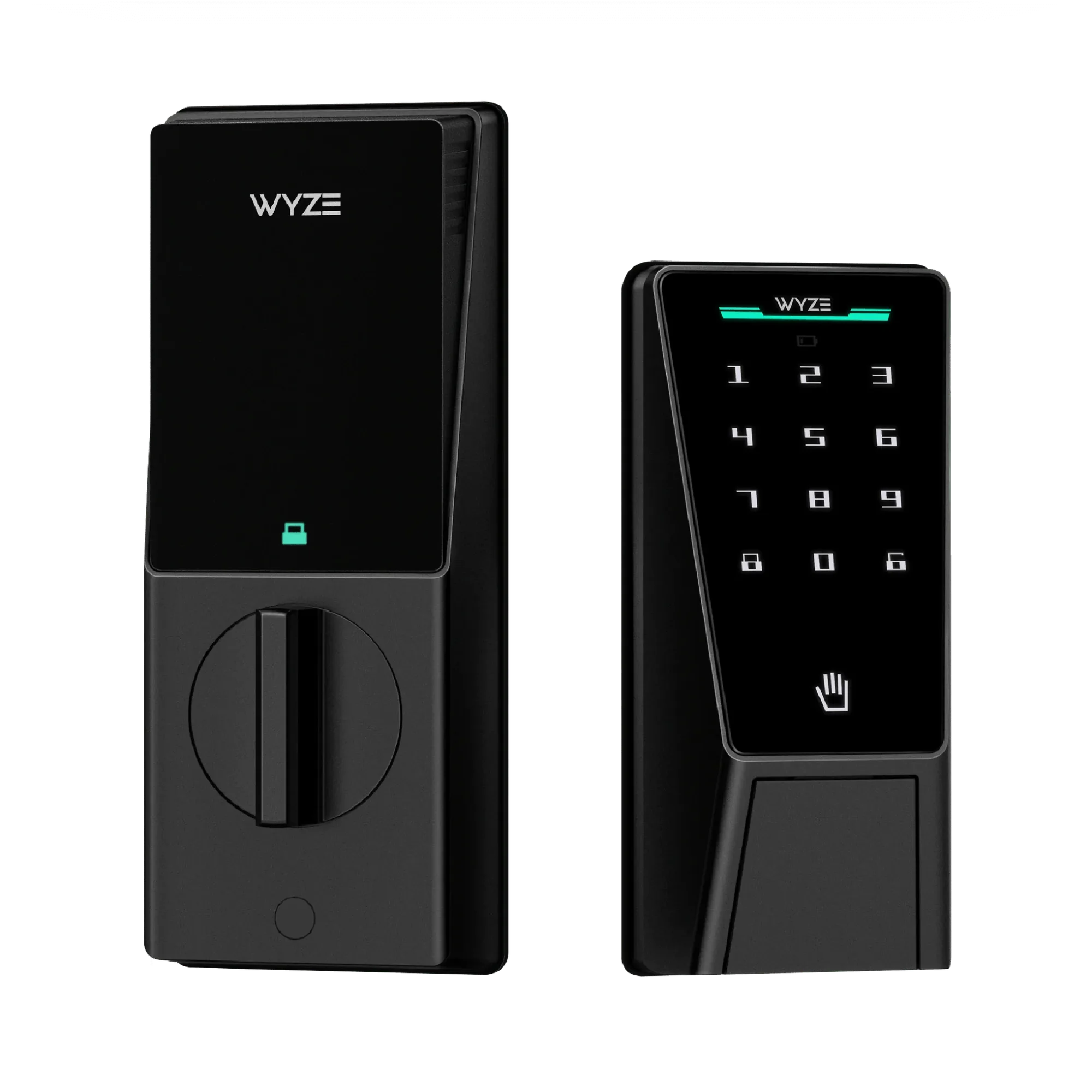
Wyze Palm Lock
-
Wyze Palm Lock: Up to 6 months of battery life. Manual lock and key option. The battery lasts half a year, and the manual key backup ensures you can still lock or unlock if the battery dies.
-
Wyze Palm Lock: Control from anywhere with Wi-Fi. Peace of mind with auto lock. You can check and lock your door remotely, and auto-lock prevents accidental unlocks—features a traditional deadbolt cannot offer.
Which lock fits your home?
Best for
- Tech-savvy households that want keyless, contactless entry and remote monitoring
- Families who often worry about leaving the door unlocked and want auto-lock peace of mind
Not for
- Users who prefer a simple, battery-free lock that never requires app setup or Wi-Fi
- Renters or homes with non-standard door preparations that may complicate smart lock installation