Quick answer
The Nyko Charge Base XS1 is a dual-port dock that charges two Xbox controllers simultaneously. Follow these steps to set it up, avoid common charging mistakes, and keep it working reliably.
Why a dedicated charge base beats swapping batteries
The Charge Base XS1 replaces the need for AA batteries or separate battery packs. It keeps your controllers docked and ready, so you never have to pause a session to hunt for fresh cells. The trade-off is that you need to keep the dock plugged into a USB port on your console or a powered hub, which adds a small cable to your setup.
What the Charge Base XS1 works with
This dock is designed for Xbox Series X|S and Xbox One controllers. It uses rechargeable battery packs that replace the AA battery compartment cover. The dock itself does not charge standard AA batteries or controllers from other platforms, so check that your controller is compatible before buying.
How to set up and maintain the Charge Base XS1
- Install the rechargeable battery packs: Remove the standard AA battery cover from each controller. Insert the included rechargeable battery pack into the battery compartment, then snap the custom battery cover (provided with the dock) into place. The custom cover has metal contact points that align with the dock. Common mistake: Using the original battery cover instead of the one included with the dock. The original cover lacks the metal contacts needed for charging.
- Connect the dock to power: Plug the included USB cable into the Charge Base XS1, then connect the other end to a powered USB port on your Xbox console or a USB wall adapter (5V/1A or higher recommended). The dock's LED indicator should light up briefly to confirm power. Checkpoint: If the LED does not light, try a different USB port or a wall adapter. Some console USB ports cut power when the system is off, which stops charging.
- Dock the controllers correctly: Place each controller onto the dock with the battery contacts facing down. The controller should sit flat and the LED on the dock should turn solid or pulse to indicate charging. If the LED does not respond, lift the controller and reseat it. Common mistake: Forcing the controller onto the dock at an angle. This can bend the contact pins or prevent charging. Always align the contacts first, then press down gently.
- Check charging status: The dock LED glows while charging and turns off or changes color when the battery is full. A full charge typically takes 3-4 hours. You can leave the controller on the dock indefinitely without overcharging—the circuit stops charging once full. Checkpoint: If the LED stays off with a controller docked, the battery pack may be fully discharged or the contacts may be dirty. Clean the contacts with a dry cloth and try again.
- Clean the dock and contacts regularly: Every few weeks, wipe the dock's charging contacts and the metal pads on the battery covers with a soft, dry cloth. Avoid liquids or abrasive cleaners. Dust and grime can interrupt the charging connection. Common mistake: Using alcohol or wet wipes on the contacts. Moisture can seep into the electronics and cause corrosion or short circuits.
Product details
-
Charge Base XS1 for Xbox Series X|S and Xbox One: The Nyko Charge Base XS1 is a dual-port dock that charges two Xbox controllers simultaneously. You can keep both your primary and backup controller charged at the same time, so you always have a fresh controller ready for multiplayer or extended solo sessions.
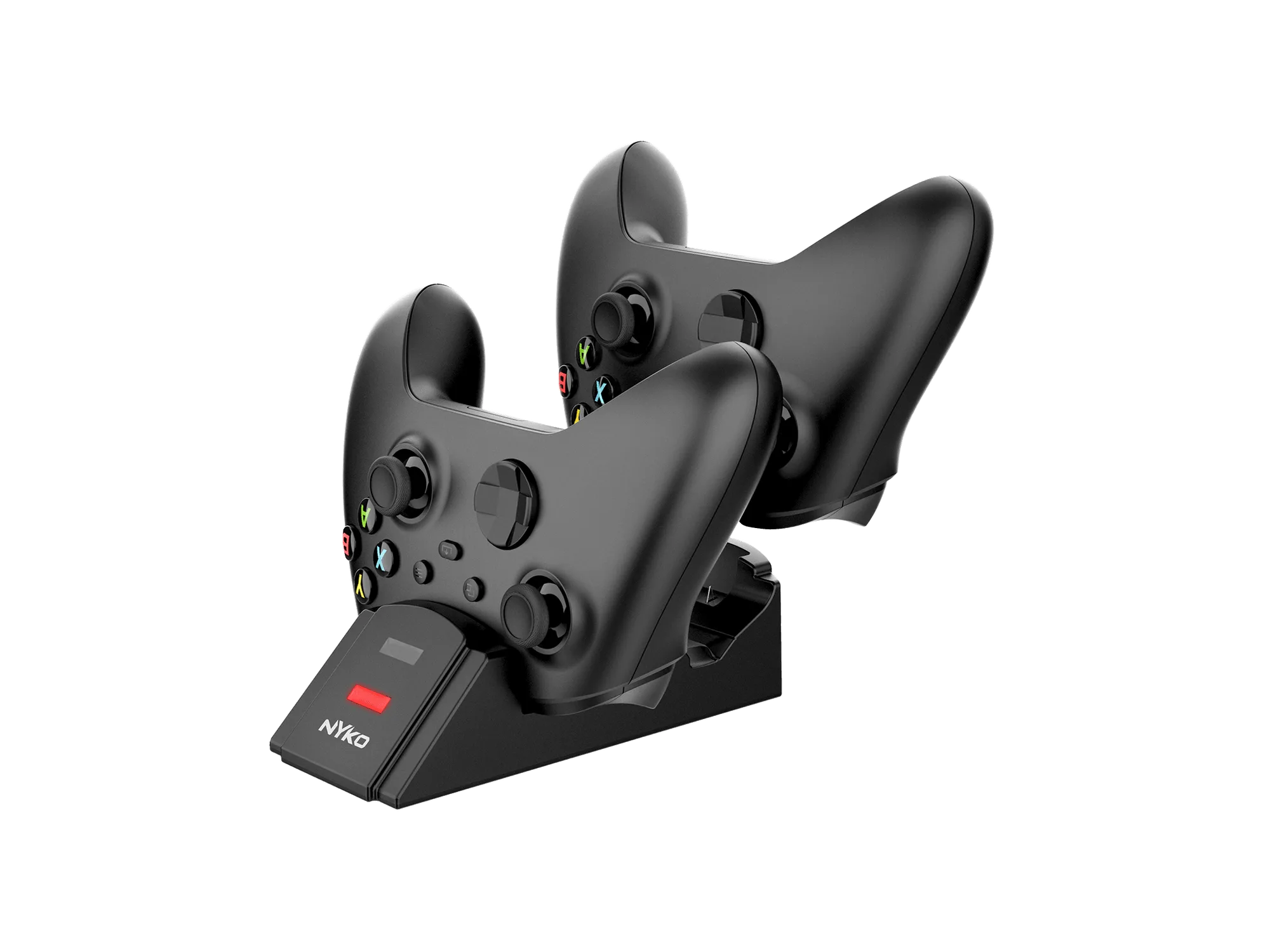
Charge Base XS1 for Xbox Series X|S and Xbox One