Quick Answer
The XENNEC CityScape DayPack 15 holds a standard DSLR or mirrorless camera with 3–4 lenses, a 15-inch laptop, and daily essentials—all in a compact, unsuspecting backpack. Follow the steps below to pack it efficiently.
Why the CityScape DayPack 15 Works for Urban Shooting
This backpack is designed to blend in as a normal daypack while carrying serious camera gear. The removable internal compartments let you switch between a camera insert and a conventional backpack layout, making it versatile for both photo walks and everyday commutes.
The main trade-off is that the compact size limits how much you can overpack. You get a 15-inch laptop compartment and a tablet pocket, but the main cavity is best kept to one camera body and a few lenses. If you need to carry multiple bodies or long telephoto lenses, consider a larger dedicated camera backpack.
How to Pack the XENNEC CityScape DayPack 15
- 1. Remove or Adjust the Internal Dividers: Open the main compartment and take out the padded dividers if you want a clean everyday bag. For camera carry, arrange the dividers to create a snug nest for your camera body and lenses. Common mistake: leaving dividers loose causes gear to shift—secure them with the Velcro strips. Check that your camera body fits without pressing against the zipper.
- 2. Load the Laptop and Tablet First: Slide your 15-inch laptop into the dedicated rear compartment and your 12-inch tablet into the front pocket. This keeps weight close to your back for better balance. Common mistake: overstuffing the tablet pocket with cables can bulge into the main compartment. Keep the laptop sleeve zipped fully to protect the device from dust.
- 3. Place the Camera Body in the Center: Position your camera with the lens facing downward in the main compartment. Wrap a lens cloth or small pouch around the body for extra scratch protection. Common mistake: placing the camera with the lens pointing up can snag the divider when you close the bag. If your camera has a large grip, angle it slightly to fit without force.
- 4. Arrange Lenses and Accessories Around the Body: Fit 3–4 lenses in the remaining divider slots, with the heaviest lens closest to your back. Use small pouches or wraps for spare batteries, memory cards, and filters. Common mistake: stacking lenses on top of each other instead of using the vertical dividers wastes space and risks damage. Leave one slot empty for quick access to a lens you swap often.
- 5. Use the Front Pocket for Daily Essentials: Store your phone, wallet, keys, and a small power bank in the front zippered pocket. Keep a lens cloth or cleaning pen in the small organizer slot. Common mistake: overfilling this pocket makes the bag bulge and harder to zip. Limit the front pocket to flat items only to maintain the bag's low profile.
Product Facts
-
XENNEC CityScape DayPack 15: The XENNEC CityScape DayPack 15 holds 1 standard size DSLR or Mirrorless with 3-4 lenses and accessories, plus a 15” laptop and 12” tablet. This capacity covers a typical day of shooting—one body, a few lenses, and your work devices—without looking like a camera bag.
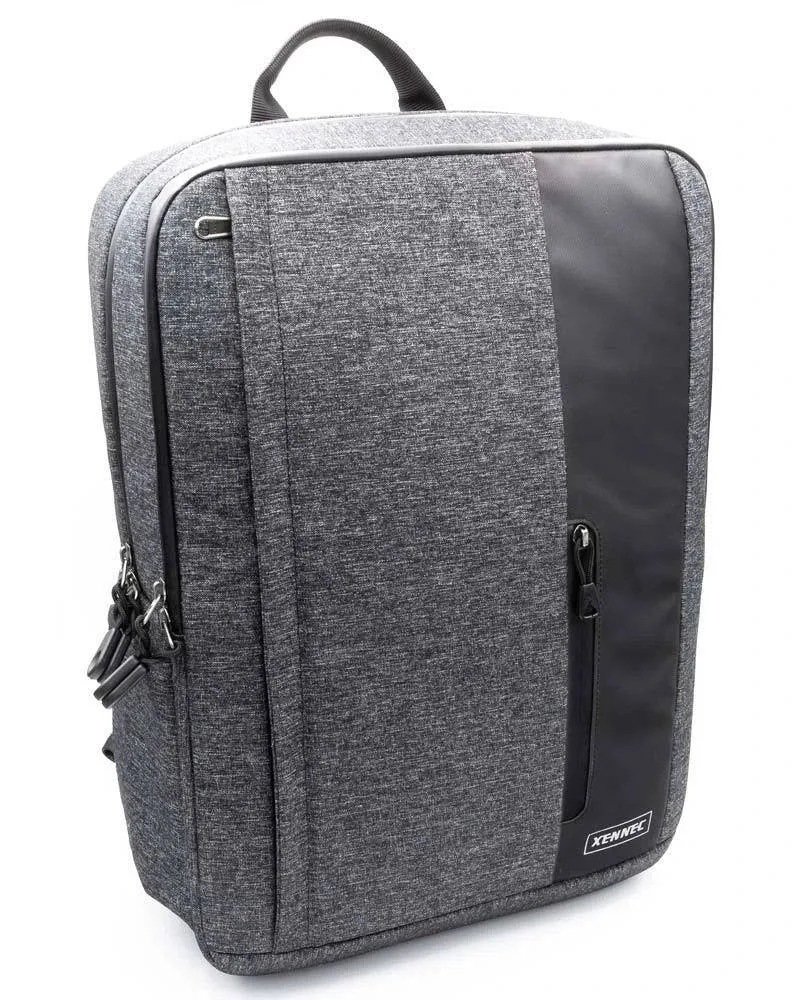
XENNEC CityScape DayPack 15


