Quick answer
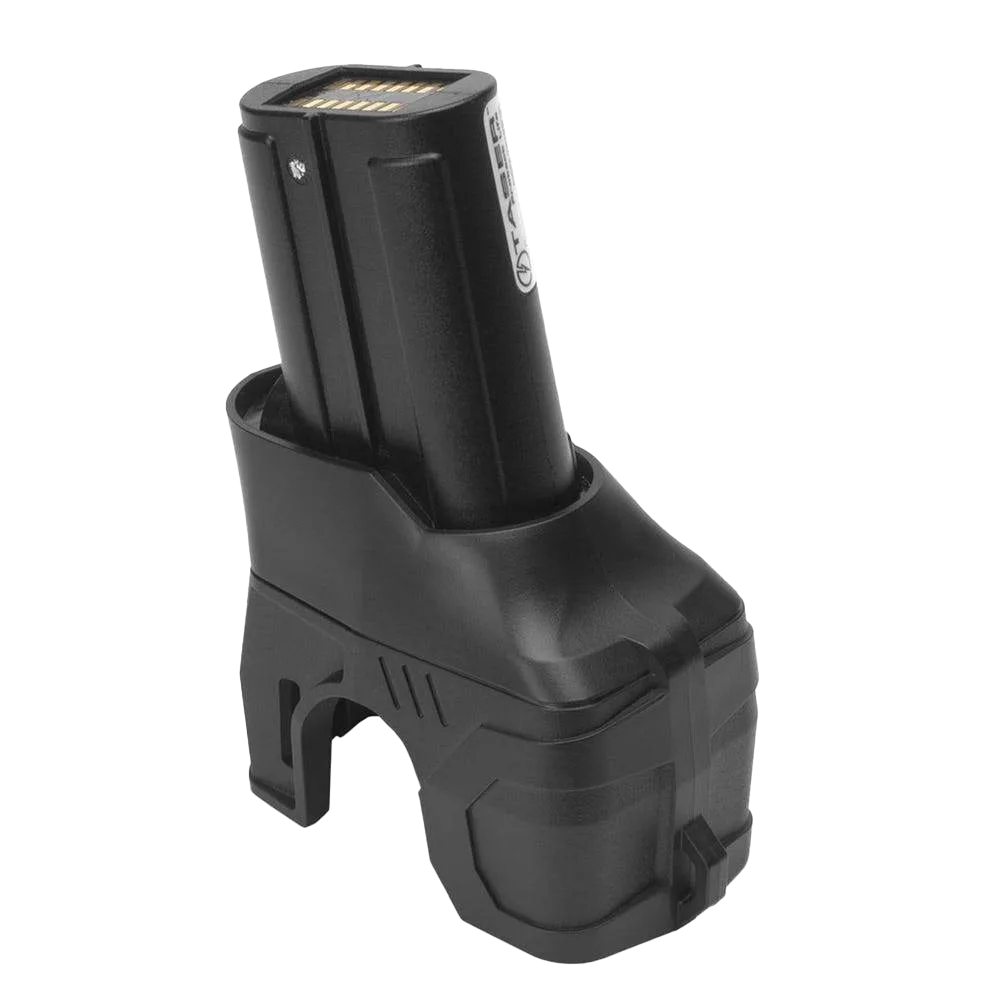
Clean the XPPM's electrical contacts with a dry, lint-free cloth or a soft pencil eraser every few months, and store the magazine in a cool, dry place at room temperature. Never use water, solvents, or abrasive tools on the contacts. If the magazine shows physical damage or fails to hold a charge after cleaning, replace it rather than trying to repair it.
Symptoms of a Dirty or Worn XPPM Magazine
A well-maintained XPPM should power your X1 or X26P reliably for approximately 500+ firings. When performance drops, the first signs are usually intermittent power, a device that fails to fire when the trigger is pressed, or a battery indicator that fluctuates. You might also notice a faint clicking sound instead of the normal firing sequence. These symptoms often point to contaminated or corroded electrical contacts rather than a completely dead battery.
How to Clean XPPM Contacts Safely
Start by removing the magazine from the device and visually inspecting the metal contacts on both the magazine and the device. Use a dry, lint-free cloth to wipe away dust or light debris. For stubborn oxidation, gently rub the contacts with a clean pencil eraser. Do not use water, cleaning sprays, or abrasive materials like sandpaper, as these can damage the contact plating and void your warranty. After cleaning, reinsert the magazine and test the device with a dry-fire (no cartridge) to confirm proper function.
Proper Storage for X26P and X1 Power Magazines
When storing your XPPM for extended periods, remove it from the device and place it in a cool, dry location away from direct sunlight. Avoid extreme temperatures, which can degrade lithium battery capacity. If you have multiple magazines, label them and rotate their use to keep cells active. For the X26P, the XPPM's built-in cartridge storage extension means you can keep a spare cartridge with the magazine, but ensure the cartridge is not loaded in the device during storage to avoid accidental discharge. Always follow local laws regarding storage of TASER devices and cartridges.
Diagnosis: When to Clean, When to Replace
- Intermittent power or failure to fire: Likely cause: dirty or oxidized contacts. Clean the contacts with a dry cloth or pencil eraser. If the problem persists after cleaning, the battery cells may be failing. If cleaning does not resolve the issue, replace the magazine.
- Magazine does not hold a charge: Likely cause: battery degradation from age or improper storage. Lithium batteries lose capacity over time, especially if stored in hot environments. Replace the magazine with a new XPPM for reliable performance.
- Physical damage to the magazine casing or contacts: Likely cause: drops, impact, or corrosion. Damaged contacts can prevent proper electrical connection and may damage the device. Stop using the magazine immediately and replace it to avoid device damage.
Product facts
- Extended Performance Power Magazine (XPPM) for X1/X26P: The XPPM is a lithium battery power supply compatible with the X26P, providing power for approximately 500+ firings. The extension that provides a place to store an extra cartridge is compatible with the X26P and X1. This magazine offers long-lasting power and the convenience of carrying a spare cartridge, making it a practical choice for X1 and X26P users who want extended readiness.