Quick Answer
Assemble the SimXPro XT120 frame first, then mount the GTR seat and MOZA R9 base, and finish with cable routing and adjustment—this order prevents rework and keeps the rig stable.
Why This Assembly Order Works
Starting with the frame gives you a stable platform to mount the seat and wheel base, so you can align everything without fighting loose parts. Mounting the seat before the wheel base lets you set your driving position and then place the wheel at the correct distance.
The MOZA R9 V3 base delivers 9 Nm of torque, so the wheel deck bolts need to be tight. Check them after your first few sessions because vibration can loosen them.
What You Need Before You Start
You'll need a set of metric Allen keys, a torque wrench (if available), and a rubber mallet for aligning parts. Clear a workspace large enough to lay out the frame rails.
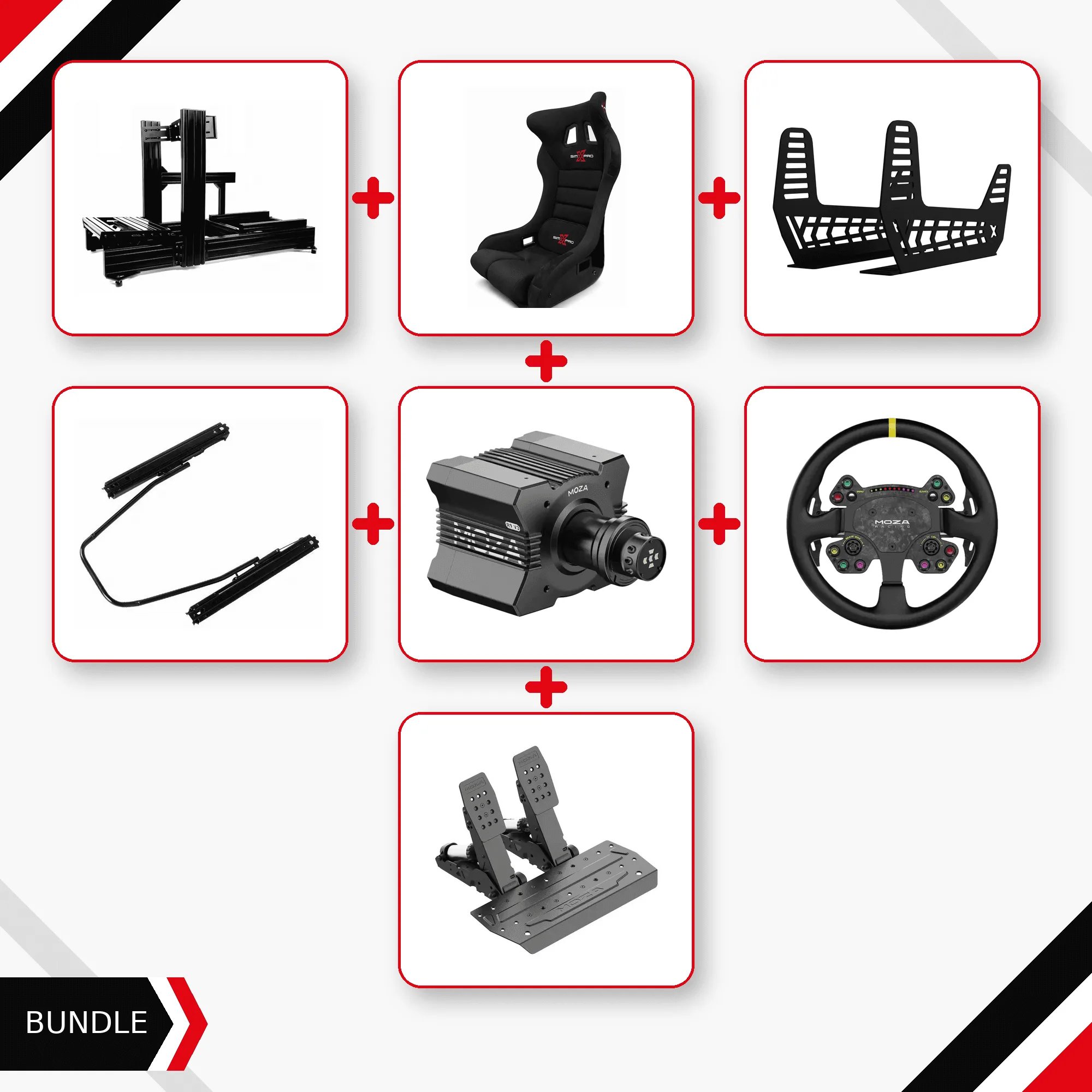
The bundle includes the SimXPro XT120 cockpit, GTR seat with universal seat mount and double-locking slider, and the MOZA R9 V3 base with ESX wheel, SRP2 load cell pedals, and power supply. Verify all parts are present before starting.
Step-by-Step Assembly
- Lay out and assemble the XT120 frame: Unbox the frame rails and crossmembers. Loosely bolt the main frame together, then tighten all bolts once the frame is square. Use the included instructions to identify each part. Check that all bolts are snug but not fully torqued until the frame is square.
- Mount the GTR seat: Attach the universal seat mount to the frame using the provided brackets. Slide the seat onto the mount and secure it with the double-locking slider. Adjust the slider to your leg reach and lock it firmly. Test the slider lock before sitting—if it slips, tighten the locking mechanism.
- Install the MOZA R9 base and wheel: Mount the R9 V3 base to the wheel deck using the supplied bolts. Attach the ESX wheel and tighten the quick-release. Ensure the base is centered and level. Torque the base bolts to spec if you have a wrench; check again after a few hours of use.
- Connect pedals and power: Place the SRP2 load cell pedals on the pedal plate and adjust the angle. Connect the pedals to the base and plug in the power supply. Route cables away from moving parts. Secure cables with zip ties to prevent them from interfering with the pedals or wheel.
- Adjust and test: Sit in the seat, reach the wheel, and press the pedals. Adjust the seat slider and pedal angle for comfort. Power on the system and test all inputs in your sim software. Run a quick calibration in the MOZA software before your first race.
What's in This Bundle
-
XT120 + GTR Seat + MOZA R9 Bundle — PC Ready: This PC-ready bundle includes the SimXPro XT120 cockpit, GTR seat with universal mount and double-locking slider, and the MOZA R9 V3 direct-drive base with ESX wheel and SRP2 load cell pedals. You get a complete, compatible setup in one box, so you don't have to source parts separately.
XT120 + GTR Seat + MOZA R9 Bundle — PC Ready