Quick answer
Use a 10" machinist square to check 90° angles by pressing the thick beam against a reference edge and sliding the thin blade along the surface—any gap or light means the angle is off.
Why use a machinist square instead of a carpenter square?
A machinist square is made from hardened, tempered carbon steel, giving it a rigid, non-flexing body. For small projects—model building, jewelry work, or small jigs—the 10" size fits where a full-size framing square would be awkward. The dual measurement system (inch and metric) also helps when your plans mix units.
When the 10" square might not be enough
If your workpiece is larger than 10 inches, the square cannot span the full length to check squareness across the entire piece. For long boards or large panels, a larger square or a combination square is a better choice. Also, the 10" machinist square is not designed for marking deep cuts—its thin blade is for checking, not guiding a saw.
How to check a 90° angle with a 10" machinist square
- 1. Clean both the square and the workpiece: Wipe away dust, glue, or debris from the reference edge of your workpiece and the inner faces of the square. Even a thin layer of sawdust can create a false gap. Dirt is the most common source of false readings.
- 2. Press the thick beam firmly against the reference edge: Hold the machinist square so the thick beam (the body) is flush against the straight edge of your workpiece. Keep it pressed tight—do not let it rock. The thin blade should now extend across the surface you want to check. If the beam rocks, your reference edge may not be straight—check that first.
- 3. Look for light or gaps under the thin blade: With the beam held firmly, look along the thin blade from the side. Any light between the blade and the workpiece surface means the angle is not exactly 90°. A consistent gap means the angle is off; a gap that changes along the length means the workpiece surface is not flat. Use a bright light behind the square to make small gaps visible.
- 4. Mark the high or low spots if needed: If you find a gap, use a pencil to mark where the blade contacts and where it lifts. This tells you exactly where to sand, file, or adjust your joint. For assembly, clamp the square in place as a temporary guide to hold the parts at 90° while glue dries. Do not force the square into place—it should sit naturally.
- 5. Repeat the check after adjustments: After sanding or repositioning, clean the area again and repeat steps 2–4. A second check confirms you corrected the angle and did not introduce a new error. For critical joints, check from both sides of the workpiece. Checking twice catches mistakes from over-correction.
Tool you need
-
10" Machinist Square: Excel Blades 10" Machinist Square is made from hardened, tempered, and polished carbon steel for durability and wear resistance. The hardened steel holds its shape over time, so your 90° check stays reliable even with repeated use on small projects.
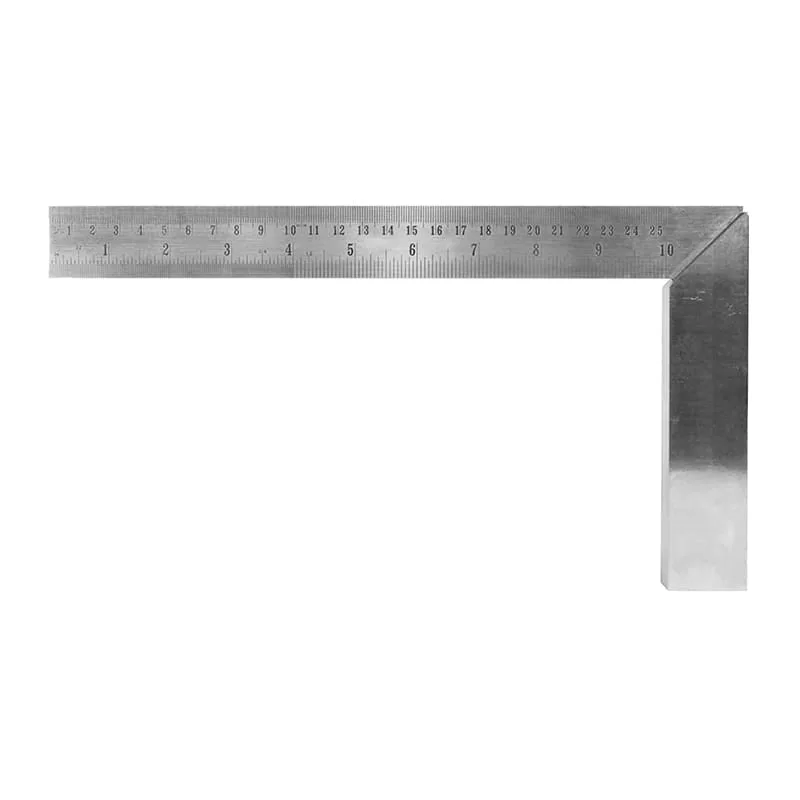
10" Machinist Square