Start with the fixture, not the wattage
The single most useful check before you buy a replacement is whether the bulb is designed for your fixture. Westcott lists this 100-watt tungsten halogen bulb for use with the Spiderlite or uLite. If your light is a different model, the catalog does not confirm compatibility, so treat that as an open question rather than a safe swap.
Wattage alone is not a compatibility guarantee. A 100-watt draw tells you about power, not about whether the bulb physically fits, vents correctly, or is approved for a given housing. Match the fixture name first, then use the electrical and color details to plan your shoot.
What the bulb record confirms
-
Tungsten Halogen Bulb (100-watt): For use with the Spiderlite or uLite This is the compatibility statement to check before ordering a replacement.
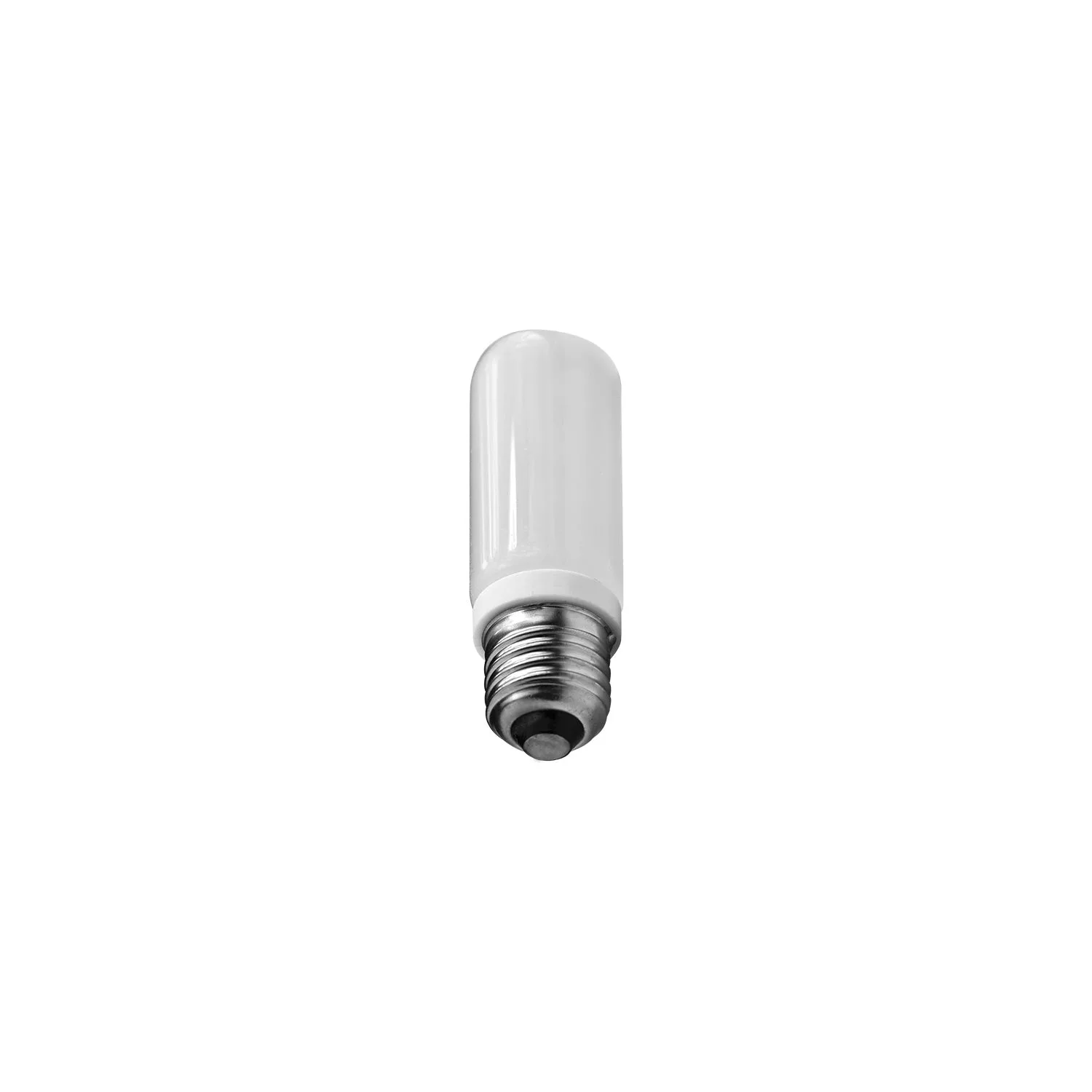
Tungsten Halogen Bulb (100-watt)
-
Tungsten Halogen Bulb (100-watt): 100-watt power draw Confirms the bulb's power class so you can compare it with the fixture's expectations.
-
Tungsten Halogen Bulb (100-watt): 2800K tungsten color temperature Sets the warm cast you should expect and plan around in camera or in post.
-
Tungsten Halogen Bulb (100-watt): Diffused glass produces soft output Explains the quality of light from the bulb itself, before any modifier is added.
-
Tungsten Halogen Bulb (100-watt): Rated for over 2000 hours of use Gives you a replacement planning figure rather than a vague lifespan.
-
Tungsten Halogen Bulb (100-watt): Continuous output for use in still or motion photography Clarifies that this is a continuous source, not a flash modeling circuit.
Plan around 2800K before you swap bulbs
A 2800K tungsten color temperature sits firmly in the warm range. If you are replacing a bulb in a mixed lighting setup, expect the new bulb to carry that warmth into the frame. The diffused glass softens the output, but it does not neutralize the color.
That warmth is predictable, which is what matters. Set your white balance for tungsten, or plan to correct in post, and the 2800K figure becomes a known quantity rather than a surprise. If you are matching this bulb to other continuous sources, compare their color temperatures directly instead of assuming they will look alike.
A safe replacement routine with the checks the record supports
The supplied record does not include manufacturer installation steps, so the sequence below is a general handling routine. Use it alongside, not instead of, the instructions that came with your Spiderlite or uLite.
- Confirm the fixture model: Check that your light is a Spiderlite or uLite, the two fixtures the catalog names for this bulb. If it is not, pause and verify compatibility before ordering.
- Power down and let the fixture cool: Halogen bulbs run hot. The record does not give a cooling time, so follow your fixture's own guidance rather than a number from this article.
- Handle the bulb by its base or edges: General halogen handling advice is to avoid leaving skin oils on the glass. The supplied record does not include a specific handling instruction, so treat this as a sensible precaution, not a manufacturer rule.
- Seat the bulb fully before powering up: A loose bulb is a poor connection. Confirm it is seated according to your fixture's instructions before you restore power.
- Check the result at 2800K: Once the light is on, confirm the warm tungsten output matches what you planned for. If the color looks off, recheck your white balance before assuming a bulb fault.
When to replace rather than troubleshoot
The bulb is rated for over 2000 hours of use. That figure is your planning baseline: if a fixture has seen heavy continuous use, a spare bulb on the shelf is reasonable insurance. Continuous output for still or motion photography means the bulb may be on for long stretches, so hours accumulate faster than they would on a flash modeling circuit.
If output drops or the color shifts, the bulb is the first thing to check, but not the only thing. Confirm the fixture is the named Spiderlite or uLite, confirm the bulb is seated, and confirm your camera settings before you conclude the bulb has failed. The supplied record does not include diagnostic procedures, so avoid guessing at causes the catalog does not address.
What the supplied information leaves open
The record does not confirm a lamp base type, a maximum fixture wattage, a dimming capability, or a specific installation procedure. It also does not state whether this bulb is approved for fixtures outside the Spiderlite and uLite families. If any of those details matter for your setup, verify them with the fixture documentation before you buy or install.
That is not a reason to avoid the bulb. It is a reason to treat the fixture name as the deciding check and the remaining details as questions to close before you commit.