Quick Answer
Setting up your 2064 Read Only Memories INTEGRAL physical edition is straightforward: insert the disc, install the game, apply any day-one patch, and optionally redeem bonus content. Keep the box and manual in a protective sleeve to preserve collector value.
Before You Begin: Check Your Edition
The 2064 Read Only Memories INTEGRAL physical edition includes the full game on disc, a manual, and sometimes a reversible cover or art card. Verify your copy includes all advertised items by checking the back of the box against the contents list printed there. If anything is missing, contact the retailer within 30 days.
Note that the physical edition does not include downloadable content (DLC) unless explicitly stated on the packaging. Any bonus codes inside the box are single-use, so redeem them promptly after install.
System Requirements and Compatibility
2064 Read Only Memories INTEGRAL runs on PlayStation 4, PlayStation 5 (via backward compatibility), Nintendo Switch, and PC. On PS5, insert the disc and the console will prompt you to download the PS4 version; performance is identical. On Switch, ensure your system firmware is updated to the latest version for smooth play.
PC players: the disc contains a Steam installer key. Insert the disc, follow the on-screen prompts to copy the key, then activate it on Steam. The disc itself does not contain the full game files for PC—only the key and a launcher helper.
Step-by-Step Setup Guide
- Step 1: Unbox Carefully: Open the shrink wrap along the seal line to avoid tearing the artwork. Remove the disc, manual, and any inserts. Place the box in a protective sleeve or resealable bag to prevent scratches and dust. Common mistake: tearing the shrink wrap can damage the box art. Use a knife or scissors to cut along the seam.
- Step 2: Insert the Disc and Install: For console: insert the disc, wait for the system to recognize it, and follow the on-screen install prompts. For PC: insert the disc, copy the Steam activation key from the disc menu or manual, then launch Steam and select 'Activate a Product on Steam' to enter the key. Checkpoint: ensure your console or PC has at least 8 GB of free storage. The install size is approximately 6 GB.
- Step 3: Apply Updates: After installation, connect to the internet and download any available patch. The day-one patch fixes minor bugs and adds stability improvements. Without it, you may experience occasional crashes in later chapters. Common mistake: skipping the patch leads to save file corruption in rare cases. Always update before starting a new game.
- Step 4: Redeem Bonus Content: If your edition includes a code for a digital soundtrack or art book, redeem it on the PlayStation Store, Nintendo eShop, or Steam (depending on platform). Codes are single-use and expire after one year from the game's release date. Checkpoint: write the code down in a safe place before redeeming, in case you need to re-download the content later.
- Step 5: Store for Longevity: Keep the disc in its case when not in use, away from direct sunlight and heat sources. Store the case vertically on a shelf to prevent warping. For PC users, the disc is only needed for the initial key activation; you can play without it afterward. Collector tip: use a plastic box protector to keep the cover art mint. The limited stock (1 per person) makes this edition a potential future collectible.
Product Facts
-
NEEDY STREAMER OVERLOAD - Event Edition: Stock is restricted to 1 copy per person. If you're a collector, this means the physical edition is intentionally scarce, so handle your copy with care to preserve its value.
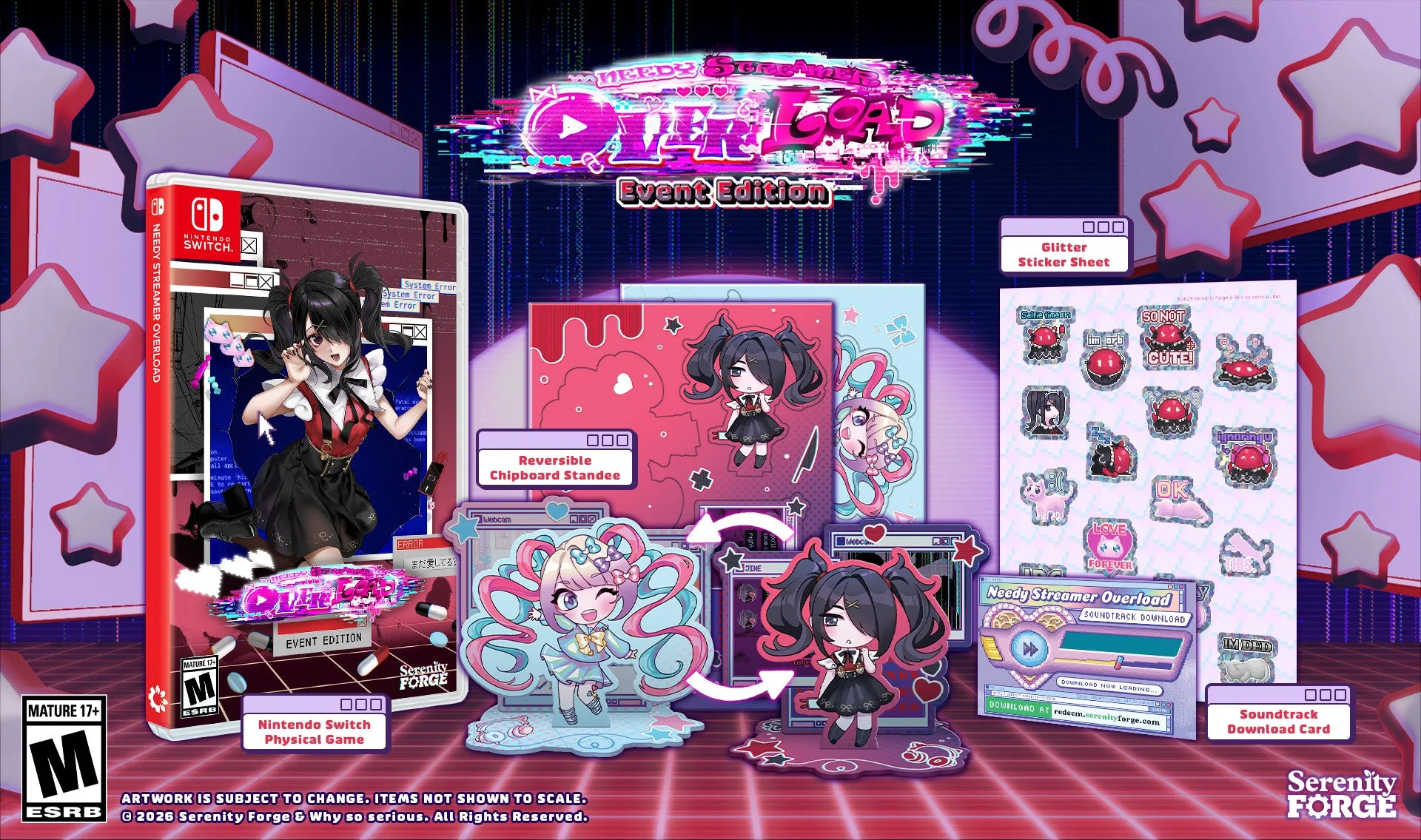
NEEDY STREAMER OVERLOAD - Event Edition