Why everyday care matters for the 250i V2
The MOON 250i V2 is a classic integrated amplifier built for high fidelity and engaging musical performance. Like any quality audio component, it benefits from consistent, gentle upkeep—not because it's fragile, but because dust, heat, and accidental knocks are the usual culprits behind long-term problems. This guide gives you a supported routine you can follow with confidence, and it clearly marks where the catalog leaves gaps so you don't fill them with guesswork.
What the catalog confirms about the 250i V2
-
250i V2 Amplificador integrado: Un amplificador integrado clásico que ofrece alta fidelidad y un seductor rendimiento musical. This is the core promise of the 250i V2: high fidelity and musical performance. Your care routine should protect that performance, not alter it.
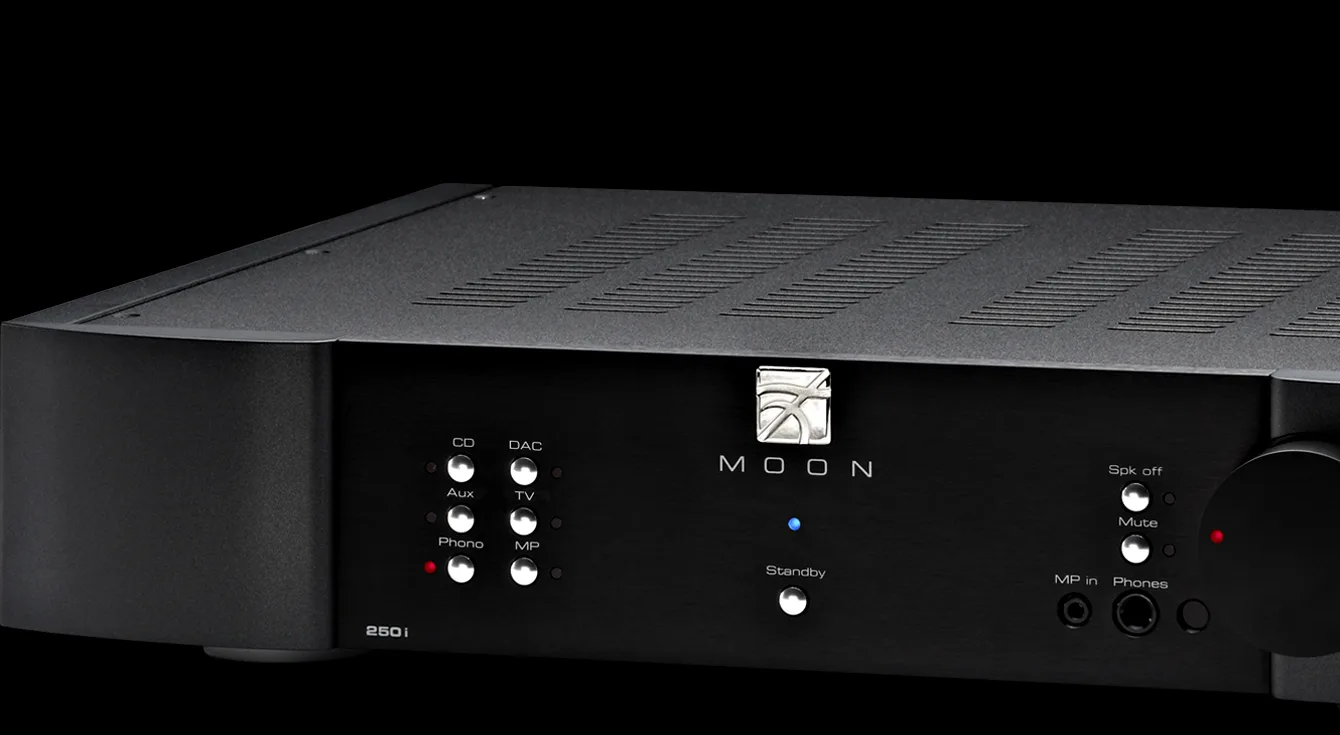
250i V2 Amplificador integrado
-
250i V2 Amplificador integrado: El 250i V2 ofrece un seductor rendimiento musical. The amplifier is designed to sound engaging. Keeping it clean and well-ventilated helps it stay that way over years of listening.
A simple, repeatable care routine
These steps are general good practice for hi-fi electronics. The catalog does not provide model-specific cleaning agents or procedures, so stick to gentle, non-invasive methods and always power down first.
- Power down and unplug before cleaning: Safety first. Turn off the 250i V2 and remove it from AC power before any cleaning or inspection. This prevents accidental damage and protects you.
- Dust the exterior with a soft, dry cloth: Use a microfiber or lint-free cloth to wipe down the top and sides. Avoid abrasive pads or solvents. For stubborn marks, lightly dampen the cloth with water—never spray liquid directly on the amplifier.
- Keep vents and heatsinks clear: Dust buildup on ventilation openings can trap heat. Gently vacuum the vents with a brush attachment on low suction, or use a soft brush. Do not insert anything into the amplifier.
- Check connections periodically: With the unit off, make sure speaker cables and interconnects are firmly seated. Loose connections can cause intermittent sound or strain. Do not force any connector.
- Give it breathing room: Place the 250i V2 on a stable, hard surface with space around it for air circulation. Avoid stacking it tightly against other heat-producing components or enclosing it in a cabinet with no airflow.
Ventilation tips for long-term reliability
Heat is the quiet enemy of amplifier longevity. These general ventilation habits help any integrated amp, including the 250i V2. The catalog does not specify minimum clearances, so use common sense and prioritize open space.
- Avoid enclosed cabinets: If you use a cabinet, choose one with an open back or ventilation holes. Leave the front door open during listening sessions if heat builds up.
- Don't stack components directly on top: Placing another device on top of the 250i V2 can block vents and add heat. Keep the top surface clear.
- Keep away from direct sunlight and radiators: External heat sources make the amplifier work harder to stay cool. A shaded, stable location is better.
- Monitor for excessive warmth: It's normal for an integrated amplifier to feel warm during use. If it becomes uncomfortably hot to the touch, power it off and check that ventilation is unobstructed. If the problem persists, contact MOON support—do not open the unit yourself.
What the supplied information does not confirm
The catalog record for the 250i V2 does not include detailed care instructions, cleaning agents, ventilation clearances, or operating procedures. This is not a sign that the amplifier lacks these features—it simply means the supplied information doesn't cover them. For any model-specific guidance, refer to the owner's manual or contact MOON by Simaudio directly. Do not assume compatibility with third-party accessories or cleaning products without checking official documentation.
Long-term habits that protect your investment
Beyond weekly dusting, a few habits go a long way. These are general best practices, not model-specific requirements.
- Use a surge protector: Protect the 250i V2 from power spikes with a quality surge protector or power conditioner. This is especially important in areas with unstable power.
- Power down during storms: Unplug the amplifier during electrical storms to avoid damage from lightning-induced surges.
- Keep liquids away: Never place drinks or plants on or near the amplifier. Spills can cause serious damage.
- Schedule a yearly check-in: Once a year, inspect cables for wear, clean vents thoroughly, and confirm the unit still sits level and stable. Small attentions prevent bigger issues.