Quick answer
Most 3D sculpting gel problems come from three things: working too thick, curing too late, or moving the piece before it is fully set. Fix smudging by curing each layer before adding the next, fix lumps by thinning your bead and patting rather than dragging, and fix uneven shapes by building in small increments instead of one large mass.
3D sculpting gel is one of the most rewarding skills in nail art, but it is also one of the least forgiving. A shape that looks perfect under the lamp can slump, cloud, or smear the moment you touch it. The good news is that almost every failure traces back to a small number of controllable variables.
This guide breaks down the three problems we hear about most—smudged details, lumpy surfaces, and uneven shapes—into symptom, likely cause, corrective action, and the point where you should stop and try a different approach.
Why 3D Sculpting Gel Behaves Differently From Regular Gel Polish
Regular gel polish is designed to self-level into a thin, even film. 3D sculpting gel is formulated to hold its shape, which means it is thicker, less mobile, and far more sensitive to how you place it. If you treat it like polish—flooding the nail and smoothing with the brush—you will trap air, create ridges, and push the product past the cuticle.
The fix is not a different product; it is a different hand position and a different rhythm. Work in smaller beads, place them where you want them, and cure before the gel has a chance to move.
- Keep beads pea-sized or smaller until you can control the shape
- Cure between layers rather than building one tall mass
- Use a silicone mold when you need repeatable shapes like bows or flowers
Problem 1: Smudged or Collapsed Details
Smudging usually happens when you add a second layer of gel on top of an uncured first layer, or when you handle the nail before the gel has fully cooled and set. The surface may look hard, but the interior can still be soft enough to shift under light pressure.
Correct it by curing each sculpted element separately. If you are building a flower, cure the petals before adding the center. If you are attaching a molded piece, cure the attachment point first, then blend the edges.
- Cure 30–60 seconds per layer depending on your lamp and gel thickness
- Let the nail cool for a few seconds before touching it
- If a detail smudges, remove it with a lint-free wipe and alcohol rather than trying to reshape it
Problem 2: Lumpy or Bubbly Surfaces
Lumps come from three sources: air trapped during application, a bead that is too thick to level, or a brush that is dragging instead of patting. When you drag a thick gel, you create ridges that cure in place.
The corrective action is to change your application motion. Pick up a smaller bead, place it, and pat it gently with a flat brush or silicone tool. If you see bubbles, pop them with a clean tool before curing—once cured, they are permanent.
- Wipe your brush between beads so you are not carrying cured bits
- Work under good light so you can see bubbles before they cure
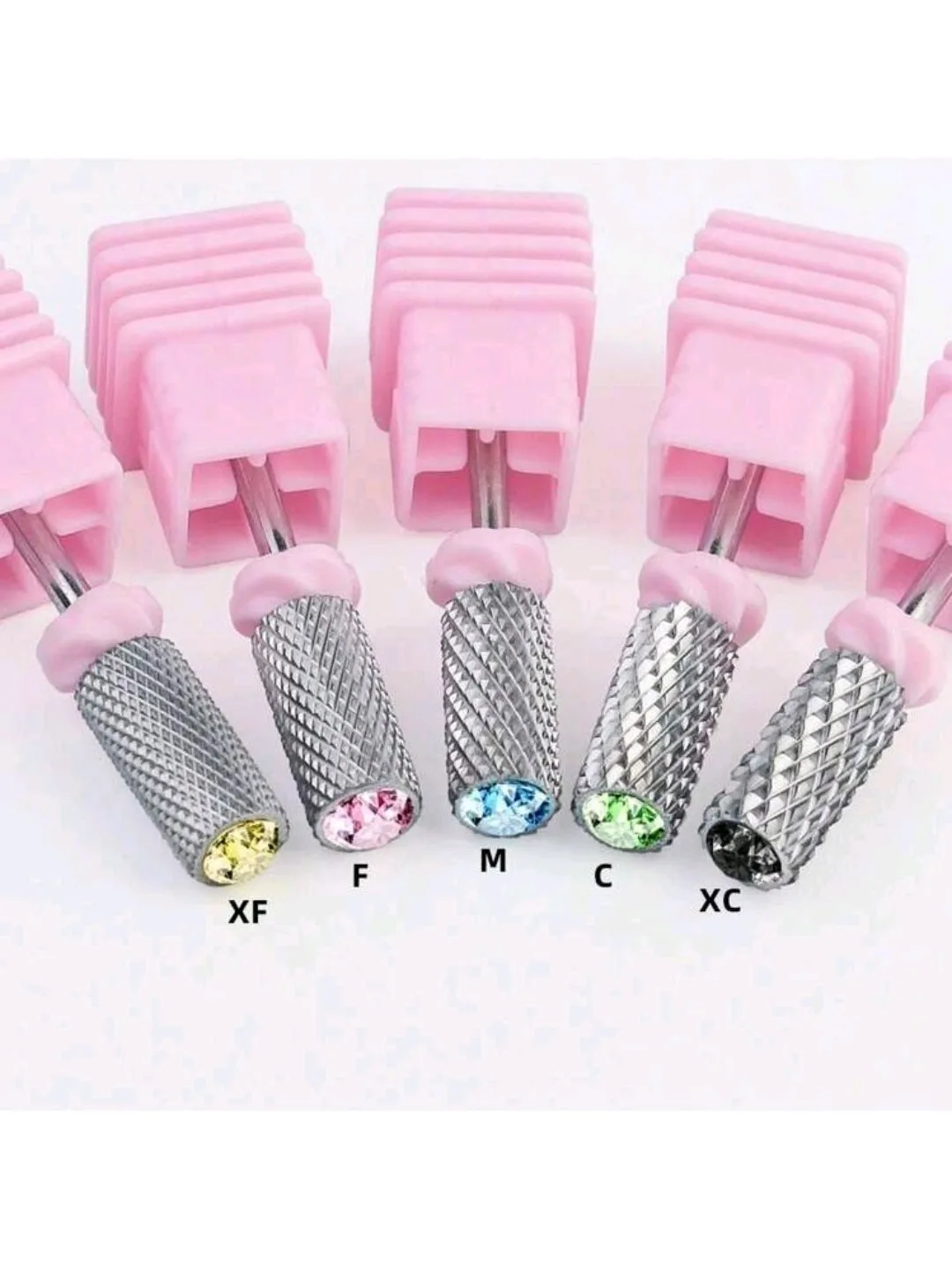
- If a lump is already cured, file it smooth with a fine bit and re-gloss
Problem 3: Uneven or Asymmetrical Shapes
Uneven shapes are almost always a proportion problem, not a skill problem. If one petal is thicker than the others, or one side of a bow is taller, the eye reads it as messy even if the technique is sound.
Build in increments and check symmetry from a distance. Step back from the nail, look at it straight on, and compare left to right before you cure the final layer. If you are making multiples, use a mold so the base shape is identical every time.
- Sketch the shape on paper first if it is complex
- Use a mold for repeatable elements like hearts, stars, or chibi-style figures
- Cure partially, check symmetry, then cure fully
When to Stop and Choose Another Method
If you have corrected your bead size, cure times, and application motion and the shape still collapses or clouds, the issue may be the gel itself—some sculpting gels are not meant for tall or fine details. In that case, switch to a mold or a hand-sculpted method that matches your goal.
If you are consistently struggling with a specific shape, it is usually faster to mold it and attach it than to fight the gel on the nail. Stop when the correction costs more time than starting over.
- Choose a mold when you need identical repeats
- Choose hand-sculpting when you need organic, one-of-a-kind shapes
- Do not keep adding gel to a failed shape; remove and restart
3D Sculpting Gel Diagnosis Chart
- Smudged detail: You touched or layered on uncured gel. Cure each element separately before adding the next. If it still smudges after separate curing, your layers are too thick.
- Lumpy surface: Air bubbles or dragging a thick bead. Use smaller beads and pat instead of drag. If lumps persist, switch to a mold for that shape.
- Uneven shape: Proportions are off or the gel is slumping. Build in increments and check symmetry before final cure. If symmetry still fails, use a mold for repeatable shapes.
Tools That Help With 3D Sculpting Control
- 5pc Nail Art Tungsten Steel Drill Bits: A set of five drill bits intended for nail art and nail care use, offered under the brand LaCatrinaNails.tx. Fine bits let you clean up cured lumps and refine edges without removing the whole sculpted piece.
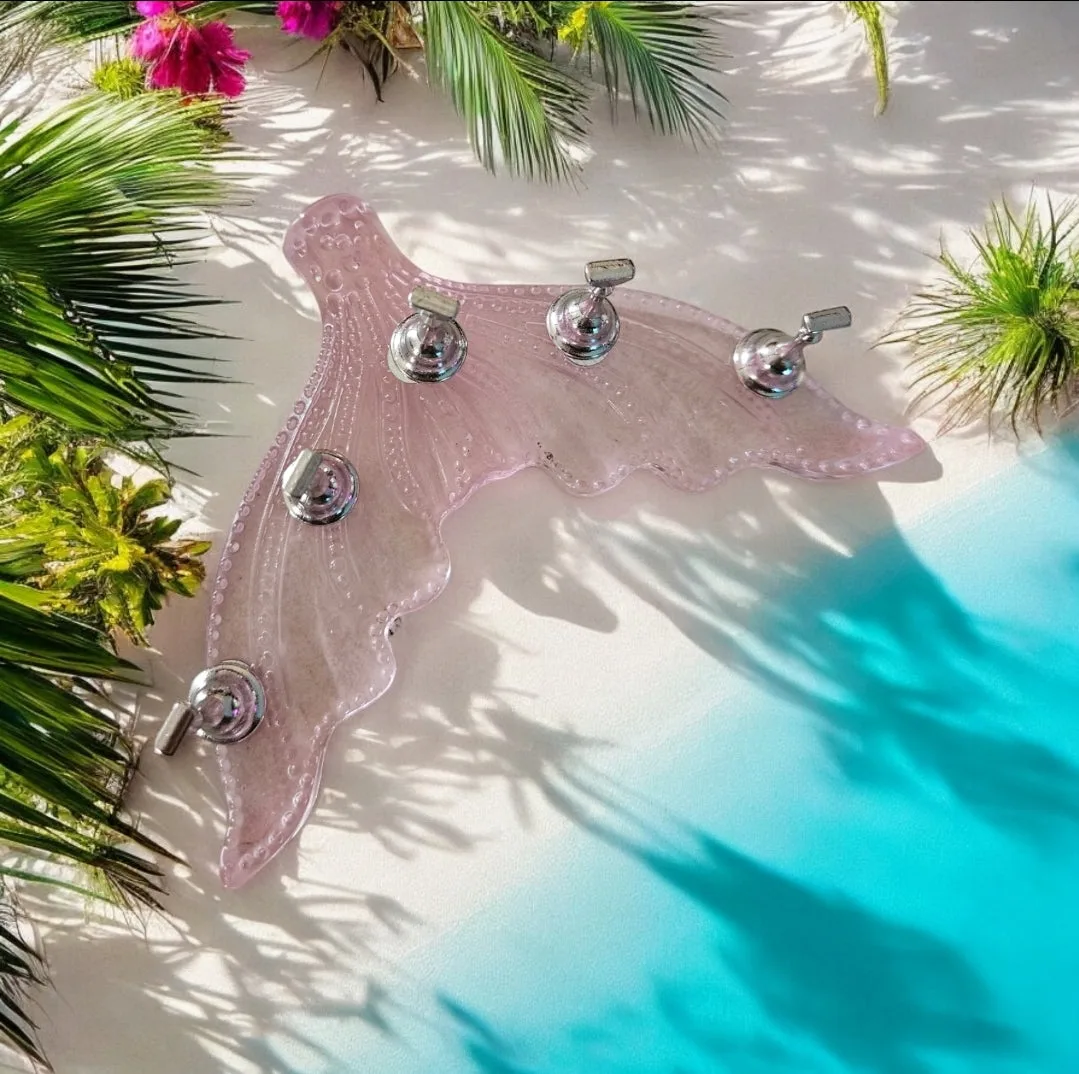
- Nail art holder/display stand/Mermaid Tail: Mermaid tail shaped nail art holder and display stand that comes as a set of two, with a purple/pink color option. Holding the nail steady while you sculpt prevents the accidental smudging that happens when you grip the nail directly.
- Pasión De Frida ~ Frida's Passion ~ HEMA-Free and TPO Free Gel polish: A striking, passionate red with a creamy, self-leveling formula, inspired by Frida Kahlo. A self-leveling color layer under your 3D elements gives you a smooth base so you are not fighting texture from the polish below.
Most 3D sculpting gel problems are not about talent—they are about timing, bead size, and cure discipline. Fix those three and your shapes will hold, your surfaces will smooth out, and your details will stay where you put them.