Quick answer
Connect the relay module's VCC to Arduino 5V, GND to GND, and IN to a digital pin such as D7. Most blue single-channel boards are active low, so writing LOW turns the relay on. If your board has a JD-VCC jumper and you want full optocoupler isolation, remove the jumper and power JD-VCC from a separate 5V supply while keeping grounds tied. For mains loads, switch only the live conductor and enclose the relay and terminals.
Before you connect anything: identify your board
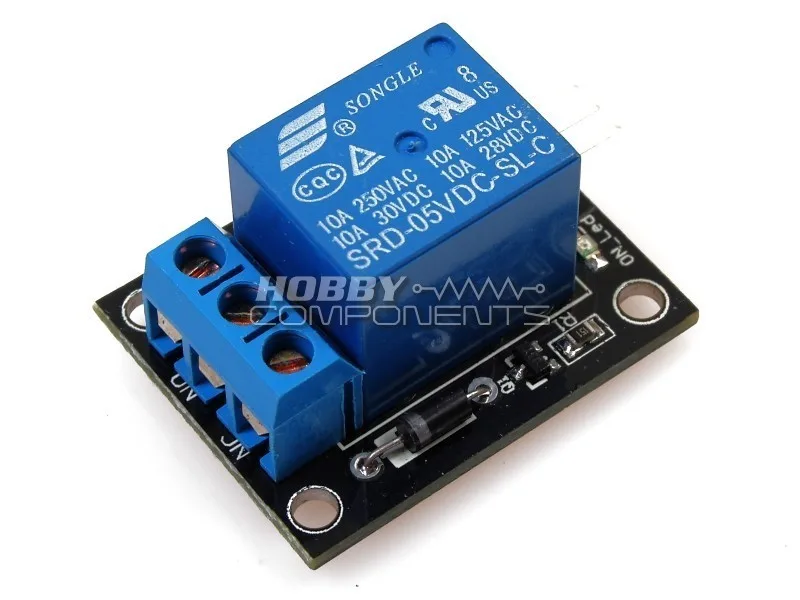
Look for the input header and any jumper. A board with VCC, GND, and IN is a direct-driven module; one with VCC, GND, IN, and a JD-VCC jumper has an optocoupler separating the input side from the relay coil side. The 5V Relay Module in this store is a single-channel board with screw terminals for NO, COM, and NC, which is the layout most beginner projects need.
Check the trigger logic before wiring the load. Apply 5V and GND to the module, leave IN floating, and listen for a click. If it clicks with IN floating or pulled high, it is active low; if it stays silent until IN goes high, it is active high. This one test prevents the most common 'my relay works backwards' problem.
Wire the control side to the Arduino
Run VCC to the Arduino 5V pin, GND to an Arduino GND pin, and IN to a digital pin. D7 is a safe default because it is not shared with serial or SPI on an Uno. Keep these three wires short and routed away from mains cabling; long input leads pick up noise that can cause false triggering.
If your board has the JD-VCC jumper and you are using a separate 5V supply for the coil side, remove the jumper, connect the external 5V positive to JD-VCC, and connect the external supply ground to the Arduino ground. Without that shared ground the input signal has no reference and the relay will not switch reliably.
Write a sketch that matches your trigger type
For an active low module, set the pin HIGH in setup so the relay stays off at boot, then write LOW to energize it. For active high, invert that logic. A minimal active low sketch looks like this: pinMode(7, OUTPUT); digitalWrite(7, HIGH); in setup, then digitalWrite(7, LOW) to turn on and digitalWrite(7, HIGH) to turn off. Add a short delay after each change so you can hear the click and confirm the state.
Avoid driving the relay directly from a pin without checking current. Many 5V boards draw more than a bare Arduino pin should supply continuously, so power the module from the 5V rail and use the pin only for the input signal. If the board resets when the relay clicks, that is your clue to move the coil supply off the Arduino regulator.
Switch the load safely
Use COM and NO for a load that should be off until the relay energizes, and COM and NC for a load that should be on by default. For DC loads, keep polarity consistent with your supply. For mains, switch only the live wire through COM and NO, never the neutral, and keep the mains side physically separated from the low-voltage side.
Enclose the relay board and all mains terminals in a non-conductive box, strain-relieve the cable, and never touch the screw terminals while the circuit is plugged in. If you are not confident working with mains, use the relay to switch a low-voltage DC load or a pre-made smart plug instead.
Step-by-step relay setup
- 1. Identify trigger logic and jumper: Power the module with 5V and GND, leave IN floating, and note whether the relay clicks. Check for a JD-VCC jumper. Checkpoint: you know if the board is active low or active high before connecting the Arduino.
- 2. Connect VCC, GND, and IN: Wire VCC to Arduino 5V, GND to Arduino GND, and IN to D7. Keep leads short and away from mains wiring. Mistake to avoid: forgetting the shared ground when using a separate JD-VCC supply.
- 3. Load the matching sketch: Set the pin HIGH in setup for active low, then write LOW to turn on. Invert for active high. Checkpoint: the relay clicks once per state change and the Arduino does not reset.
- 4. Wire the load to COM and NO or NC: Use COM and NO for off-by-default loads, COM and NC for on-by-default loads. For mains, switch only the live conductor. Mistake to avoid: switching the neutral or leaving mains terminals exposed.
- 5. Test with a low-voltage load first: Prove the logic with an LED or small DC load before connecting anything mains-powered. Checkpoint: the load follows the sketch reliably before you enclose the mains side.
Product facts
- 5V Relay Module: Single-channel relay module operated at 5V DC with screw terminals for normally open, common, and normally closed wiring. Gives you one isolated switch point with both NO and NC options, so you can choose whether the load is off or on by default.
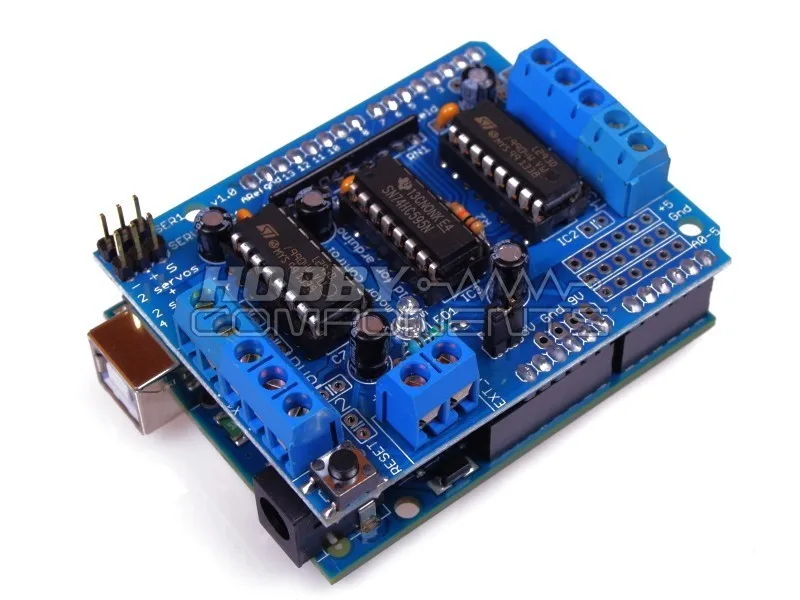
- Motor Drive Shield L293D for Arduino: Motor Drive Shield L293D for Arduino is compatible with Arduino Uno boards (board not included) and includes two 5V servo interfaces. Useful when your project needs motor or servo control alongside a relay, but it does not replace the relay for switching mains or high-current loads.