Quick answer
Install your AI Battery Cam by choosing a stable surface or mount, connecting to Wi-Fi via the app, and positioning it at a height that covers key areas without direct window glare.
Why battery-powered placement matters
Unlike wired cameras, the AI Battery Cam can go almost anywhere—no outlet needed. That flexibility is great for monitoring a nursery or living room, but it also means you must secure the camera to prevent falls and ensure the lens angle stays correct.
Choosing a spot that avoids common issues
Avoid placing the camera directly in front of a window, as backlight can wash out the image. Also keep it away from heat vents or direct sunlight, which can affect battery life. For baby monitoring, mount the camera at least 2 feet from the crib to maintain a safe distance and a wide view.
Installation steps
- Choose a stable location: Place the AI Battery Cam on a flat surface or use a compatible mount. For a nursery, attach it to a wall or shelf at least 2 feet from the crib to get a full-room view. Avoid placing on a wobbly shelf or near a window where glare can interfere with the image.
- Power on and connect via the app: Press the power button, then open the camera app on your phone. Follow the prompts to connect the camera to your Wi-Fi network. The camera’s LED will turn solid when connected. If the connection fails, move the camera closer to the router during setup, then relocate it afterward.
- Adjust the angle and test the view: Tilt and rotate the camera to cover the area you want to monitor—such as the crib, play area, or entryway. Use the live feed in the app to fine-tune the position. Check that the field of view is clear and not blocked by furniture. A common mistake is aiming the camera too high or too low; the lens should be at eye level for the best perspective.
Product facts
-
AI Battery Cam: Battery-powered design for flexible placement without the need for a nearby outlet. You can position the camera on a bookshelf, countertop, or wall mount in rooms where power outlets are scarce or inconvenient.
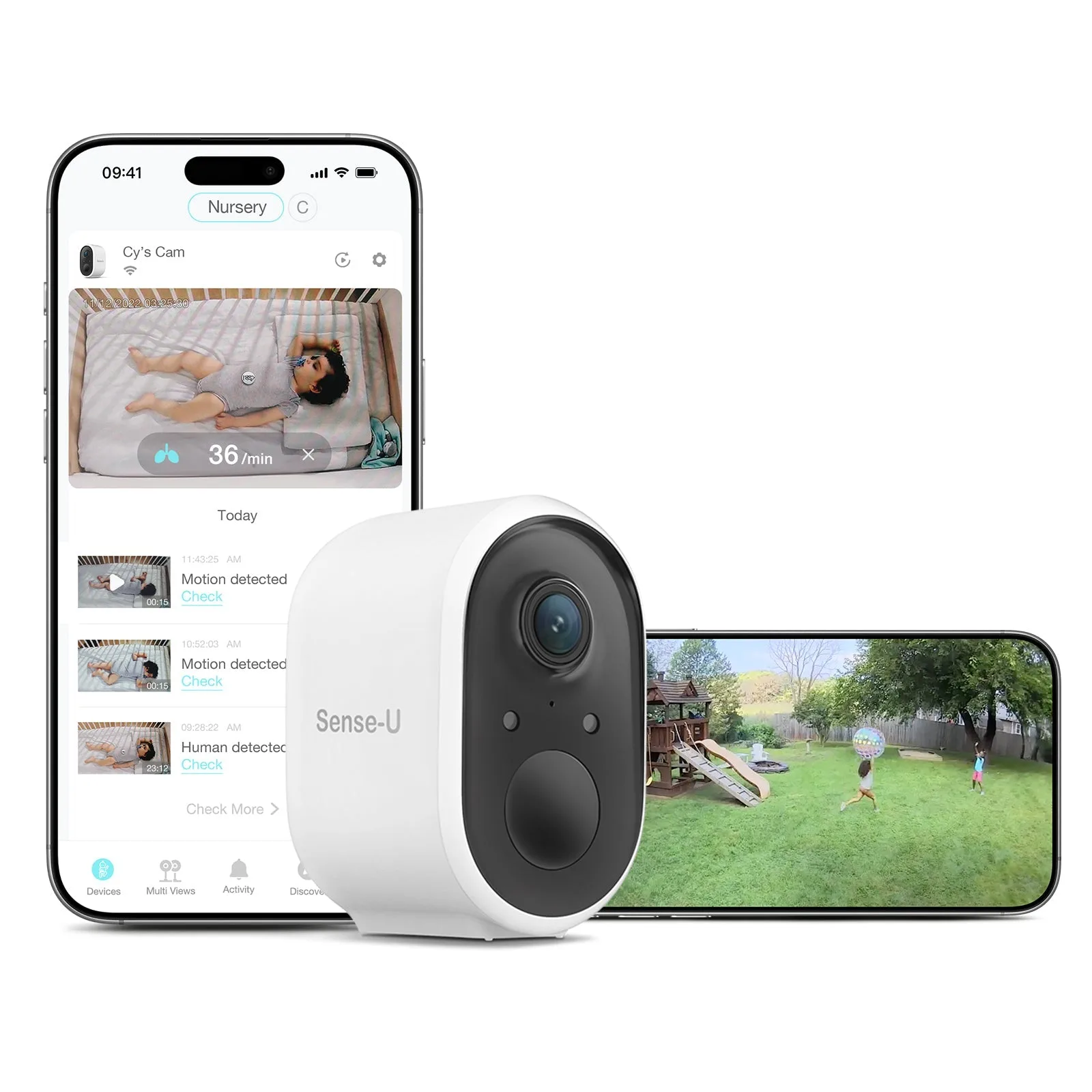
AI Battery Cam