Quick answer
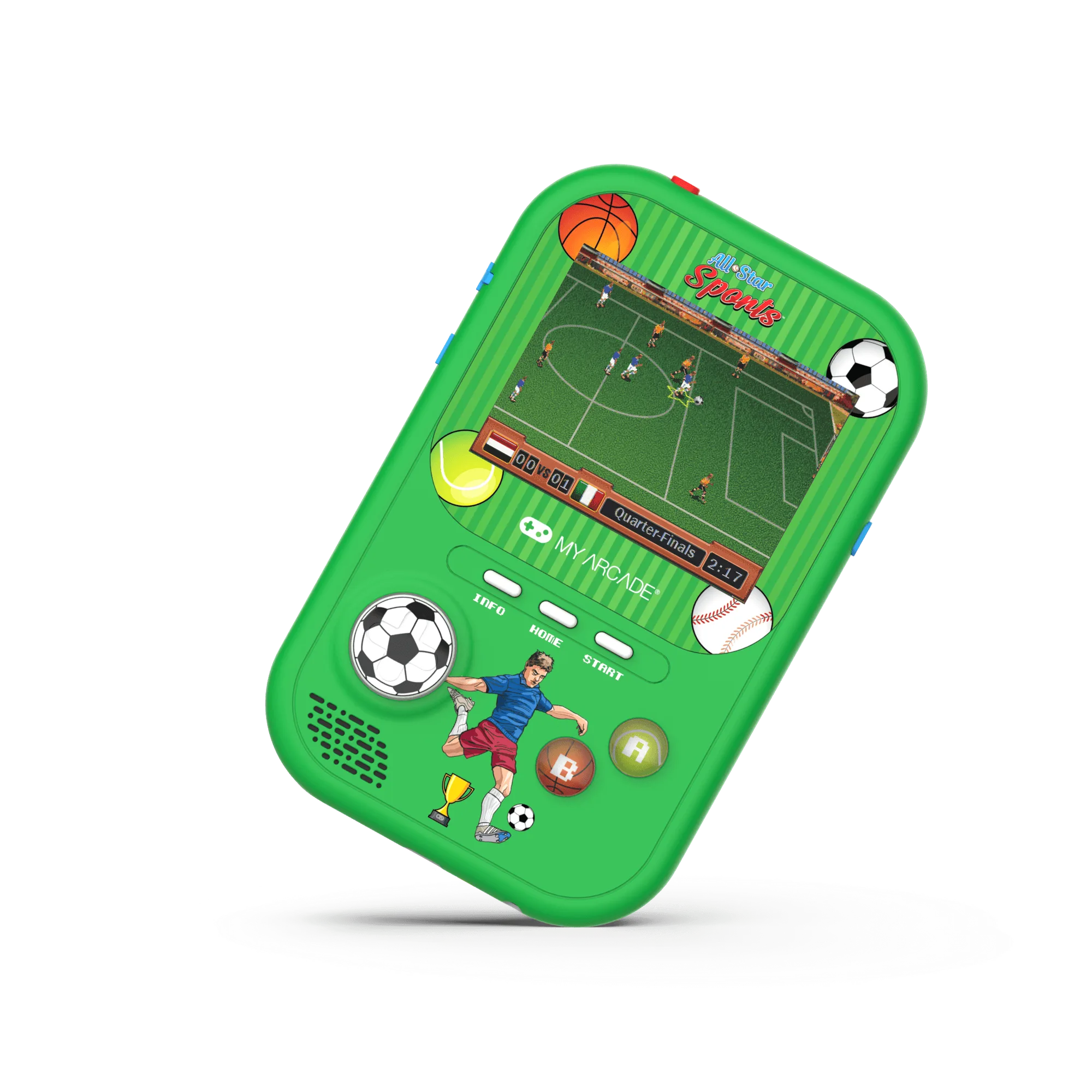
Unbox your All-Star Sports Gamer Fun, charge it fully, then follow the on-screen prompts to start playing. The controls are simple: D-pad for movement, action buttons for sports moves, and the Start button to pause.
Before you start: what's in the box
The All-Star Sports Gamer Fun includes the handheld console, a USB charging cable, and a quick-start guide. There are no batteries to buy — the built-in rechargeable battery is ready after a full charge. The vibrant 3.5-inch color screen is bright enough for indoor and outdoor play, but direct sunlight may cause glare.
Common setup mistake to avoid
Many people try to play immediately after unboxing. The battery ships with a partial charge, but for the best experience, charge it for at least two hours before your first session. Playing while charging is safe, but you'll get a steadier performance if you let it top off first.
Step-by-step setup and gameplay guide
- Charge the device: Connect the included USB cable to the handheld and a standard USB power source (like a phone charger or laptop). Charge for at least 2 hours until the battery indicator shows full. A common mistake is stopping early — a full charge prevents mid-game shutdowns.
- Power on and select your game: Press the Power button on the side. The main menu appears on the 3.5-inch color screen. Use the D-pad to scroll through the built-in game list, then press the A button to select a sport. Don't press buttons too quickly — the menu responds to deliberate presses. If you skip past a game, just keep scrolling; it wraps around.
- Learn the controls for your sport: Each sport uses the D-pad for player movement and the A/B/X/Y buttons for actions like passing, kicking, or swinging. The Start button pauses the game. Check the quick-start guide for sport-specific button maps. Many new players press the wrong action button — try each button once during a practice round to see what it does.
- Adjust volume and screen brightness: Use the volume buttons on the side to raise or lower sound. There is no brightness control — the screen is set to an optimal level out of the box. If the display seems dim, it may need charging. If the screen looks washed out, you're probably in direct sunlight. Move to a shaded area for the best picture.
- Save your progress and power off: Most games save automatically at certain milestones. To exit a game, press the Start button to pause, then select Quit from the menu. Hold the Power button to turn off the device. Don't just close the device or remove power — always use the on-screen Quit option to avoid corrupting save data.
Product highlights
-
All-Star Sports Gamer Fun: Officially licensed handheld with a vibrant full-color 3.5" screen, bonus games, and a rechargeable battery. You get a ready-to-play system with no extra purchases — just charge and go, and the larger screen makes sports action easier to follow than on smaller handhelds.
All-Star Sports Gamer Fun