Quick answer
Start by choosing one clear zone for acrylic stands and a separate zone for badges, then add only the pieces you actually look at. Use a level, stable base for stands, mount badges where they will not be knocked, and keep the display away from direct sun and sharp edges. A small, well-planned setup beats a crowded shelf every time.
Plan your zones before you place anything
Sketch your desk in two zones: a stand zone at eye level or slightly below, and a badge zone on a vertical surface such as a monitor riser, side panel, or pin board. This keeps tall acrylic pieces from blocking your screen and stops badges from competing with your keyboard area.
Measure the depth of your desk and the height of your monitor. Leave at least a hand-width of clear space in front of the keyboard so your display never becomes an obstacle during work or play.
- Stand zone: flat, stable, away from the mouse arm
- Badge zone: vertical, visible from your chair, out of elbow range
Choose stands and badges that fit the space
Acrylic stands are the easiest way to add character without taking much depth, but they need a flat base and enough clearance so they do not tip. Badges work best when they are grouped by theme or color rather than scattered across the whole desk.
If you are pre-ordering, check the release timing before you commit to a layout. A stand that arrives months later may not fit the zone you planned today, so keep one flexible slot open.
Mount and arrange without damage
For badges, use a mounting method you can remove without residue, such as a pin board or a low-tack strip, and test it on an inconspicuous area first. Never press a badge flat against a rough surface, because the printed face can scuff.
For stands, place the heaviest piece at the back and the lightest at the front. Angle each stand slightly toward your chair so the artwork faces you, not the wall.
Light, clean, and rotate your display
Add a small, diffused light aimed at the display rather than at your eyes. Direct sunlight will fade printed acrylic over time, so keep the setup out of a south-facing window if possible.
Dust with a soft brush or microfiber cloth weekly. Rotate one or two pieces each month so the display stays fresh and you notice wear before it becomes damage.
Step-by-step desk setup
- Clear and measure the desk: Remove everything from the desk surface, then measure usable width, depth, and the height from desk to monitor bottom. Write these numbers down so you do not buy or place a piece that blocks your view. Checkpoint: you should still have a clear keyboard and mouse area after placement.
- Assign a stand zone and a badge zone: Mark one flat area for acrylic stands and one vertical area for badges. Keep the stand zone away from your dominant hand and the badge zone where you can see it without turning your head. Common mistake: putting stands directly in front of the monitor, which forces you to lean around them.
- Test stability before decorating: Place your heaviest stand first and press gently near the top. If it rocks, move it to a flatter part of the desk or add a non-slip pad underneath. Do the same test for any riser you plan to use. Checkpoint: nothing should wobble when you bump the desk lightly.
- Mount badges with removable methods: Use a pin board, low-tack strips, or a fabric panel for badges. Avoid permanent adhesive on printed surfaces, and space badges at least a finger-width apart so they do not rub together. Common mistake: overlapping badges, which hides artwork and causes edge scuffs.
- Arrange back to front by height: Put the tallest or largest piece at the back, medium pieces in the middle, and small stands at the front. Angle each piece slightly toward your chair so the printed face catches light. Checkpoint: every piece should be readable from your normal sitting position.
- Add light and a dust routine: Use a small diffused lamp aimed at the display, not at your face. Dust weekly with a soft brush or microfiber cloth, and keep the setup out of direct sun to slow fading. Next step: rotate one or two pieces monthly so the display stays interesting and you spot wear early.
Product facts to plan around
- 【Pre-Order】Zenless Zone Zero - Dreams Come True Series Acrylic Stand: Acrylic stand, approx. 12–14 mm in height, offset printing, MiHOYO official product, expected delivery within 180 days. The small height makes it a good front-row piece, but the pre-order timeline means you should not build your layout around it arriving immediately.
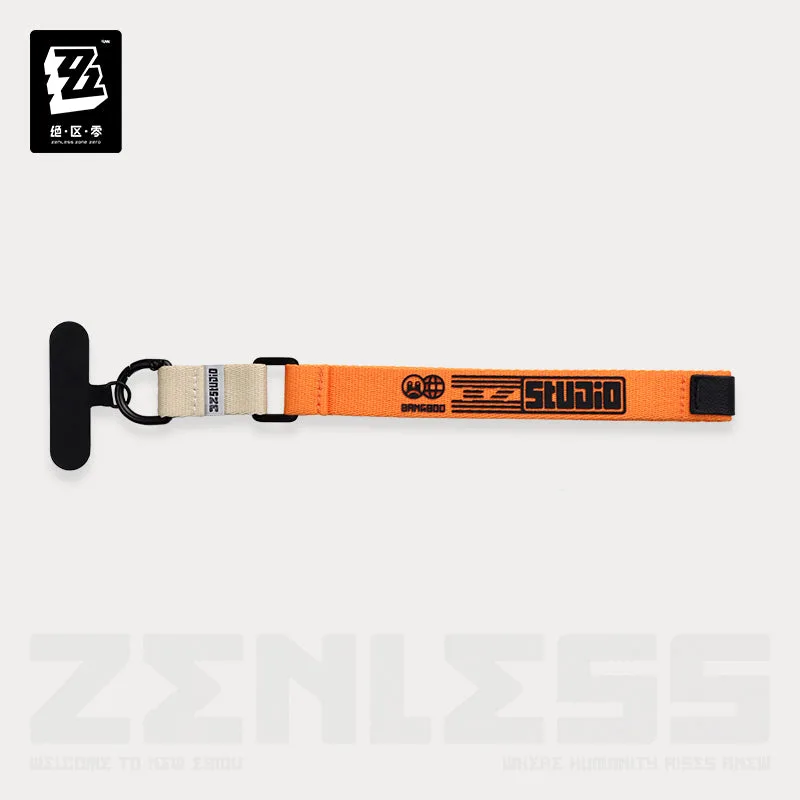
- 【Pre-Order】Zenless Zone Zero - Urban Kit Series Phone Lanyard: Phone lanyard made of polyester, PU, silicone, and zinc alloy; long lanyard adjusts 115–150 cm and short wrist strap is 25 cm; release date June 2026 with delivery expected within 180 days after release. This is a wearable accessory rather than a desk stand, so it works best as a hanging or hook element in your badge zone instead of a flat display piece.
- 【Pre-order】Yu-Gi-Oh! - Ghost Belle & Haunted Mansion 1/7 Scale Figure (Card Game Monster Figure Collection): 1/7 scale figure by AMAKUNI, pre-order window closes Aug 02, 2026, expected dispatch Mar 2027; cancellation is generally not accepted once payment is completed. A large scale figure needs a dedicated, stable spot with vertical clearance, so confirm your desk depth and shelf height before ordering.