Quick answer
The ASR Wheel Deck Mounting Plate lets you upgrade a DD Side Wheel Deck to a front-mount setup for Simucube or MiGE wheel bases. Install it by removing the side plates, attaching the add-on plate, and securing your wheel base.
Why upgrade to a front-mount plate?
A front-mount configuration moves the wheel base forward, improving pedal clearance and allowing a more natural driving position. The ASR add-on plate is designed specifically for current-generation Advanced SimRacing chassis with a DD Side Wheel Deck.
Installation steps
- 1. Remove the DD side plates: Unbolt the existing DD side plates from your wheel deck. Keep the hardware for later use. Common mistake: Forgetting to support the wheel base before removing the plates can cause it to drop.
- 2. Attach the mounting plate: Align the ASR Wheel Deck Mounting Plate with the bolt holes on the wheel deck. Use the supplied bolts to secure it finger-tight. Checkpoint: Ensure the plate is oriented correctly—the flat face should face forward.
- 3. Mount the wheel base: Place your Simucube or MiGE wheel base onto the plate. Align the base's mounting holes with the plate slots, then tighten all bolts to the manufacturer's torque spec. Common mistake: Overtightening can strip threads; use a torque wrench if available.
- 4. Adjust tilt and position: Loosen the deck pivot bolts slightly, tilt the wheel base to your preferred angle, then retighten. Verify clearance with pedals and monitor. Checkpoint: Sit in your driving position to test reach and visibility before final tightening.
Product details
-
Wheel Deck Mounting Plate [Simucube / MiGE]: This add-on plate is required to upgrade your DD Side Wheel Deck to a complete front-mounting solution, compatible with Simucube and MiGE motor-type wheel bases. You can reuse your existing DD side plates and convert your rig without buying a completely new wheel deck.
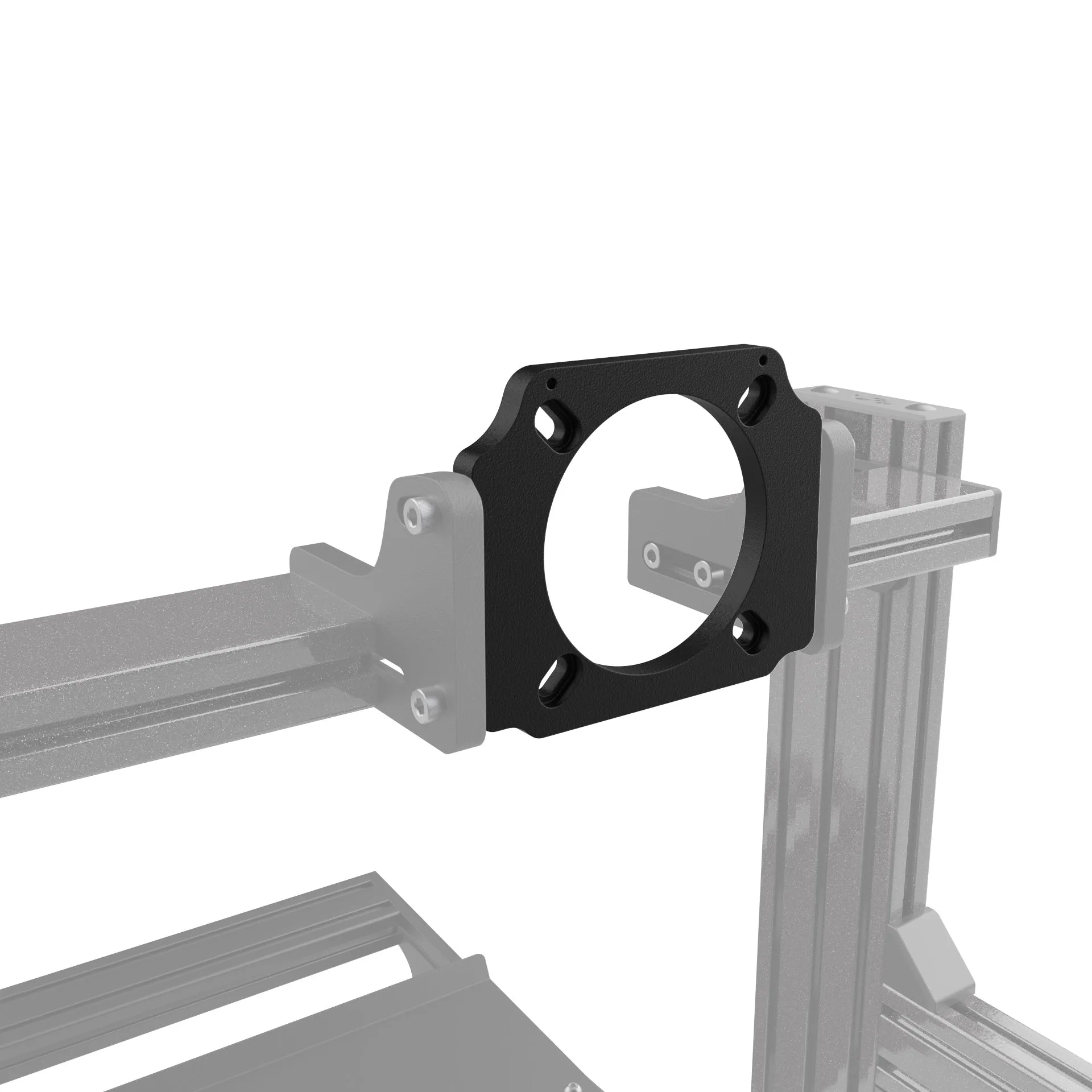
Wheel Deck Mounting Plate [Simucube / MiGE]