Quick Answer
To get reliable audio on your camera rig, match each connector to its job—3.5mm for consumer mics, XLR for pro gear—and use the shortest, most direct cable that fits.
Why the Right Cable Matters
A loose or mismatched audio cable can ruin a take with hum, crackle, or silence. Understanding the common connectors—3.5mm TRS, XLR, and mini-XLR—helps you pick the right cable the first time and avoid on-set troubleshooting.
Connector Types and Their Roles
3.5mm TRS is the standard for consumer mics and many mirrorless cameras. XLR is the professional balanced standard, while mini-XLR appears on compact pro cameras like the Blackmagic Pocket Cinema Camera. Each has a purpose, and adapters can introduce noise or failure points.
How to Choose and Connect Audio Cables for Your Camera Rig
- Identify your camera's audio input: Check the camera body for a 3.5mm jack, 2.5mm jack, or XLR input. This determines which cable or adapter you need. A quick look at the port saves you from buying the wrong cable.
- Match the mic connector to the camera input: If your mic has a 3.5mm plug and the camera has a 3.5mm jack, use a straight extension if needed. If the camera has a 2.5mm jack, use a 2.5mm-to-3.5mm adapter. Avoid using multiple adapters in a chain—each one is a potential failure point.
- Choose the right cable length: For a boom or lav, a 10-foot extension gives flexibility. For a mounted mic, a shorter coiled cable reduces clutter. Match the length to your shooting style, not the longest available. Coiled cables stretch, so measure relaxed length, not stretched.
- Secure all connections: Tighten any locking connectors and use strain relief (like a cable tie) to prevent accidental pulls. For XLR, push until the latch clicks. A loose connection is the most common cause of intermittent audio.
- Test before you roll: Plug in headphones and record a few seconds of test audio. Listen for hum, crackle, or low level. If you hear noise, reseat the cable or try a different one. A 30-second test can save a whole shoot.
Cables That Solve Common Rig Problems
-
Promaster Audio Cable 2.5mm male to 3.5mm female straight: This coiled 2.5mm-to-3.5mm adapter lets you connect a mic with a 3.5mm plug to a camera with a 2.5mm jack. It solves the mismatch when your camera has the smaller jack, saving you from buying a new mic.
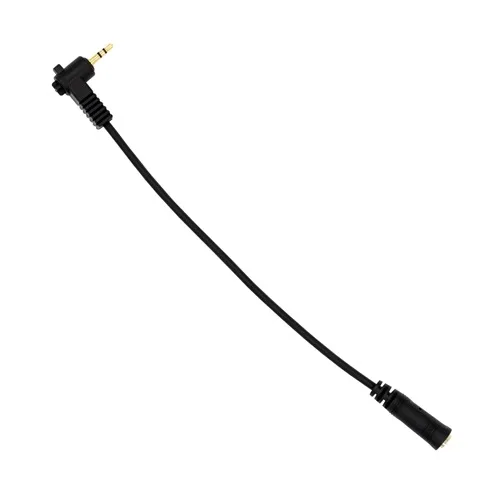
Promaster Audio Cable 2.5mm male to 3.5mm female straight
-
Promaster Audio Cable 3.5mm TRS male straight - 3.5mm TRS female straight - 10 straight extension: A 10-foot straight extension with labeled ends for microphone and camera, adding length between your mic and camera input. It gives you freedom to move the mic away from the camera without losing signal quality.
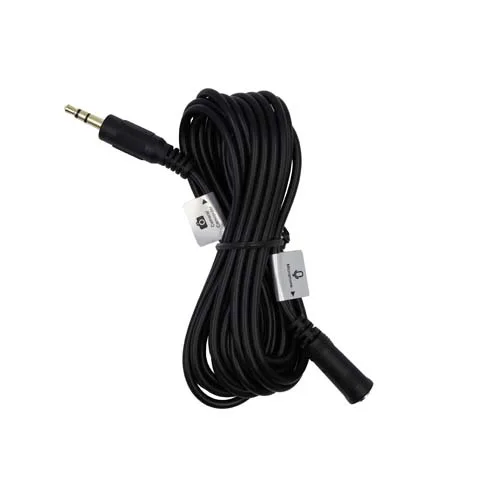
Promaster Audio Cable 3.5mm TRS male straight - 3.5mm TRS female straight - 10 straight extension
-
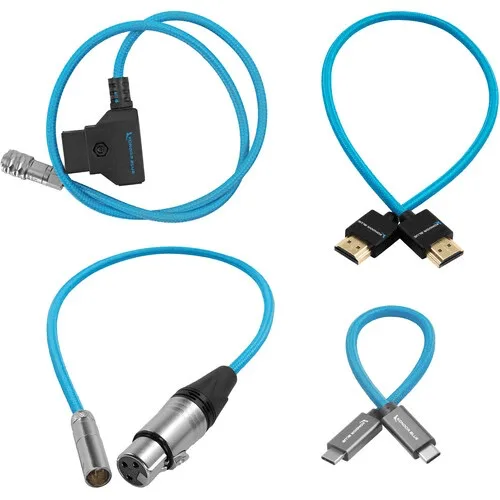
Kondor Blue Cable Pack for Blackmagic Pocket Cinema Camera 6K & 4K (4-Pack): This 4-pack includes HDMI, D-Tap power, mini-XLR to XLR, and USB-C cables for Blackmagic Pocket Cinema Camera 6K and 4K. It replaces a grab-bag of adapters with matched cables, reducing connection points that can fail.