Quick Answer
Start by sorting pieces by color and size, then follow the numbered bags in order. Build the core frame first, attach limbs, and finish with the cockpit and weapons. Check each step for secure connections to avoid a wobbly mech.
What to Expect in the Box
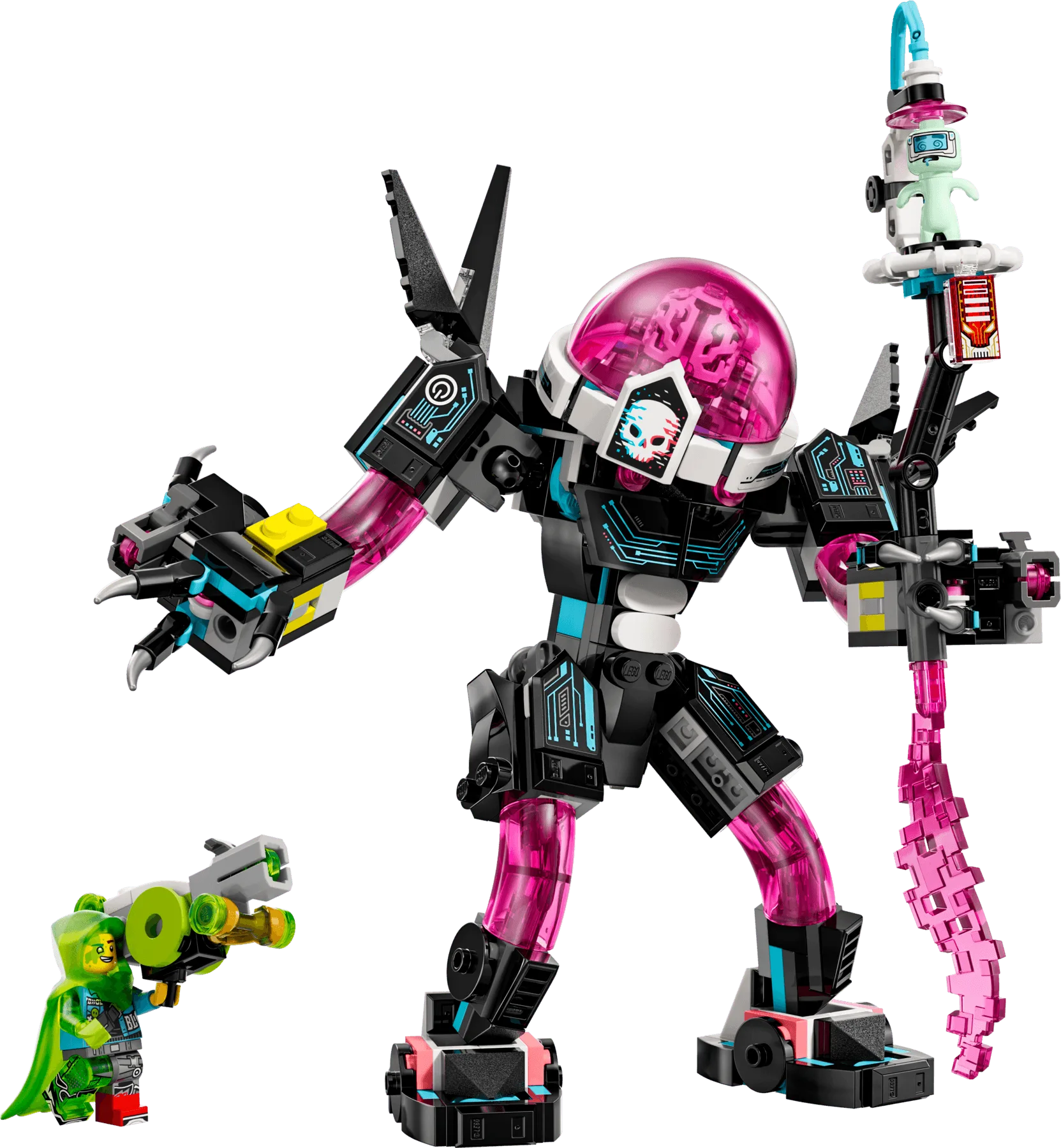
The Mateo vs. Cyber Brain Mech set includes pieces to create either a mech or a scorpion mech, giving you two builds from one box. The set is part of the LEGO fantasy theme, so expect imaginative details like a cockpit and articulated limbs. Before you start, clear a flat surface and open all bags, but keep them separated by number to avoid mixing pieces.
Choosing Your Build: Mech or Scorpion
The set offers a choice between a humanoid mech and a scorpion mech. The mech is taller and more classic, while the scorpion has a lower profile with articulated legs. Decide which you prefer before starting, as the instructions split into two paths. If you want to display both, consider buying two sets, as the pieces are not shared.
Step-by-Step Assembly Guide
- Sort and Organize Pieces: Open all bags and sort pieces by color and size. Use small containers or trays to keep similar pieces together. This speeds up the build and reduces the chance of missing a piece. Checkpoint: You should be able to see all piece types at a glance before starting.
- Build the Core Frame: Follow the first numbered bag to construct the central torso and hip joint. Ensure all connections are pressed firmly, as this is the foundation for the arms and legs. Checkpoint: The frame should stand on its own without wobbling.
- Attach the Legs and Feet: Connect the legs to the hip joint, then add the feet. Test the articulation by bending the knees and ankles. If a joint feels loose, disassemble and reconnect, ensuring the pins are fully inserted. Checkpoint: The mech should be able to stand in a stable pose.
- Build and Attach the Arms: Construct each arm separately, then attach them to the shoulders. Make sure the shoulder connections are secure, as the arms will hold weapons or other accessories. Checkpoint: Both arms should move freely without falling off.
- Add the Cockpit and Details: Install the cockpit and any decorative elements as shown in the instructions. These add character and are often the most fragile parts, so handle them gently. Checkpoint: The cockpit should click into place without gaps.
- Finish with Weapons and Final Checks: Attach the weapons or any final accessories. Review the completed model for any loose pieces or misaligned parts. Make small adjustments to ensure everything is symmetrical. Checkpoint: Your mech is ready for display or play.
About the Set
- Mateo vs. Cyber Brain Mech: Build an exciting mech toy or scorpion mech with this LEGO fantasy playset. Includes pieces to create either a mech or a scorpion mech. This gives you two build options, so you can customize your display or play experience without needing a second set.
- Mateo vs. Cyber Brain Mech: Part of the LEGO fantasy theme and encourages imaginative play and creative building. The fantasy theme means you can combine this set with other LEGO fantasy sets for larger scenes, enhancing play value.
- Mateo vs. Cyber Brain Mech: Designed for fans of mech and fantasy adventures. If you enjoy mech designs or fantasy storytelling, this set fits those interests, making it a good gift or personal project.
Once your mech is complete, you can pose it for display or engage in imaginative battles. If you want to build the alternative scorpion mode, disassemble carefully and follow the other instruction path.