Quick answer
To carry camera gear comfortably on a belt, choose a pack that fits your gear, position it at your hip, and balance weight evenly. Use a stability pad like the Peak Design PROpad v2 for heavy setups.
Why a belt pack beats a shoulder bag for long shoots
A camera belt pack keeps weight on your hips, which are built to support load better than your shoulders or neck. This reduces fatigue and keeps your gear accessible without swinging.
For heavier camera bodies or long lenses, the belt alone can dig into your hip. A semi-rigid pad like the Peak Design PROpad v2 spreads that pressure across a wider area, making all-day carry noticeably more comfortable.
Trade-off: belt packs have limited space
Belt packs are compact by design, so they work best for a body with one lens, a spare battery, and small accessories. If you need to carry multiple lenses or a flash, consider a larger belt system or a backpack.
Organizer pouches like the Think Tank Photo Stuff It! Belt Pouch V3.0 add pockets for personal items without taking up much belt space, but they won't replace a dedicated camera bag for bigger kits.
How to set up your belt pack for comfort
- Choose the right belt pack for your gear: Make a list of what you plan to carry daily—camera body, one lens, spare battery, cards—and pick a pack that fits those items without overstuffing. A pack that's too small will force you to leave gear behind; one that's too large will bounce and shift. Check the pack's dimensions against your camera body and lens before buying.
- Position the pack at your hip, not your waist: Slide the pack so it sits on your hip bone, centered or slightly to the back. This keeps the weight on your pelvis rather than your stomach, which is more stable and comfortable for walking. If the pack slides forward, tighten the belt or use a non-slip pad underneath.
- Balance weight evenly: Put heavier items (like a camera body) closest to your body and lighter items (like spare batteries) on the outer pockets. This reduces the lever effect that makes the pack pull away from your hip. If the pack tilts, redistribute the load and try again.
- Add a stability pad for heavy setups: If you're carrying a heavy camera or long lens, attach a semi-rigid pad like the Peak Design PROpad v2 to your belt first, then mount the pack or clip. The pad spreads pressure and prevents the belt from digging in. Test the pad with your heaviest lens to make sure it stays in place.
- Keep frequently used items in quick-access pockets: Store items you need often—lens caps, memory cards, a phone—in pockets that open without removing the pack. This saves time and reduces the chance of dropping gear. If you find yourself fumbling, reorganize the pockets so the most-used items are on top.
Gear that helps
-
Peak Design PROpad v2 for Capture Camera Clip v3: The Peak Design PROpad v2 is a semi-rigid EVA stability pad designed for the Capture Camera Clip v3, with a weatherproof nylon exterior and a loop for threading a belt. It spreads the weight of a heavy camera setup across your hip, reducing pressure points and keeping the clip stable during long shoots.
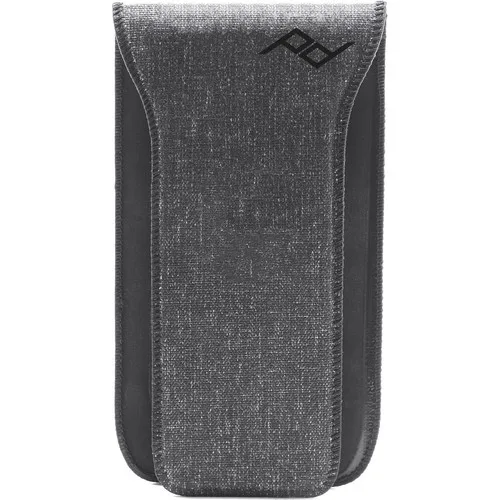
Peak Design PROpad v2 for Capture Camera Clip v3
-
Think Tank Photo Stuff It! Belt Pouch V3.0: The Think Tank Photo Stuff It! Belt Pouch V3.0 is an organizer belt pouch with pockets for accessories and personal items. It keeps small gear like batteries, memory cards, and phone within reach while you shoot, so you don't have to dig through a larger bag.
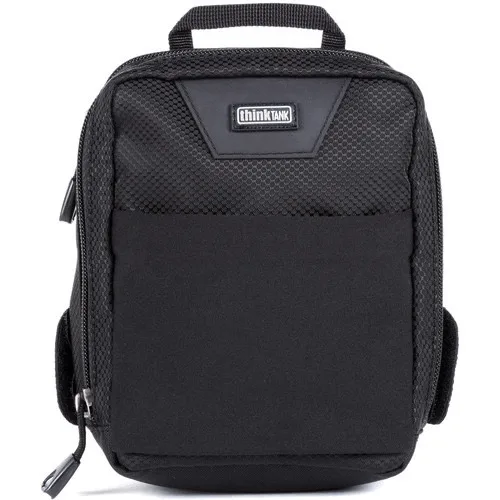
Think Tank Photo Stuff It! Belt Pouch V3.0


