Quick Answer
Set up the Canon RF 35mm F1.4 L VCM with focus breathing correction for video, use f/1.4 for shallow depth-of-field portraits, and rely on the VCM autofocus for smooth subject tracking in both stills and video.
Why the RF 35mm F1.4 L VCM Suits Hybrid Shooters
The Canon RF 35mm F1.4 L VCM is designed for shooters who switch between stills and video. Its moderate wide-angle coverage is versatile for vlogging, interviews, and environmental portraits, while the fast f/1.4 aperture excels in low light and provides beautiful background separation.
The VCM (Voice Coil Motor) autofocus is quiet and responsive, making it ideal for video recording where microphone audio matters. Combined with the L-series build quality, this lens is a reliable workhorse for hybrid creators.
Trade-Offs to Consider
While the f/1.4 aperture is excellent for low-light and shallow depth-of-field, it can be challenging to keep moving subjects in focus. You'll need to rely on eye detection and continuous autofocus, which works well but may occasionally hunt in low contrast scenes.
The lens is not a macro, so close-up shooting is limited. For true macro work, you'd need a dedicated macro lens. Also, the L-series build and optics come at a higher price point, but the quality justifies it for serious hybrid shooters.
How to Set Up the RF 35mm F1.4 L VCM for Hybrid Use
- Enable Focus Breathing Correction: In your camera's menu, turn on focus breathing correction when using the lens for video. This minimizes angle-of-view changes during focusing, giving a more cinematic look. Checkpoint: Verify the correction is active before recording, as it can be disabled by default.
- Set Autofocus for Video: Use Servo AF with Face+Tracking AF mode. Set the AF speed to -2 or -3 for smoother, more gradual focus pulls that look more professional than fast, jerky adjustments. Checkpoint: Test your AF speed on a moving subject to ensure it tracks smoothly without hunting.
- Choose Aperture for Your Subject: Use f/1.4 for portraits or subjects where you want a shallow depth of field and creamy bokeh. Stop down to f/2.8 or f/4 for group shots or when you need more of the scene in focus. Checkpoint: When shooting video, avoid changing aperture while recording to prevent exposure jumps; use ND filters instead.
- Utilize the Lens for Low-Light Video: The f/1.4 aperture lets in plenty of light, allowing you to use lower ISO settings and maintain image quality in dim conditions. Pair it with a camera that has good high-ISO performance for even more flexibility. Checkpoint: For interviews indoors, set your shutter speed to 1/50 (for 25fps) and adjust ISO to expose correctly, relying on the wide aperture to keep ISO low.
- Practice Smooth Manual Focus Pulls: For video, you might want to pull focus manually. The focus ring is electronic, so enable linear focus response in the lens settings for consistent, repeatable pulls. Checkpoint: Set the focus ring rotation angle to 180° or 360° for finer control, and practice to achieve smooth transitions.
Lens Facts
-
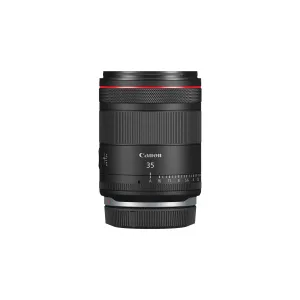
Canon RF 35mm F1.4 L VCM Lens: The RF35mm F1.4 L VCM is an entirely new L-series lens targeting a wide range of still-image and video shooters. This means it's built to perform well for both photography and videography, with features like a fast aperture and smooth autofocus that benefit both disciplines.
Canon RF 35mm F1.4 L VCM Lens


