Quick Answer
For a reliable dual monitor setup, choose the Anker Nano USB-C Hub (8-in-1, Dual Display) if you need dedicated dual display ports on a budget, or the Anker 555 USB-C Hub (8-in-1) if you prioritize port variety and portability.
Dual Display Support Matters Most
Not all USB-C hubs can drive two external monitors simultaneously. The Anker Nano USB-C Hub (8-in-1, Dual Display) is built specifically for this task, offering dual display support out of the box. The Anker 555 USB-C Hub (8-in-1) also supports dual monitors, but its primary design emphasis is on a versatile port selection for various peripherals. If your main goal is a dual monitor setup, prioritize hubs that explicitly advertise dual display capability.
Port Selection and Trade-offs
The Anker Nano USB-C Hub provides essential ports including USB-A, HDMI (for dual displays), and USB-C connectivity. It keeps the setup simple and cost-effective. The Anker 555 USB-C Hub offers a broader range of ports, making it better for connecting multiple devices like external drives, mice, and keyboards alongside your monitors. However, this versatility may come at a higher price. Choose based on whether you need a minimal dual monitor hub or a full docking station replacement.
Decision Rules for Choosing a USB-C Hub for Dual Monitors
- Check Your Laptop's USB-C Capabilities: Ensure your laptop's USB-C port supports DisplayPort Alt Mode or Thunderbolt 3/4 to output video to two monitors. Not all USB-C ports do.
- Count the Video Outputs You Need: For dual monitors, the hub must have at least two video ports (e.g., HDMI or DisplayPort). The Anker Nano USB-C Hub (8-in-1, Dual Display) explicitly supports this. If you only need one external monitor, a simpler hub may suffice.
- Evaluate Port Variety vs. Simplicity: The Anker 555 USB-C Hub (8-in-1) offers more port types for peripherals, while the Anker Nano USB-C Hub focuses on dual display with fewer extras. Choose based on your need for additional connections. Match the hub's port selection to the devices you use daily.
- Consider Your Budget and Portability: The Anker Nano USB-C Hub is more affordable and compact, making it great for a budget dual monitor setup. The Anker 555 is pricier but offers more versatility for travel and desk use.
Product Facts
-
Anker Nano USB-C Hub (8-in-1, Dual Display): 8-in-1 hub with dual display support for connecting two external monitors. Lets you expand your workspace with two screens without needing extra adapters, ideal for multitasking.
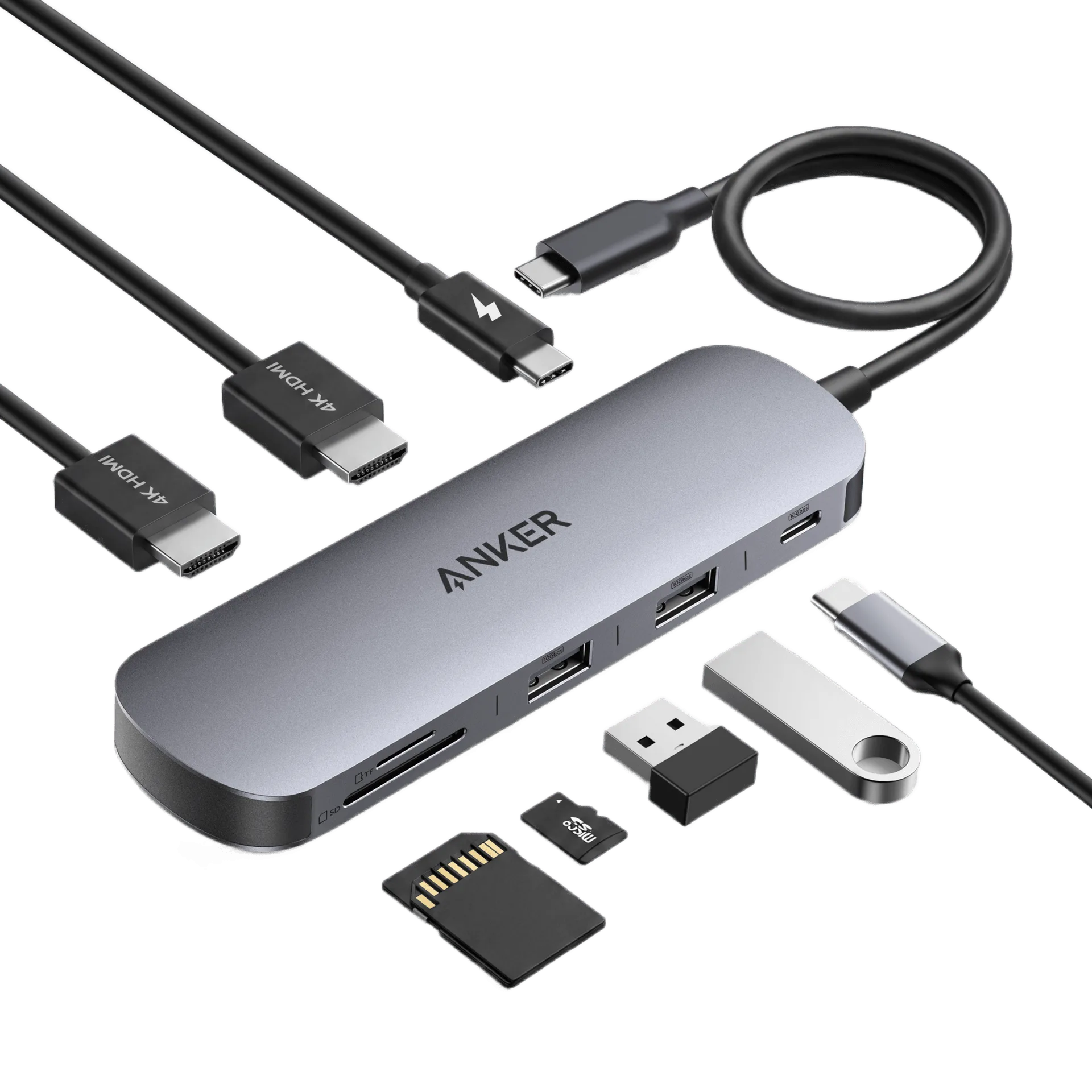
Anker Nano USB-C Hub (8-in-1, Dual Display)
-
Anker 555 USB-C Hub (8-in-1): 8-in-1 hub design offers multiple ports for various devices, with USB-C connectivity and a compact form factor. Provides flexibility to connect a range of peripherals while remaining travel-friendly, suitable for a mobile workstation.
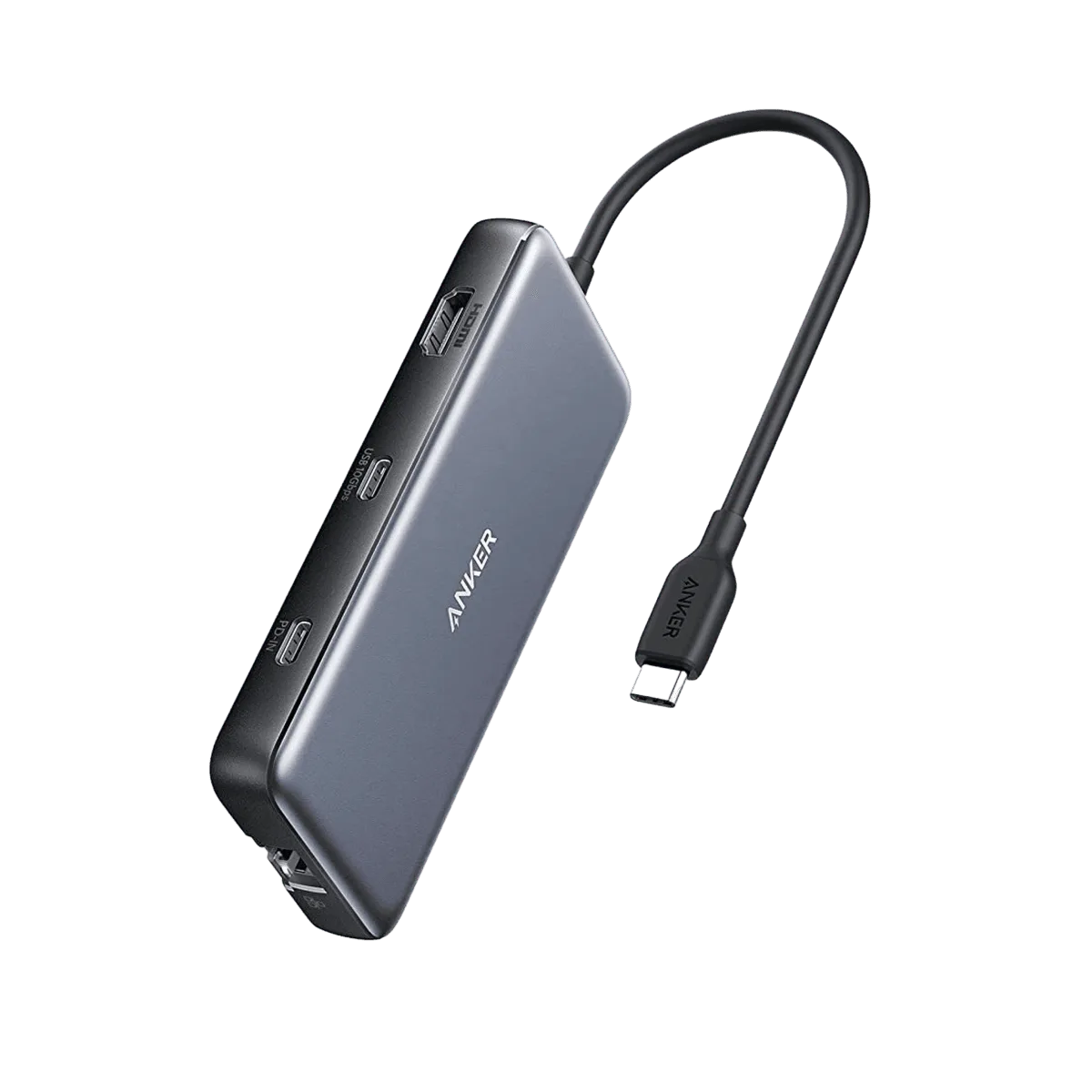
Anker <b>555</b> USB-C Hub (8-in-1)
Which Hub Fits You?
Best For
- Users who want a dedicated, affordable dual monitor hub without extra frills
- Travelers or minimalists needing a compact hub for dual displays
Not For
- Users who need to connect many peripherals (e.g., SD cards, Ethernet) alongside dual monitors—consider a hub with more ports