Quick Answer
For most camera monitor and gaming setups, an HDMI cable is the simplest choice, but if you need long runs or rugged locking connections, choose an SDI cable. Match the cable's supported resolution to your monitor and source.
HDMI vs SDI: What's the Real Difference?
HDMI is the standard for consumer and prosumer gear—cameras, monitors, gaming consoles, and TVs. It carries video and audio in one cable, and most devices have an HDMI port. SDI is the broadcast and cinema standard, designed for longer runs, locking BNC connectors, and reliable signal integrity in professional environments.
The trade-off: HDMI is convenient but can be fragile at connection points, especially with right-angle adapters or coiled cables that add strain relief. SDI cables lock into place, so they won't accidentally disconnect during a shoot, but you'll need SDI ports on both your camera and monitor.
Resolution and Bandwidth: Match the Cable to Your Signal
Not all HDMI cables are equal. Older 'High-Speed' cables support up to 4K30, while 'Ultra High-Speed' cables handle 8K60 and 4K120. If you're using a 4K monitor at 60fps or higher, you need a cable rated for that bandwidth. For SDI, 12G-SDI supports 4K60 or 8K30, which is plenty for most camera monitors.
Check your monitor's resolution and refresh rate, then choose a cable that meets or exceeds that spec. Going higher is fine—it's backward compatible—but going lower will limit your signal.
Decision Rules for Picking Your Monitor Cable
- Check your source and monitor ports: Confirm both devices have HDMI or SDI ports. If one lacks the port you need, you'll need an adapter or a different cable type. List the ports on your camera, monitor, and console before shopping.
- Match resolution and refresh rate: For 4K30 or lower, a High-Speed HDMI cable is enough. For 4K60, 4K120, or 8K, choose an Ultra High-Speed HDMI cable. For 4K60 or 8K30 over SDI, use a 12G-SDI cable. Know your monitor's max resolution and refresh rate, then pick a cable that meets or exceeds it.
- Consider cable length and strain: For short, stationary setups, a straight cable is fine. For moving rigs or tight bends, use a right-angle or coiled cable to reduce stress on connectors. For long runs over 25 feet, SDI is more reliable than HDMI. Measure the distance and think about how often you'll move the setup.
Cables That Fit the Job
-
Kondor Blue Coiled Right-Angle Hight-Speed HDMI Cable (Raven Black, 12-24”): Coiled Right-Angle High-Speed HDMI Cable with two full-size right-angle connectors, ideal for connecting AV devices to a display in the most convenient way. The right-angle connectors and coiled design reduce strain on ports, making it great for tight spaces on camera rigs or behind a TV.
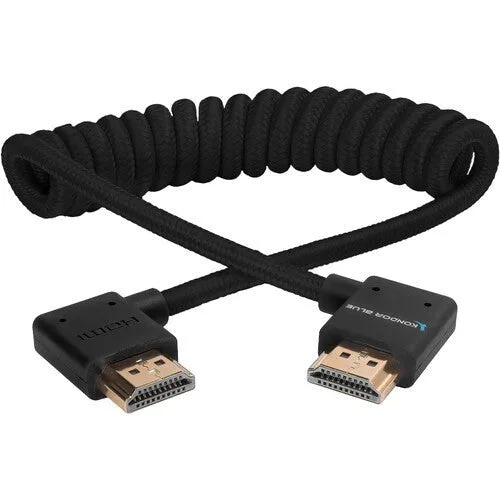
Kondor Blue Coiled Right-Angle Hight-Speed HDMI Cable (Raven Black, 12-24”)
-
Kondor Blue Ultra Hight-Speed HDMI Cable (17”, Red): Ultra High-Speed HDMI Cable supports up to 8K60 and 4K120, and is backward compatible with older HDMI devices. If you have a 4K120 monitor or plan to upgrade, this cable future-proofs your connection without needing a new cable later.
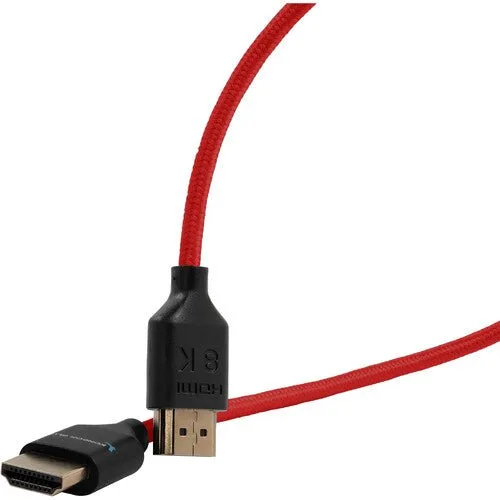
Kondor Blue Ultra Hight-Speed HDMI Cable (17”, Red)
Who Should Choose What
Best for
- Camera operators using on-camera monitors with short HDMI runs
- Gamers connecting consoles to 4K TVs or monitors
Not for
- Broadcast or cinema shoots requiring long cable runs and locking connections—choose SDI instead
- Setups where both devices only have SDI ports—HDMI won't work without an adapter


