Quick answer
Plan one Codey Rocky per pair of students for coding lessons, or roughly one per three students if you rotate through stations. That means a typical 30-student class needs about 15 robots, plus 2 spare units for swaps and charging. If your budget only stretches to 10, run a rotation model rather than whole-class simultaneous use.
Buying a Codey Rocky classroom pack is less about picking a robot and more about matching robot count to how your room actually runs. A class that codes every student at once needs a different ratio than a lab that rotates three groups through stations.
This guide gives you decision rules for sizing a pack, choosing add-ons, and knowing when a different Makeblock product fits better. Product facts below come from Makeblock catalog listings so you can check the details before you commit budget.
Start with your teaching model, not the robot count
The single biggest driver of how many robots you need is whether students work in pairs, individually, or in rotation. Paired coding is the most common school model because it forces collaboration and halves the hardware bill. Individual use is better for assessment, but it doubles cost.
Write down two numbers before you shop: your largest class size and how many minutes per week each student actually touches the robot. If that second number is under 20 minutes, a smaller pack with a rotation schedule will serve you better than a full one-to-one set.
- Pairs: one robot per two students
- Stations: one robot per three to four students
- One-to-one: one robot per student, budget permitting
- Always add 10 to 15 percent spare units for dead batteries and firmware hiccups
Match the pack to your grade band and curriculum
Codey Rocky suits upper elementary through middle school coding, where block-based programming leads into Python. If your students are younger and still learning to read, a screen-free option like the Makeblock mTiny panda robot is a better first step because it uses coding cards and a tap pen rather than a keyboard.
For secondary students ready to move beyond a single robot, an add-on pack can extend one platform across several projects instead of buying a second robot type. The mBot2 Smart World 3-in-1 Add-on Pack adds robotic arm, carrier, and surveying builds, which stretches a single mBot2 across a term of lessons.
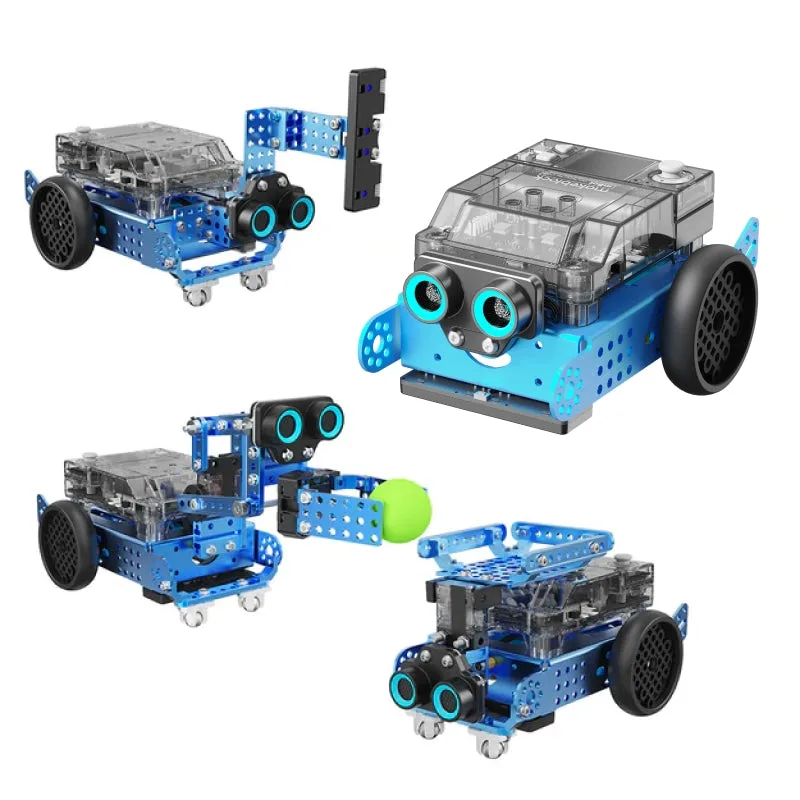
mBot2 Smart World 3-in-1 Add-on Pack
- Grades 4 to 8 coding: Codey Rocky is the natural fit
- Pre-K to grade 2: consider mTiny for screen-free coding
- Grades 6 to 12 robotics projects: mBot2 plus an add-on pack
Storage, charging, and the hidden second purchase
A classroom pack is only as good as its logistics. Count your charging points before you buy: if you have one power strip for 15 robots, your lesson will start late every time. Budget for a charging cart or labeled storage bins in the same purchase round.
Label each robot and its cable with a number. This sounds trivial until you are troubleshooting a firmware issue five minutes before class. Numbered units also make it obvious which robot is missing at the end of a lesson, which protects your investment over a school year.
- One labeled storage slot per robot
- Charging capacity for at least half the pack at once
- A named owner for firmware updates and battery checks
When a different Makeblock purchase makes more sense
Not every school should start with a Codey Rocky pack. If your goal is a makerspace rather than a coding class, a kit with a broad range of mechanical and electronic parts will go further. Makeblock's MakerSpace Kits - Electronic Modules 7 is built for schools creating a makerspace, with parts that can be combined for maker events or robotics competitions.
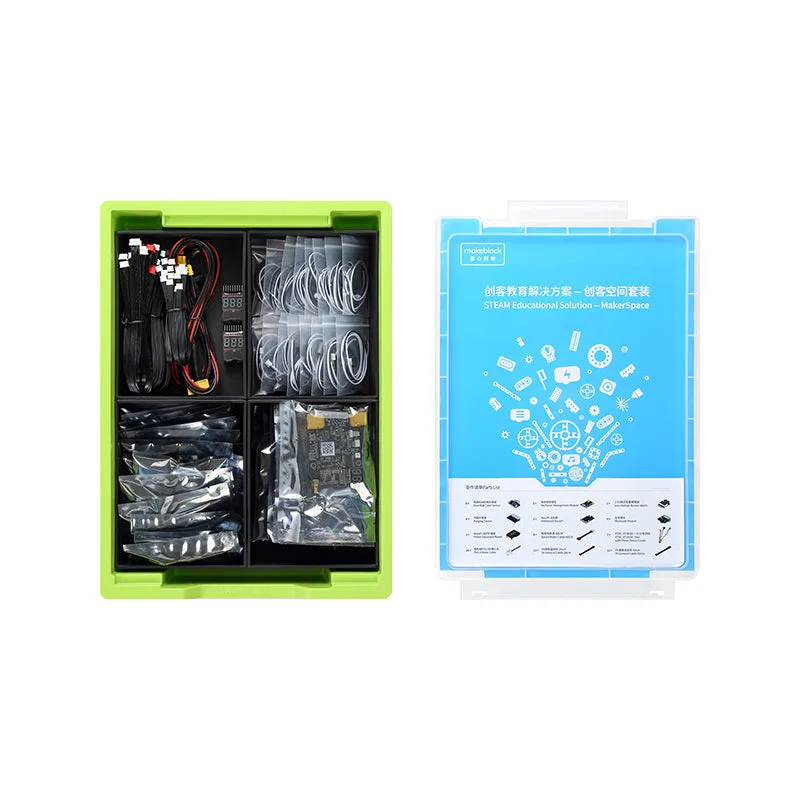
MakerSpace Kits - Electronic Modules 7
If your priority is teacher training before hardware, a workshop can be the cheaper first move. The Workshop: Learn how to bring AI to your classroom with Makeblock covers teaching machine learning with CyberPi for grades 4 to 12, which is a useful step before committing to a full class set of any robot.
- Makerspace goal: a modular kit beats a single robot type
- Teacher confidence gap: train first, buy second
- Mixed-grade school: buy one flexible platform, not three
Decision rules for sizing your Codey Rocky pack
- Rule 1: One robot per two students: Use this as your default for whole-class coding lessons. Pairing keeps collaboration high and cost predictable. A 30-student class lands at 15 robots.
- Rule 2: Add 10 to 15 percent spares: Spare units cover battery failures, firmware resets, and the student who joins mid-term. 15 robots becomes 17 with two spares.
- Rule 3: Rotation beats overbuying: If your weekly robot time per student is under 20 minutes, a smaller pack with a station schedule delivers the same learning at lower cost. Buy 10 and rotate three groups instead of buying 30.
- Rule 4: Buy the charging and storage solution together: Robots that cannot be charged and found quickly become shelf clutter. Treat storage as part of the pack, not an afterthought. If budget is tight, cut robot count before cutting storage.
- Rule 5: Check the platform before adding packs: Add-on packs extend a base robot you already own. The mBot2 Smart World 3-in-1 Add-on Pack does not include mBot2 itself. Confirm your existing hardware matches the add-on before ordering.
Grounded Makeblock options to compare
- Makeblock mTiny: Smart Panda Robot for Preschoolers to Learn Coding, Music, Math, and Language.: Tangible programming learning with screen-free coding cards, themed maps, and a tap pen; ready to use out of the box. If your youngest students cannot yet read code on a screen, mTiny removes the keyboard barrier and lets them start coding through play.
- mBot2 Smart World 3-in-1 Add-on Pack: Extends mBot2 with three expansion designs: robotic arm, robotic carrier, and surveying robot; mBot2 is not included in the add-on pack. You can stretch one mBot2 across multiple project themes instead of buying several robot types, but you must already own the mBot2 base.
- mTiny My World & Treasure Add-on Pack: Includes two map themes, My World and Treasure Trail, plus extra coding cards and a storybook; map pieces and coding cards are made of strong compressed cardboard with a special print to interact with mTiny and the Tap Pen Controller. A low-cost way to refresh an existing mTiny set with new themes and activities before buying more robots.
- MakerSpace Kits - Electronic Modules 7: Includes a wide range of Makeblock mechanical and electronic parts designed for schools to create a makerspace, for maker events or robotics competitions. Better value than a class set of robots if your goal is open-ended building rather than a structured coding curriculum.
Who should buy a Codey Rocky classroom pack
Best for
- Upper elementary and middle school coding classes that meet weekly
- Schools standardizing on one block-to-Python robot platform
- Teachers who want paired programming and a predictable per-student cost
Not for
- Preschool and early years classes where students cannot yet read code on screen; choose mTiny instead
- Makerspaces focused on open-ended fabrication rather than structured coding lessons
- Schools that have not yet trained any teacher on the platform; start with a workshop first
Size your Codey Rocky classroom pack around your teaching model, not a round number. One robot per pair, a few spares, and a real charging plan will outperform a larger set that sits half-charged. If your students are younger or your goal is a makerspace, match the Makeblock product to that goal before you spend the budget.