Quick Answer
Most sim racing wheel problems trace back to one of four causes: power delivery, USB or cable integrity, firmware and driver conflicts, or mechanical mounting. Work through those in order before you consider replacing hardware. If a wheel still loses force feedback, disconnects, or misreads inputs after a clean cable swap, a firmware reinstall, and a mounting check, the fault is likely internal and the wheel should go back to the manufacturer rather than being opened at home.
A wheel that cuts out mid-corner or rattles under load is frustrating, but the cause is usually simpler than it feels. Most direct drive wheel issues come from power, cables, software, or mounting rather than from the wheel itself, and each of those has a clear test you can run in a few minutes.
This guide walks through the common sim racing wheel problems in the order you should check them. Each entry separates the symptom, the likely cause, the corrective action, and the point where you should stop and choose another option instead of pushing further.
Start With Power and Cables Before Anything Else
Intermittent force feedback loss, random disconnects, and wheels that feel weak under load are frequently power or cable faults. Check that the base is on a circuit that is not shared with a high-draw appliance, that the power supply connector is fully seated, and that the USB cable is routed away from motor and power cables. A loose quick release or a partially inserted USB plug can mimic a serious electronic fault.
Swap one cable at a time and retest. If the wheel holds force feedback through a full session after a single cable change, you have found the fault and no further action is needed. If the problem persists across two known-good cables and a different USB port, move on to software.
- Test on a rear motherboard USB port rather than a front panel or unpowered hub.
- Re-seat the power supply connector at both ends before assuming the base is faulty.
- Note whether the fault appears only under high force feedback, which points to power delivery.
Fix Software and Firmware Conflicts
Two programs fighting over the same device is one of the most common causes of strange wheel behaviour. If inputs register in one game but not another, or the wheel appears with the wrong name, close every tuning and telemetry utility except the one you need, then re-check. Driver and firmware mismatches produce the same symptoms, so confirm the base and the wheel are both on current, matching firmware.
When a firmware update fails partway, the device can enter a state where it is detected but does not respond. Re-run the update with the wheel connected directly to the PC, not through a hub, and do not interrupt it. If the update tool cannot see the device at all after two attempts, stop and contact support rather than repeatedly flashing it.
- Close background tuning software before launching a game.
- Update firmware with a direct USB connection and a stable power source.
- If two update attempts fail, stop and contact the manufacturer.
Address Mechanical Noise, Play, and Mounting Flex
Clunks, creaks, and a rim that shifts under load usually come from mounting rather than electronics. Check that the base is bolted to a rigid rig, that the quick release is fully engaged, and that any wheel-side fasteners are snug. Flex in a desk clamp or a lightweight stand will transmit into the wheel and feel like internal play even when the wheel is fine.
If the noise remains after tightening and the rig is rigid, isolate whether it comes from the base or the rim by testing with a different rim if you have one. A rim that is quiet on one base and noisy on another points to the base. Noise that follows the rim points to the rim or its quick release.
- Tighten the rig and quick release before opening anything.
- Test with a second rim to isolate base versus rim.
- Persistent internal noise after mounting checks is a support case, not a DIY repair.
When Inputs Drift, Stick, or Double-Shift
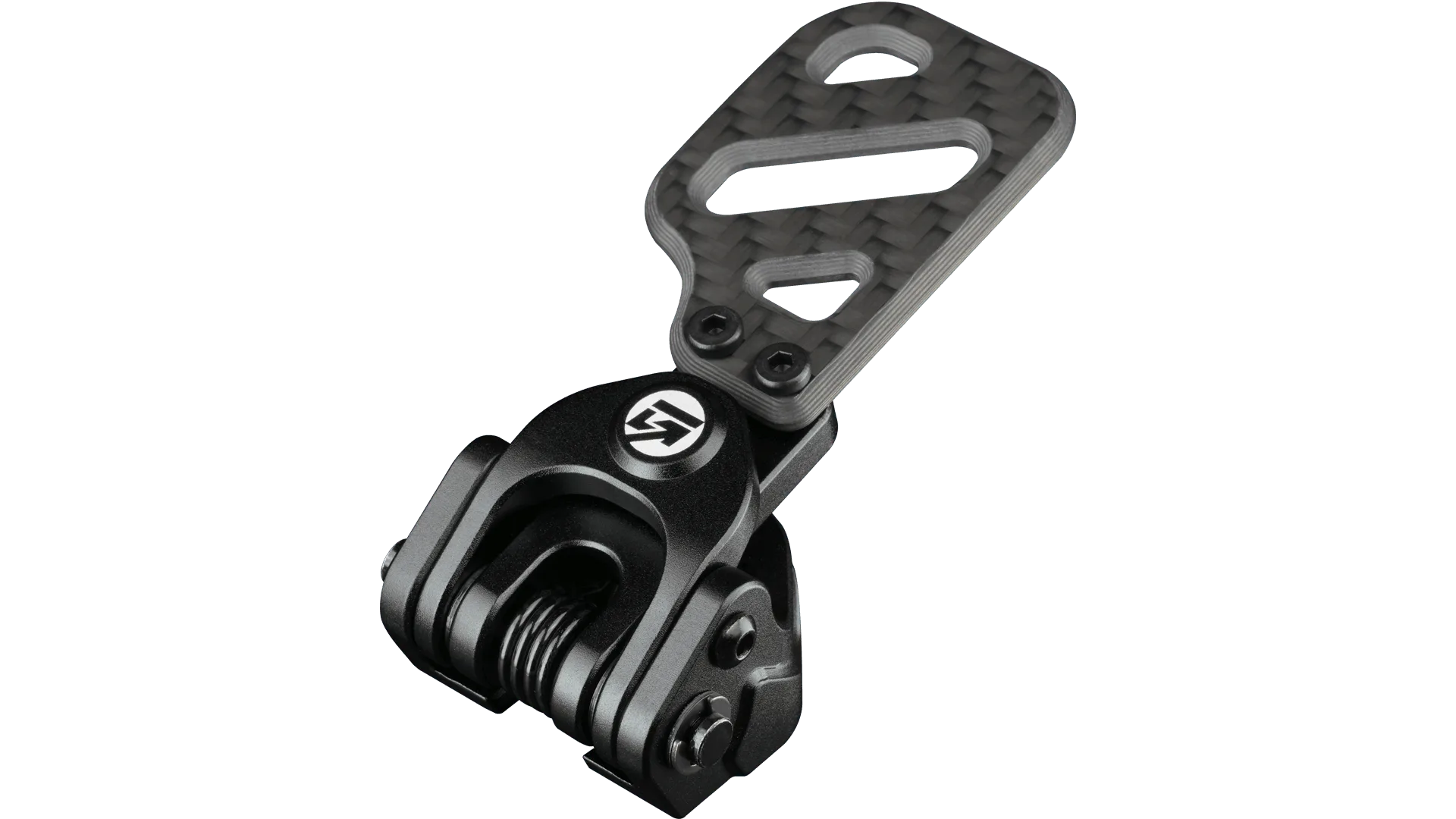
Paddles that double-shift, buttons that stick, or a wheel that drifts off-centre are usually calibration or contact issues. Recalibrate the wheel in its own software first, then in the game, and confirm the centre point holds after a full lock-to-lock sweep. If a single paddle misbehaves while others are fine, the fault is local to that input.
Sticking inputs can also come from debris or from a knob or paddle that is not seated correctly. If you run modular controls, reseat them and retest. If the same input misbehaves after reseating and recalibration, that module or paddle needs replacement rather than adjustment.
- Recalibrate in the wheel software first, then in the game.
- Reseat modular controls and paddles before assuming a failure.
- One faulty input among many working ones points to that component, not the base.
Symptom, Cause, Fix, and When to Stop
- Force feedback cuts out mid-session: Check power delivery and USB integrity first, then firmware. Swap one cable at a time and test on a direct rear USB port. If it still cuts out after two known-good cables and a firmware reinstall, stop and contact support.
- Wheel detected but unresponsive: Usually a failed or mismatched firmware flash. Re-run the update over a direct USB connection without interrupting it. After two failed update attempts, stop flashing and open a support case.
- Clunks or play under load: Check rig rigidity, quick release engagement, and wheel-side fasteners before suspecting the wheel. If noise follows the rim across bases, the rim needs service; if it follows the base, the base does.
- Paddle double-shifts or sticks: Recalibrate in the wheel software and the game, then reseat the paddle or module. If one input stays faulty after reseating and recalibration, replace that component rather than adjusting further.
Product Facts That Affect Troubleshooting
- GT-MAX32 (Rev B): The GT-MAX32 is made from a continuous molded carbon footprint, with the face and outer circular rim forming a single carbon fiber unit and handles over-molded in silicone. A single-piece rim has fewer joints to work loose, so creaks and play on this wheel are more likely to come from the base, quick release, or rig than from the rim itself.
- https://gomezsimindustriesem.com/products/interlock-base-module-simucube-2-pro-bundle-c7e26e68f8adb40fe492a27a-1687158Interlock Base Module + Simucube 2 Pro Bundle: The Interlock Base Module + Rim pairs a modular core with a GSI rim, with the option to add paddle shifters, clutches, or the LED Matrix. Because the controls are modular, a single misbehaving paddle or clutch can be reseated or swapped on its own instead of replacing the whole wheel, which narrows your diagnosis quickly.
- Artemis: Artemis is GSI's flagship wheel, engineered around performance with components selected for materials, controls, electronics, and construction. On a wheel built around tightly integrated electronics, firmware and driver conflicts are the first thing to rule out, since the hardware itself is less likely to be the weak link.
Work through power, cables, software, and mounting before you spend money on replacement parts, because that order solves most sim racing wheel problems. When a fault survives those checks, the honest answer is to send it in rather than keep adjusting, and your wheel will be back to full performance sooner.