Quick Answer
Use a PCIe grabber card to connect your astronomy camera to a telescope for high-speed data transfer and live stacking. This guide covers the essential steps and common pitfalls.
Why Use a PCIe Grabber Card?
A PCIe grabber card offers high-speed optical communication between your camera and computer, ideal for live stacking and real-time astrophotography capture. It supports multiple 10Gbps fiber connections, reducing latency and data loss compared to USB.
This setup works best with cameras that output raw video or high-frame-rate data, such as planetary or deep-sky cameras with fiber modules. It's not for simple DSLR or webcam connections.
What You Need
You'll need a PCIe grabber card (like the QHY Fiber Grabber Card), compatible fiber modules, and fiber optic cables. Ensure your camera has a fiber output option and your computer has an available PCIe x8 or higher slot.
The card typically includes four fiber modules and two 10-meter cables, but you can choose longer cables if needed. Verify your camera's fiber connector type before buying.
Step-by-Step Setup Guide
- Install the PCIe Grabber Card: Power down your computer, open the case, and insert the PCIe grabber card into an available PCIe x8 or x16 slot. Secure it with the screw and close the case. Common mistake: Inserting the card into a slower slot (e.g., PCIe x4) can bottleneck data transfer. Check your motherboard manual for the correct slot.
- Connect Fiber Modules and Cables: Attach the fiber modules to the card's ports. Connect one end of a fiber optic cable to a module, and the other end to your camera's fiber output. Ensure the cable is securely clicked in. Checkpoint: Do not bend the fiber cable sharply (radius < 3 cm) as it can break the glass core and cause signal loss.
- Install Drivers and Software: Download and install the drivers for the grabber card from the manufacturer's website. Then install capture software that supports the card (e.g., SharpCap, FireCapture). Common mistake: Using generic USB capture software may not detect the card. Use software that lists your specific grabber card model.
- Configure Camera and Start Capture: Open your capture software, select the grabber card as the video source. Set resolution, frame rate, and gain for your target. Start live stacking or recording. Checkpoint: If no image appears, verify the fiber cable is fully seated at both ends and the camera is set to fiber output mode (not USB).
Product Facts
-
PCIE Grabber Card Kit: The PCIE Grabber Card Kit includes one PCIE Card, four Fiber Modules, and two 10-meter Fiber Optic cables. It supports 2x10Gbps high-speed optical communication. This means you can transfer large image files from your camera to the computer with minimal delay, essential for live stacking and high-frame-rate astrophotography.
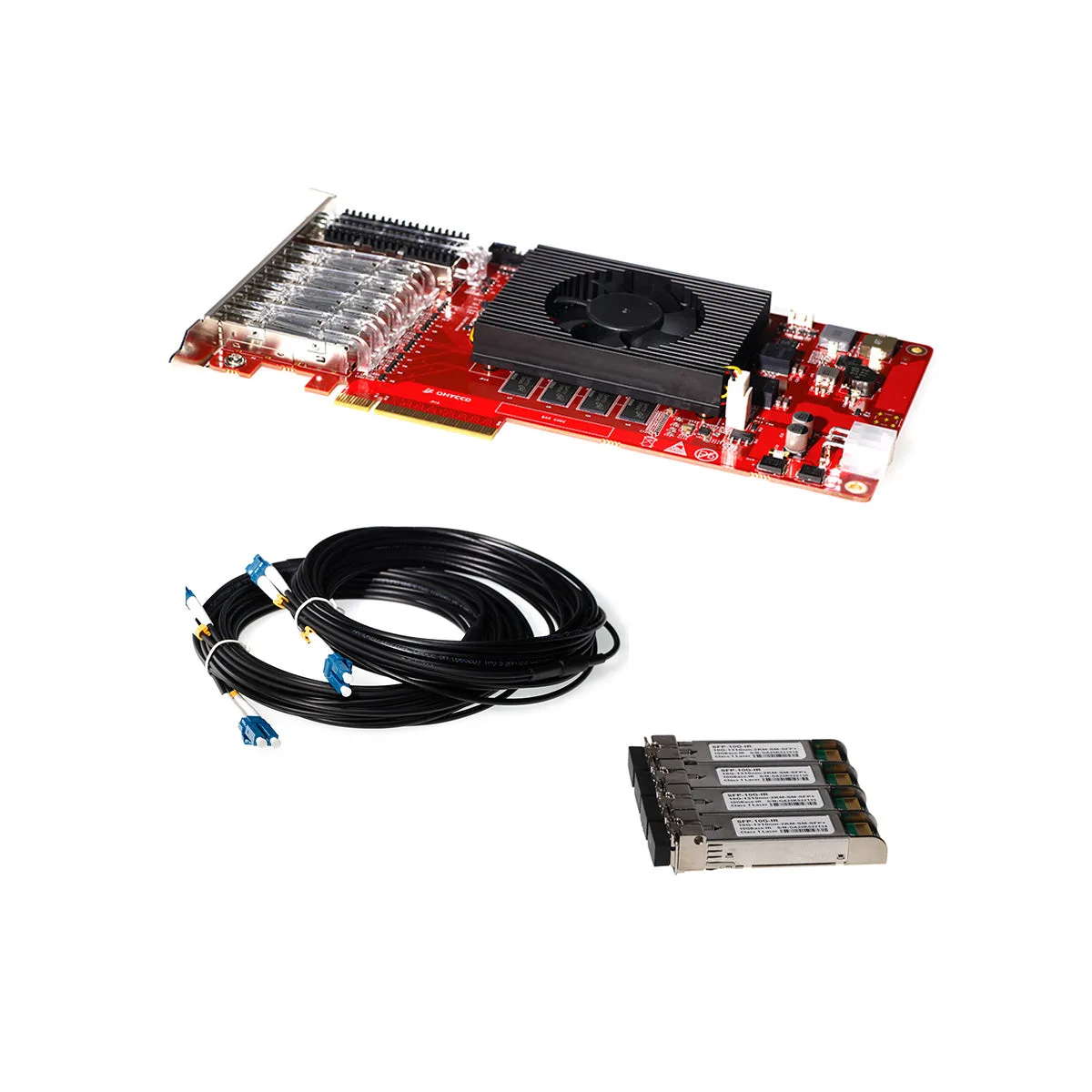
PCIE Grabber Card Kit


