Quick answer
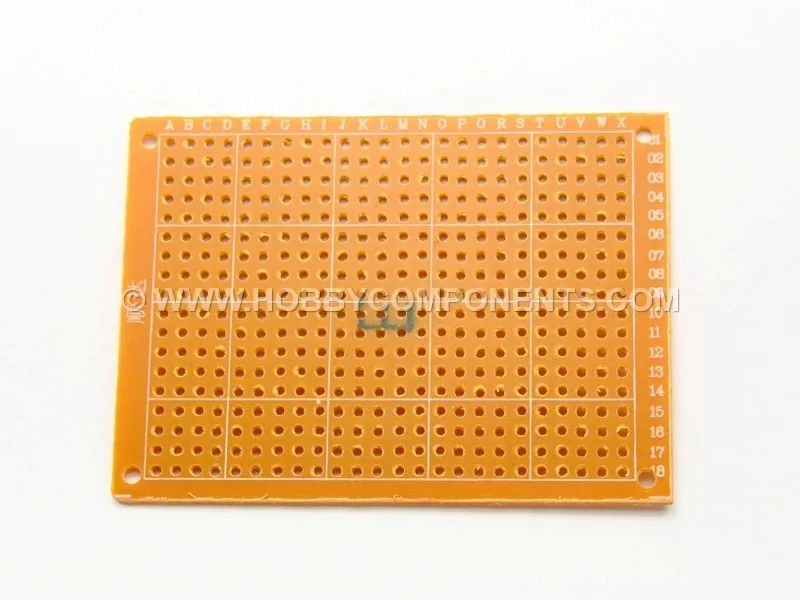
Start by sketching your circuit on paper at the same size as your board, then transfer that plan to a 5x7cm perfboard using a fine-tip marker. Solder low-profile parts first, keep leads short, and check each connection with a multimeter before powering up. If you want a reusable starting point, the DIY PCB Universal Prototyping Board 5x7cm gives you a compact, solder-ready area that fits many small enclosures.
Plan your layout before you cut or solder
A 5x7cm perfboard project succeeds or fails at the planning stage. Draw your components on graph paper using the same 0.1-inch grid as the board, then mark where each wire will run. This catches overlaps before you commit solder. For a DIY Arduino shield perfboard, align the header rows with the Nano or Uno pin spacing first, then place the remaining parts around them. If your design needs screw terminals or external connectors, leave at least two empty holes between the edge and the first pad so you have room to route wires.
Cutting and preparing the board
Most 5x7cm boards snap along pre-scored lines, but a hobby knife and a straightedge give you cleaner edges. Score both sides three or four times, then snap over a table edge. After cutting, sand the rough edge with 400-grit paper so it does not snag wires. If you need mounting holes, drill them before soldering; drilling after assembly can stress joints. Check that no copper slivers bridge adjacent pads; a quick pass with a fine file removes them.
Soldering sequence and joint quality
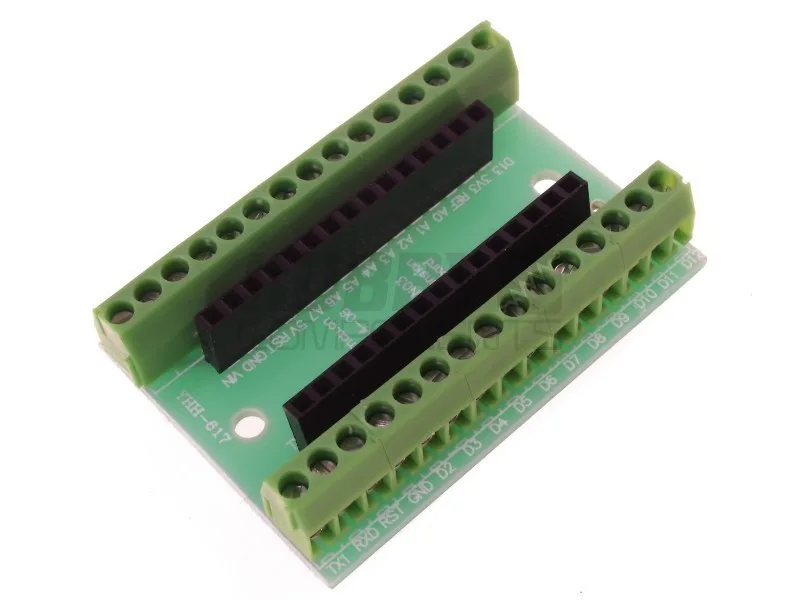
Solder sockets, headers, and low-profile parts first, then work outward to taller components. This keeps the board flat on your work surface and prevents parts from falling out. For each joint, heat the pad and lead for one second, feed a small amount of solder, then remove the iron. A good joint looks like a shiny cone. If it looks like a dull ball, reheat it and add a touch of flux. Keep your iron tip clean between joints; a dirty tip is the most common cause of cold joints. When you use a Terminal Expansion Adapter for Arduino Nano, solder the 15-pin sockets first, then the screw terminal blocks, so the board sits flat while you work.
Stripboard vs perfboard: which to choose
Stripboard has continuous copper strips, so you cut tracks to isolate connections. It suits simple circuits with many shared power and ground lines. Perfboard has isolated pads, so every connection is a wire or a solder bridge. That makes perfboard better for mixed-signal projects or when you want to rearrange parts later. For a universal PCB board layout that you may reuse or modify, perfboard is more forgiving. If you are building a one-off power supply with a clear ground bus, stripboard can save time.
Step-by-step: layout, cut, and solder a 5x7cm perfboard
- Sketch the circuit on grid paper: Use a 0.1-inch grid to match the board. Mark component outlines, pin 1 locations, and wire routes. Leave a 2-hole margin at the edges. Checkpoint: every component has a place and no wires cross where you cannot route them.
- Test-fit components on the board: Push headers, sockets, and large parts into the holes without soldering. Confirm that leads reach and that the board fits your enclosure. Common mistake: forgetting that screw terminals and headers add height, so the board may not fit a low-profile case.
- Cut the board to size if needed: Score both sides with a hobby knife along a straightedge, then snap. Sand the edge and check for copper slivers. Checkpoint: the board sits flat and no pads are bridged by debris.
- Solder low-profile parts first: Start with sockets, headers, and resistors. Heat each pad and lead for one second, add solder, then remove the iron. Keep the board flat on the bench. Common mistake: soldering tall parts first makes the board rock and leads to cold joints.
- Add wires and higher components: Use solid-core wire for point-to-point runs. Strip only 2-3mm, insert from the component side, and solder on the copper side. Trim excess leads after soldering. Checkpoint: tug each wire gently; a good joint will not move.
- Inspect and test before powering up: Use a multimeter to check for shorts between adjacent pads and confirm continuity on power and ground. Look for solder bridges with a magnifier. Next step: if all checks pass, connect power and verify voltages before inserting sensitive ICs.
Products that fit this workflow
- DIY PCB Universal Prototyping Board 5x7cm: DIY PCB Universal Prototyping Board 5x7cm provides a compact soldering area for custom layouts. The 5x7cm size fits small enclosures and is large enough for a small microcontroller, a few sensors, and power connections.
- Terminal Expansion Adapter for Arduino Nano: Terminal Expansion Adapter for Arduino Nano includes a 54mm x 36mm circuit board, 2x 15-pin sockets, and 10x 3-pin screw terminal blocks; soldering required. It turns a Nano into a screw-terminal board, which is useful when you want to connect and disconnect wires without soldering every time.
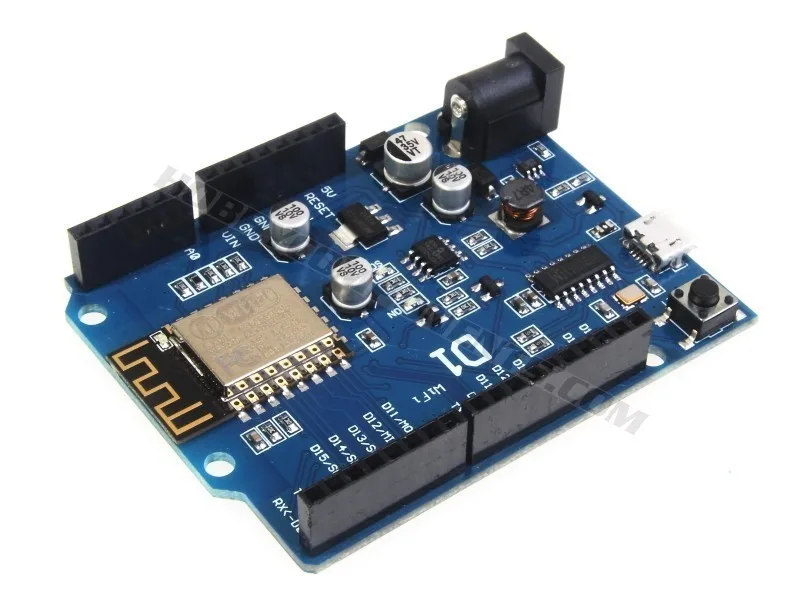
- ESP8266-D1 Arduino Compatible Development Board: ESP8266-D1 Arduino Compatible Development Board is a wireless 802.11 microcontroller board compatible with the Arduino IDE, with a layout similar to the Arduino Uno and Leonardo. Its standard header spacing makes it a practical choice for a DIY Arduino shield perfboard, since you can plan around familiar pin positions.