Quick Answer
For outdoor shoots, the Fall Adventure Kit gives you a portable RGB LED panel with app control and a honeycomb grid to shape light anywhere. Follow the steps below to set up, power, and control it for reliable results.
Why Portable RGB Lighting Works for Outdoor Shoots
Outdoor shoots change fast: clouds shift, the sun drops, and backgrounds get busy. A compact LED panel like the one in the Fall Adventure Kit lets you add fill light, color accents, or a controlled beam without hauling heavy gear.
The kit's RGB capability means you can match ambient tones or create a mood, while the honeycomb grid helps you direct light precisely. The trade-off is battery life—outdoors you have no wall power, so plan ahead.
Power and Placement Trade-offs
Battery life is the main constraint when shooting outside. You'll need to estimate how long you'll be out and decide whether to bring spares or a portable charger. The Panel Pro 2.0's app control helps you adjust settings without touching the light, saving time and battery.
Placement matters: a grid narrows the beam, so you can light a subject without spilling onto the background. But it also reduces the area covered, so move the light closer or increase output when using it.
How to Set Up the Fall Adventure Kit for Outdoor Shoots
- Plan power for your shoot duration: Estimate how many hours you'll need the light on. The Panel Pro 2.0 runs on battery, so decide if you need a power bank or spare batteries for longer sessions. Keep the light on lower output when possible to extend runtime. Check battery level before leaving—don't assume a full charge.
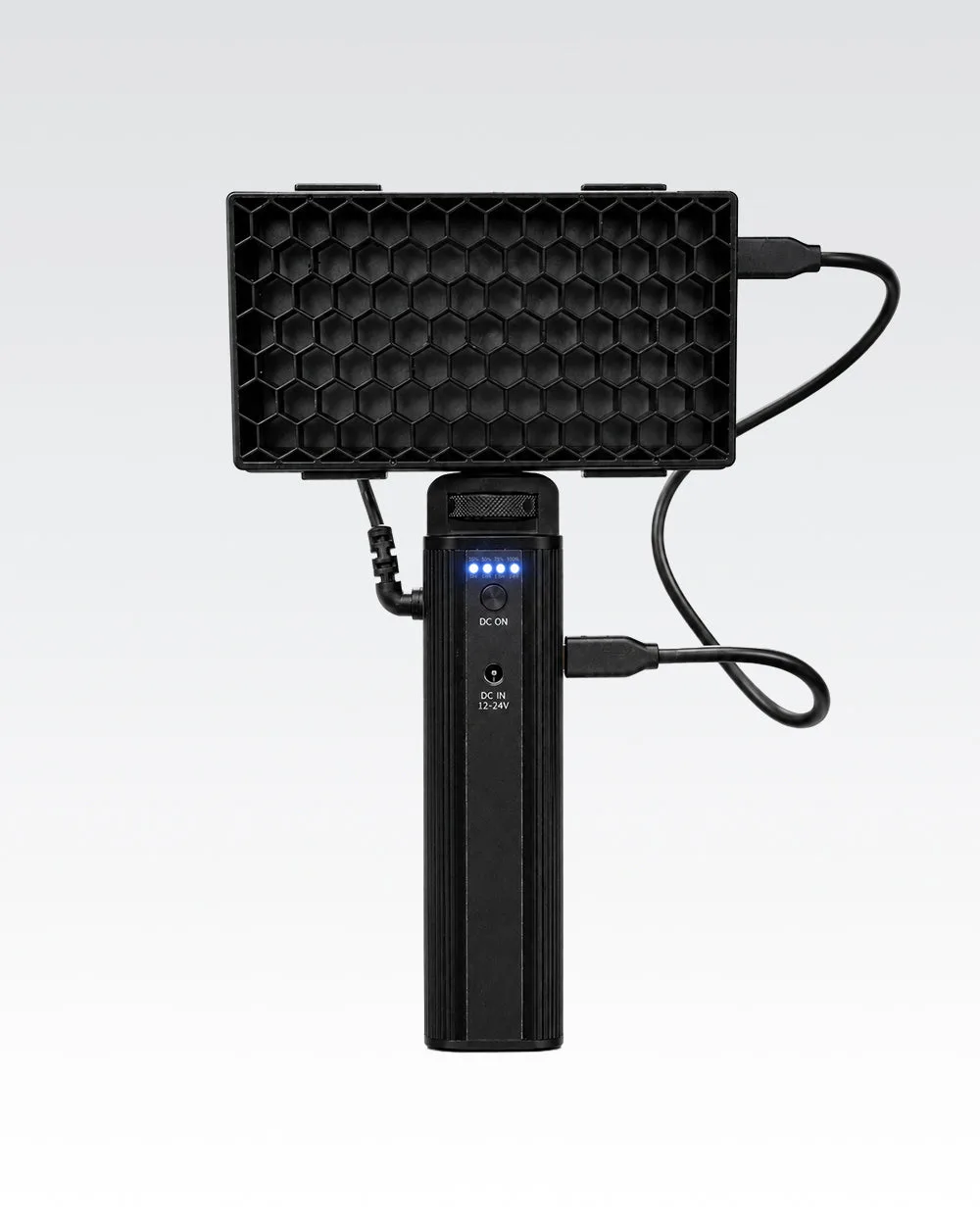
- Attach the Honeycomb Grid for beam control: Snap the grid onto the Panel Pro 2.0 to narrow the beam and reduce light spill. This is especially useful when you want to light a subject without washing out the background. Without the grid, the light spreads wider, which may be desirable for broader fill. Test both with and without the grid to see which suits your scene.
- Set color and intensity via the app: Use the Lume Cube app to select from 16 million RGB colors or one of the 7 lighting effects. Adjust intensity to match ambient light. Avoid guessing—use the app's live preview to dial in the exact look. Save your favorite color presets in the app for quick recall on set.
- Position the light for the mood you want: Place the panel at a 45-degree angle for flattering portraits, or behind the subject for a rim light effect. With the grid, you can create a spotlight. Move the light closer for a softer falloff or farther for a harder beam. Walk around and check shadows before locking the position.
- Adapt to changing daylight: As the sun shifts, re-evaluate your color temperature and intensity. Use the RGB panel to add a warm or cool accent that complements the natural light. Don't set it once and forget it—outdoor conditions change quickly. Review your footage or test shots periodically to catch color shifts early.
Gear in This Guide
-
Fall Adventure Kit – Portable RGB Lighting Bundle: The Fall Adventure Kit includes the Panel Pro 2.0 with 16 million RGB colors, 7 lighting effects, and app control, plus a snap-on Honeycomb Grid. This combination gives you both color flexibility and beam shaping in one portable setup, ideal for creative outdoor lighting.
Fall Adventure Kit – Portable RGB Lighting Bundle