Quick answer
Replace your Fiskars 45mm rotary blade as soon as you notice skipped threads, a fuzzy cut edge, or extra pressure needed to slice fabric. A fresh blade takes under two minutes to install and immediately restores clean, accurate cuts.
How to tell your 45mm blade is done
A sharp rotary blade should glide through cotton with light pressure. When it starts to dull, you will see these signs: the cutter skips over fabric instead of slicing cleanly, the cut edge looks frayed or chewed, you have to press down harder, or the blade leaves a visible line of uncut threads. If you are folding fabric and the blade pushes it instead of cutting, stop and swap the blade. Dull blades are also more dangerous because they require more force, which increases the chance of slipping.
- Skipped threads or uncut spots along the cut line
- Fuzzy, torn edges instead of clean slices
- Noticeably more hand pressure needed to cut
- Fabric shifting or bunching under the blade
What affects 45mm rotary blade lifespan
There is no fixed number of cuts a blade will make. Lifespan depends on what you cut, how often you cut, and your cutting surface. Cutting paper, cardboard, or batting dulls a blade much faster than cutting cotton quilting fabric. A self-healing mat in good condition helps too; a deeply scored mat can catch the blade and cause nicks. If you cut mostly cotton on a clean mat, you might get weeks of regular use. If you cut a lot of flannel or use your cutter daily, expect to replace the blade more often. Keep a spare blade on hand so you never push a dull one through a project.
How to replace a Fiskars 45mm rotary blade safely
Fiskars rotary cutters vary by model, but the general process is similar. Always work away from your body and keep your fingers behind the blade guard. If your cutter has a screw or a snap-off cover, follow the manufacturer's instructions for your specific model. The steps below cover the standard replacement process.
Step-by-step blade replacement
- 1. Unplug or lock the cutter: If your rotary cutter has a retractable blade, click it into the closed position. If it has a screw, loosen it only after the blade is fully guarded. Never hold the cutter with the blade exposed toward your hand. Checkpoint: the blade should be completely covered before you start disassembly.
- 2. Remove the old blade: Carefully take apart the cutter according to your model's instructions. Note the order of washers or spacers so you can reassemble correctly. Hold the old blade by its edges, not the cutting edge, and set it aside in a safe container or the new blade's packaging. Common mistake: losing a small washer or spacer, which can make the new blade wobble.
- 3. Install the new 45mm blade: Place the new Fiskars 45mm replacement blade onto the spindle with the cutting edge facing the same direction as the old blade. Reassemble the cutter in reverse order, making sure the blade sits flat and centered. Checkpoint: the blade should spin freely without rubbing the guard.
- 4. Tighten and test: Tighten the screw or snap the cover closed until the blade is secure but still rotates. Test on a scrap of fabric with a single light pass. The cut should be clean and require no downward force. If the blade wobbles or the cut is still ragged, disassemble and check that the blade is seated correctly.
- 5. Dispose of the old blade safely: Wrap the used blade in tape or place it in a rigid sharps container before throwing it away. Never leave a loose blade in an open trash can. Next step: store spare blades in their original packaging, away from children and pets.
The replacement blade that fits
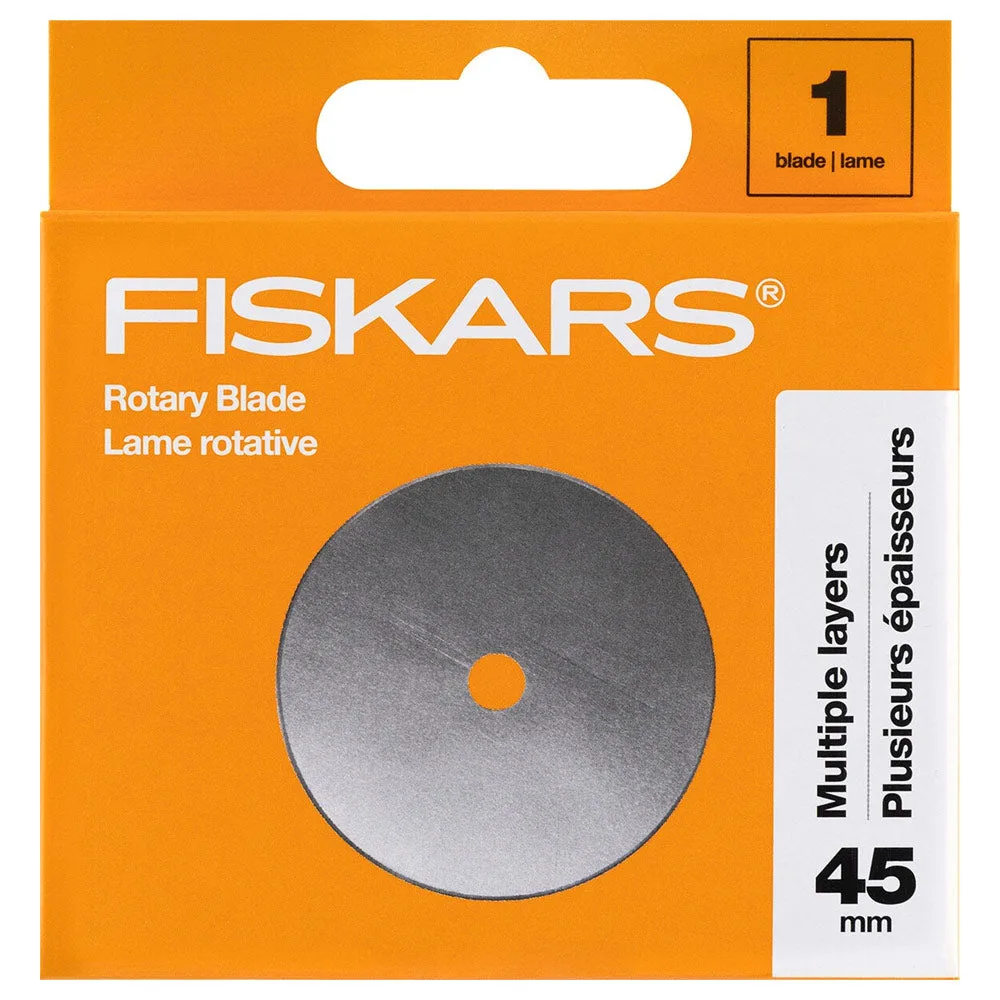
- Fiskars 45mm Rotary Cutting Replacement Blade 1 pc: Fiskars 45mm Rotary Cutting Replacement Blade, 1 blade per package, 45mm diameter. A direct-fit refill for standard Fiskars 45mm rotary cutters, so you can restore a sharp edge without buying a whole new tool.