Quick answer
Most Go! Video Pro 2.0 issues come from uncalibrated sensors, loose camera connections, or low battery. Follow the diagnosis below to fix the most common problems yourself.
Why calibration matters first
Before diving into hardware fixes, always recalibrate the drone's gyroscope and accelerometer. Many flight and camera issues on the Go! Video Pro 2.0 are caused by drift after a hard landing or transport. A quick calibration takes 30 seconds and can save you an unnecessary repair.
When a battery swap isn't enough
A weak battery can cause sudden motor cutouts or camera shutdowns. The Go! Video Pro 2.0 needs a fully charged pack for stable operation. If the drone powers off mid-flight, test with a known good battery before replacing motors or the camera module.
Diagnosis and fix steps
- Drone won't power on: Check the battery is fully charged and securely clicked into place. Press and hold the power button for 3 seconds. If still off, try a different battery.
- Camera feed is black or frozen: Re-pair the drone with your phone or remote. Open the camera app, then gently reseat the camera module connector inside the drone body (unplug and replug the ribbon cable). If the feed remains black after reseating, the camera module likely needs replacement – stop here and contact support.
- Quadcopter not flying – motors don't spin: Place the drone on a flat level surface. Calibrate the gyroscope: power on, then move both control sticks to the bottom-right position for 3 seconds until the LEDs flash. Try arming again.
- Drone shakes or drifts during flight: Land immediately. Recalibrate the accelerometer using the same stick command. Ensure propellers are not bent or cracked. Replace any damaged propeller. If shaking persists after calibration and prop swap, the motor bearings may be worn – stop flying to avoid ESC damage.
- Camera records but no video file saved: Check the microSD card is inserted fully and formatted to FAT32. Try a different card with a write speed of at least Class 10.
Product fact
-
RC Camera Quadcopter "Go! Video Pro 2.0": The Go! Video Pro 2.0 is built for powerful aerial images, suitable for first-time drone pilots and those staging specific scenes from the air. Its compact design means components are tightly packed, so loose connections are a common fixable issue rather than a sign of a defective unit.
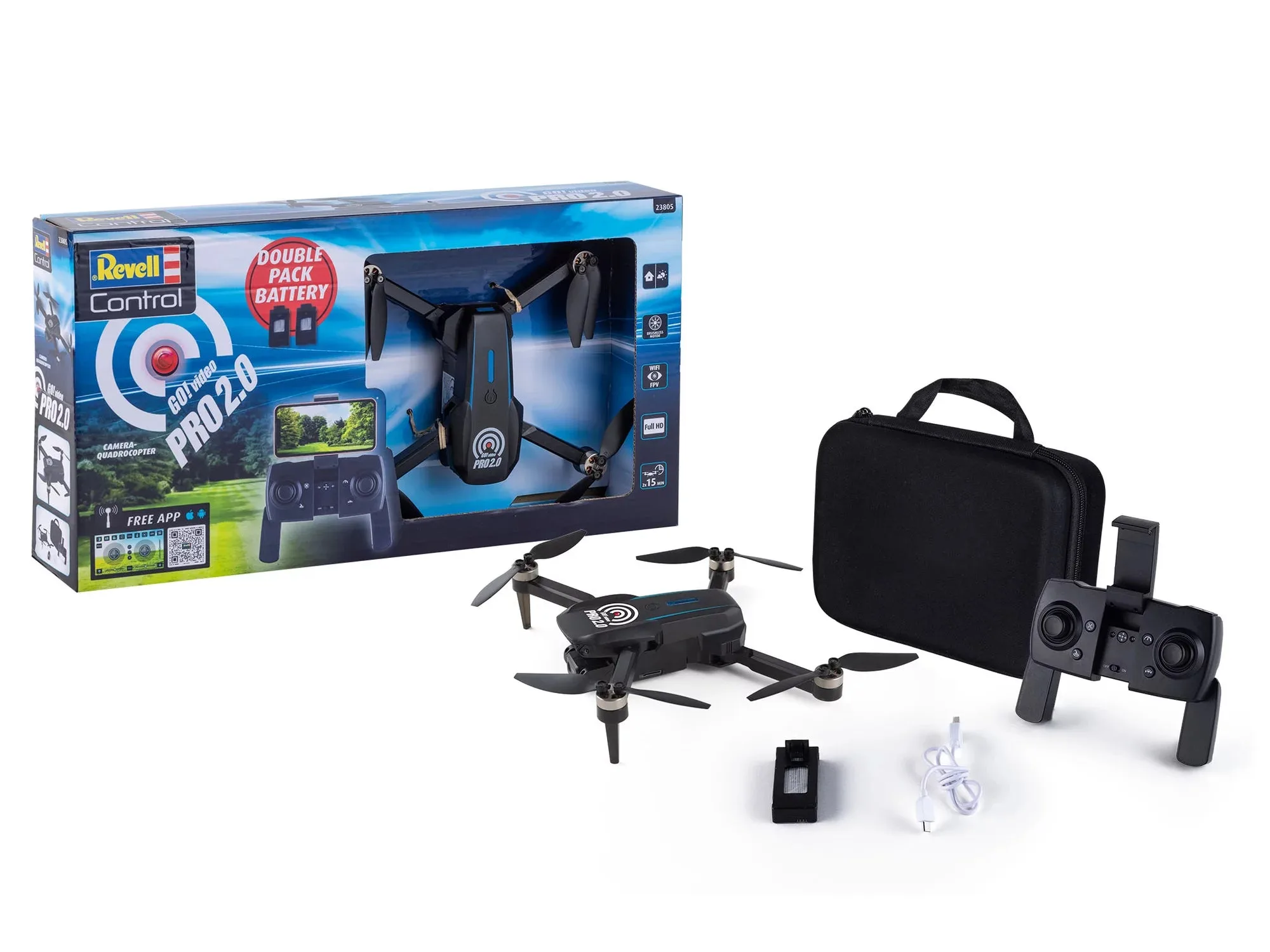
RC Camera Quadcopter "Go! Video Pro 2.0"