What the Flow100 Offers for Daily Typing
If you're looking for a full-size keyboard that doesn't tower over your desk, the Lofree Flow100 Low-profile Mechanical Keyboard is a strong candidate. It combines a streamlined low-profile design with responsive mechanical switches, aiming to reduce hand fatigue during long sessions while keeping your workspace tidy with wireless connectivity.
The Flow100 comes in two colorways: White with Ghost Switches and Black with Phantom Switches. Both options deliver a low-profile mechanical typing experience, but the switch choice may affect the sound and feel—something to consider based on your personal preference.
Key Specifications at a Glance
-
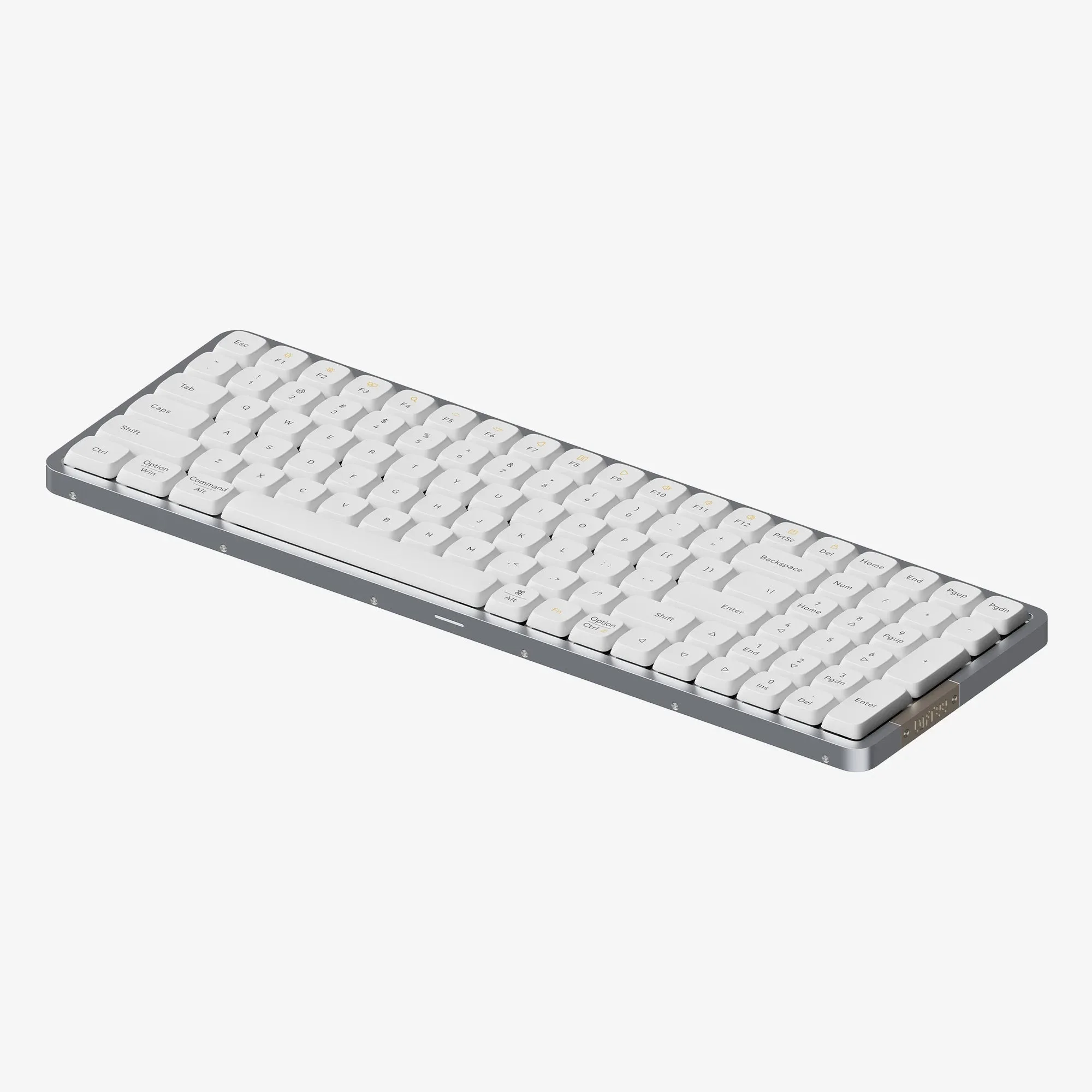
Flow100 Low-profile Mechanical Keyboard: Low-profile mechanical design for a streamlined look and reduced hand fatigue. This directly addresses the main concern of comfort during extended typing, making the Flow100 suitable for office work, writing, or coding.
Flow100 Low-profile Mechanical Keyboard
-
Flow100 Low-profile Mechanical Keyboard: Wireless connectivity for a clutter-free desk setup. Wireless operation helps keep your desk organized and gives you flexibility in placement without cable management hassles.
-
Flow100 Low-profile Mechanical Keyboard: Available in two refined colorways—White with Ghost Switches and Black with Phantom Switches. Choosing between Ghost and Phantom switches lets you tailor the typing feel and aesthetic to your workspace, though specific switch characteristics are not detailed in the catalog.
Choosing Between White with Ghost Switches and Black with Phantom Switches
The Flow100 is offered in two variants: White with Ghost Switches and Black with Phantom Switches. While the catalog does not specify the exact operating force or sound profile of each switch, the choice likely comes down to personal preference for typing feel and desk aesthetic.
If you prefer a lighter, quieter typing experience, Ghost Switches may be the better fit. Phantom Switches might offer a slightly different tactile response. Since the catalog doesn't provide detailed switch specs, your best bet is to consider your past experience with similar low-profile switches or try them in person if possible.
Wireless Convenience and Desk Setup
The Flow100's wireless connectivity helps eliminate cable clutter, which is especially valuable if you frequently switch between devices or want a clean minimalist desk. The low-profile design also means the keyboard sits lower, potentially reducing wrist strain compared to taller mechanical keyboards.
Keep in mind that the catalog does not specify battery life, charging method, or compatibility with specific operating systems. If these details are critical to your decision, you may want to check the product packaging or manufacturer support for the most current information.
Flow100 vs. Typical Full-Size Keyboards
- Profile height: Low-profile design reduces hand fatigue compared to standard mechanical keyboards with taller keycaps and switches.
- Connectivity: Wireless operation offers a cleaner desk setup, whereas many full-size keyboards still rely on a wired connection.
- Switch options: Two switch choices (Ghost and Phantom) provide some customization, though detailed specs are not cataloged.
Who Should Consider the Flow100?
The Flow100 is a solid choice if you need a full-size layout with a numeric keypad but want a lower profile to reduce wrist strain. It's also ideal if you value a clean, wireless desk setup and appreciate the option to match your keyboard to your workspace color scheme.
If you require specific switch characteristics (like exact actuation force or sound level) or need detailed compatibility information, you may need to look for additional product documentation. For most users seeking a comfortable, stylish low-profile mechanical keyboard, the Flow100 is worth considering.