Quick answer
Charge the camera, load a pack of INSTAX MINI film, pair it with the smartphone app over Bluetooth, then take or choose a photo and press print. The key is to load film correctly and pair the app before you try to print.
Why the LiPlay+ setup differs from a fully analog instant camera
The LiPlay+ is a hybrid digital/instant camera: it captures a digital image with its 1/5-inch CMOS sensor at 2560x1920 resolution, and only when you choose to print does it expose INSTAX MINI film. That means you can review the shot on the 2.7-inch LCD, apply filters or frames in the app, and decide whether it is worth a print. The trade-off is that you need to manage battery charge and a Bluetooth connection, not just film.
When the app is optional and when it is not
You can take and print photos directly from the camera without ever opening the app. The app becomes necessary if you want to print photos from your phone gallery, add filters or frames before printing, or use your phone as a remote shutter. If you only plan to shoot and print on the spot, you can skip the pairing step after the initial setup.
Step-by-step: set up and print with the LiPlay+
- Charge the camera fully: Connect the LiPlay+ to a USB power source using the supplied cable and charge until the battery indicator shows full. A partial charge may let you take photos but fail during printing, which uses more power. Charge before loading film so you do not waste a pack on a failed first print.
- Load a pack of INSTAX MINI film: Open the film door, align the yellow mark on the film pack with the mark inside the camera, and insert the pack straight in. Close the door firmly until it locks. Do not press the film pack or force it. The first print after loading is the black protective cover sheet, not a photo. It ejects automatically when you turn the camera on or press the shutter once.
- Turn on the camera and check the LCD: Press the power button and confirm the 2.7-inch LCD lights up and the frame counter shows an available shot. If the screen stays dark, the battery may not be seated or charged. If the counter shows dashes or a blinking icon, reinsert the film pack before shooting.
- Pair the smartphone app over Bluetooth: Enable Bluetooth on your phone, open the dedicated INSTAX app, and follow the in-app pairing instructions to connect to the LiPlay+. Keep the phone within a few meters during pairing. If pairing fails, turn Bluetooth off and on again on the phone, then retry. Do not pair from the phone's Bluetooth settings menu; use the app.
- Choose a photo and print: Either take a new photo with the camera or select one from your phone gallery through the app. Preview it on the LCD, apply any filters or frames in the app if desired, then press the print button. The camera will eject the print; wait for it to finish before pulling. Do not pull the print while it is still ejecting; let it come out fully to avoid jamming.
Product facts
-
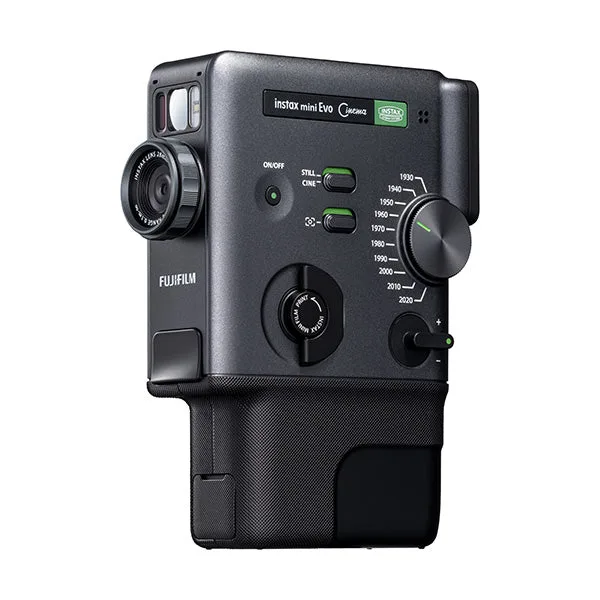
Fujifilm Instax Mini LiPlay+: Hybrid digital/instant camera that accepts INSTAX MINI film and produces credit-card-sized prints. You can preview and select images before printing, so you waste less film on shots you do not love.
Fujifilm Instax Mini LiPlay+
-
Fujifilm Instax Mini LiPlay+: Bluetooth connectivity for smartphone operation and an app for printing and adding filters/frames. Pairing the app unlocks phone-gallery printing and creative edits, but the camera still works without it.
-
Fujifilm Instax Mini LiPlay+: Fixed 28mm f/2 lens (35mm equivalent) and 1/5-inch CMOS sensor with 2560x1920 resolution. The wide-angle lens suits group shots and scenery, while the digital sensor lets you frame via the LCD before committing to a print.