Start with the format decision, not the menu
The GoPro MISSION 1 is a compact cinema camera built around a 50MP 1-inch sensor and the GP3 processor, and its headline feature is 8K recording. Before you touch any other setting, decide what the footage is for. That one choice determines how much card space you need, how you will reframe in the edit, and how long you can run before heat becomes a factor.
Two supplied recording modes frame that decision. Open Gate captures a taller 4:3 frame in 8K30 and 4K120, which the catalog describes as 33% greater resolution than competitors and a way to reframe for vertical and horizontal delivery from one take. Standard 8K60 gives you the highest frame rate at 8K and the ability to pull 33MP stills from video. Pick Open Gate when you need cropping flexibility; pick 8K60 when motion smoothness or stills extraction matters more.
What the MISSION 1 gives you at the capture stage
-
GoPro MISSION 1 Series Compact 8K Cinema Camera: 50MP 1-inch sensor with GP3 processor, recording up to 8K video The large sensor and processor are the foundation for the low-light performance and resolution this setup is built around.
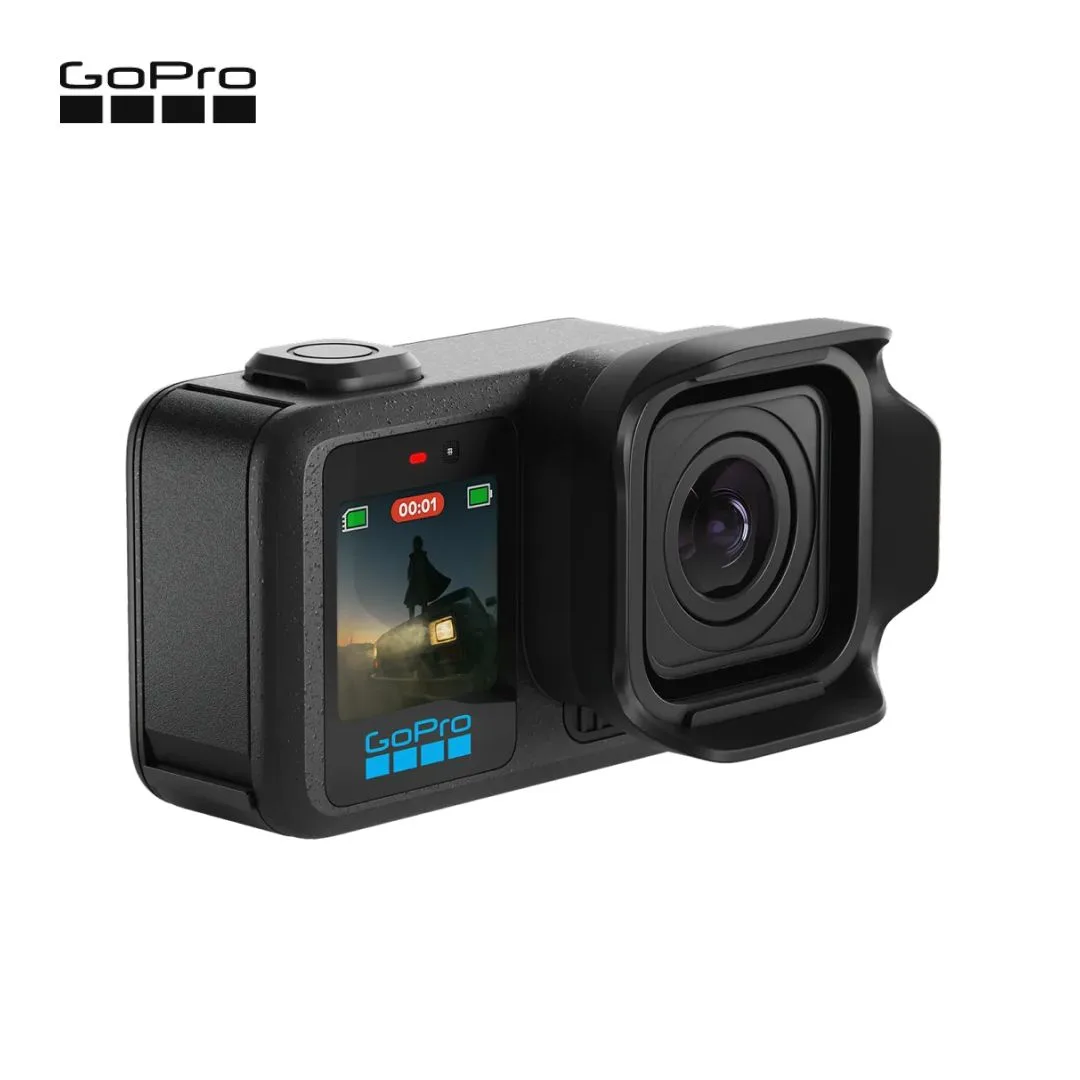
GoPro MISSION 1 Series Compact 8K Cinema Camera
-
GoPro MISSION 1 Series Compact 8K Cinema Camera: Open Gate captures a taller 4:3 frame in 8K30 and 4K120, with 33% greater resolution than competitors Explains why Open Gate is the flexible choice for multi-format delivery from a single recording.
-
GoPro MISSION 1 Series Compact 8K Cinema Camera: 8K video at up to 60 frames per second, with 33MP photos pullable from video Defines the alternative to Open Gate when frame rate and stills extraction are the priority.
Set color and exposure for the grade you plan to do
The MISSION 1 supports 10-bit color, GP-Log2, and HLG HDR. That is a meaningful choice, not a checkbox. GP-Log2 is the supplied log profile for creators who will grade footage and want the most latitude; HLG HDR suits direct delivery to HDR displays without a heavy grade. If you are unsure, the supplied information does not include a recommended exposure index or LUT workflow, so test both profiles on a short shoot before committing a client job to one.
The updated lens provides a 159° native field of view, which is wider than most cinema lenses and useful for immersive action framing. A removable lens hood is included to cut glare and lens flare. Check the frame edges with the hood fitted, since the supplied record does not state whether the hood causes any vignetting at the full 159° view.
Power and thermal planning before the first long take
The catalog claims up to 5 hours of continuous recording and a big jump in thermal performance, but those figures depend on settings, ambient temperature, and airflow. Treat them as a ceiling to verify on your own rig, not a guarantee for every 8K mode.
- Use the Enduro 2 battery as your baseline: The MISSION 1 ships around a new 2150mAh Enduro 2 battery and is rated to perform down to -4°F (-20°C). The supplied record calls it a fast-charging battery but does not list a charge time, so plan a charging window you have measured yourself.
- Match recording length to the mode: 8K60 and Open Gate 8K30 generate more heat than lower-resolution modes. The catalog lists Low Light Video, Slow Motion, Burst Slow Motion, and Endurance Mode as available video modes; the supplied evidence does not state which mode is thermally safest for a given duration, so run a test take at your intended settings.
- Keep airflow in mind: The body is waterproof to 66ft (20m) and shock-resistant, which means it is sealed. Sealed bodies rely on surface area to shed heat, so avoid enclosing the camera in padded cases during long 8K takes unless you have confirmed temperatures stay acceptable.
Battery, weather, and body facts worth knowing
- GoPro MISSION 1 Series Compact 8K Cinema Camera: New 2150mAh Enduro 2 Battery, performing down to -4°F (-20°C) Sets the cold-weather operating range and identifies the battery to standardize on for multi-day shoots.
- GoPro MISSION 1 Series Compact 8K Cinema Camera: Waterproof to 66ft (20m) with a shock-resistant design Confirms the camera can be used in wet and rough environments without a separate housing, within the stated depth.
- GoPro MISSION 1 Series Compact 8K Cinema Camera: Up to 5 hours of continuous recording with improved thermal performance Gives a runtime target to validate against your own 8K settings rather than assuming it applies universally.
Use Hindsight so you stop missing the start
Hindsight captures up to 30 seconds of footage before you press record, so if you press the shutter too late, you still get the shot. For action and documentary work this changes how you operate: you can wait for the moment instead of recording continuously to protect against a missed start. The supplied information does not specify which resolutions or frame rates support Hindsight, so confirm it is active in your chosen mode before relying on it for a one-take opportunity.
Audio: four microphones, 32-bit float, and two wireless paths
The MISSION 1 records 32-bit float audio from a 4-microphone array, which reduces the risk of clipping loud transients. It also supports USB-C audio and Super Wideband Bluetooth 5.3 audio. Those are two different wireless paths: Bluetooth for compatible wireless audio devices, USB-C for wired digital audio. The supplied record does not list specific compatible microphone models or adapters, so verify your own transmitter or mic against the connection type before you build a workflow around it.
Audio Tuning is listed as an in-camera tool, but the supplied evidence does not describe what it adjusts. Treat it as something to test with headphones rather than a known fix for wind or handling noise.
A pre-shoot checklist for the MISSION 1
- Confirm the recording mode and frame rate: Choose Open Gate 8K30 or 4K120 for reframing flexibility, or 8K60 for frame rate and 33MP stills extraction. Decide before you set exposure.
- Choose GP-Log2 or HLG HDR: GP-Log2 for a planned grade; HLG HDR for direct HDR delivery. The supplied record lists both but no exposure guidance, so test first.
- Check the battery and temperature: Use the 2150mAh Enduro 2 and confirm the camera is within its -4°F to operating range for your environment. The catalog does not state a maximum operating temperature.
- Enable Hindsight if the moment is unpredictable: It buffers up to 30 seconds before recording starts. Verify support in your selected mode.
- Set audio input and monitoring: Decide between the internal 4-mic array, USB-C audio, or Bluetooth 5.3 audio, and check levels with 32-bit float engaged.
- Fit or remove the lens hood deliberately: The removable hood cuts glare and flare; check the 159° frame edges with it on.
Where the supplied information stops
The catalog record for the GoPro MISSION 1 does not include a recommended memory card speed, a maximum operating temperature, a charge time for the Enduro 2, or a list of compatible Bluetooth and USB-C audio devices. It also does not confirm whether Hindsight works in every video mode. Those gaps are not reasons to avoid the camera; they are reasons to test your specific configuration before a paid shoot. The MISSION 1 PRO variant is listed in the catalog, but the supplied evidence does not detail how its features differ from the standard model, so compare the variant records directly if you are choosing between them.